What it covers

What needs doing, and who it belongs to

Records are only half of it. The other half is knowing what needs attention this morning across every site, without opening eleven screens to find out.

Tasks that know what they're about

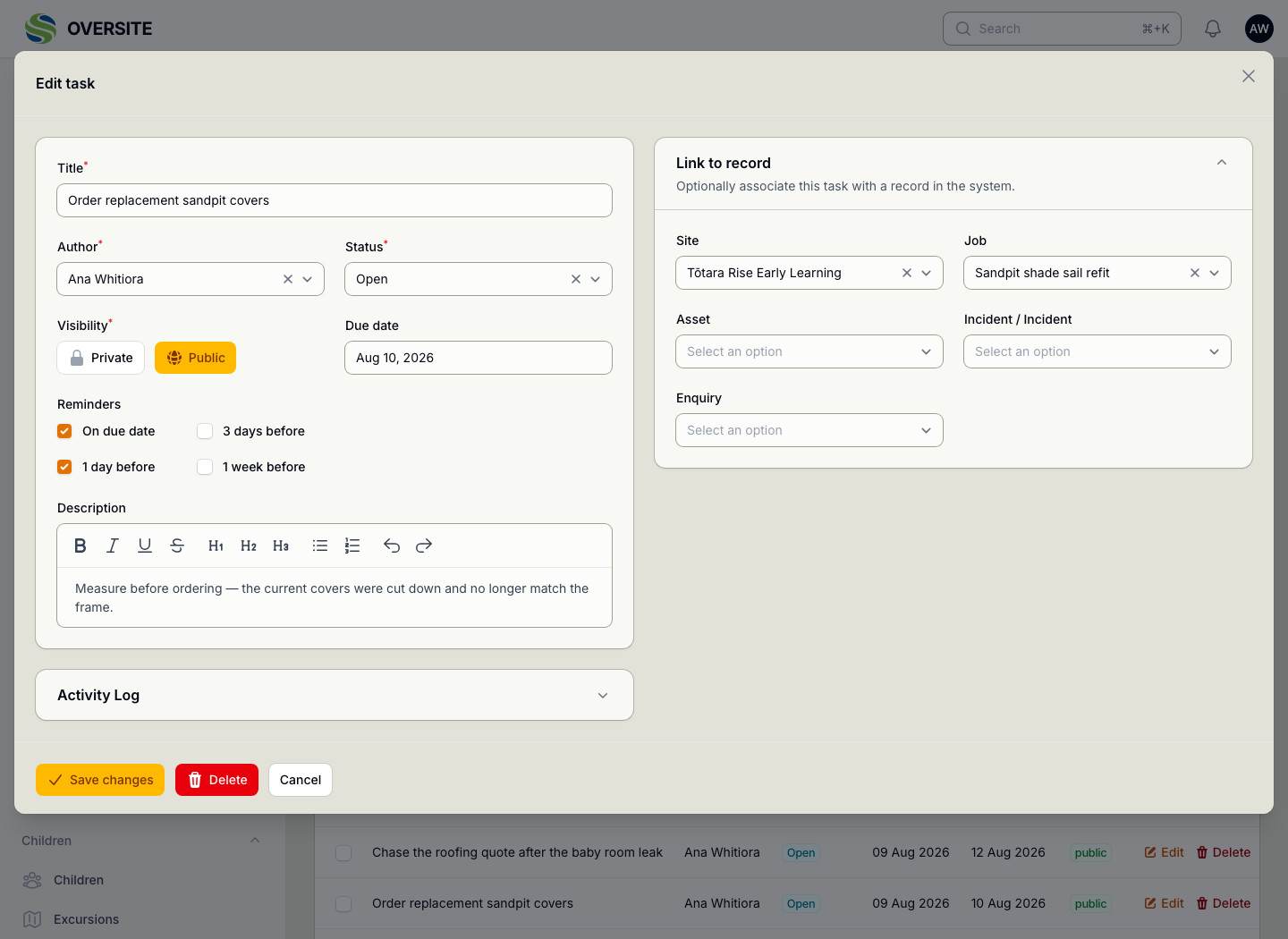
A task can be linked to the thing it concerns: the job it follows up, the incident it came out of, the enquiry waiting on an answer. Opening the task takes you to the record rather than to a description of it.

Reminders fire ahead of the due date, so the follow-up that matters is raised while there is still time to do it.

  • Attached to a site, a job, an asset, an incident or an enquiry
  • Reminders before the due date, not after
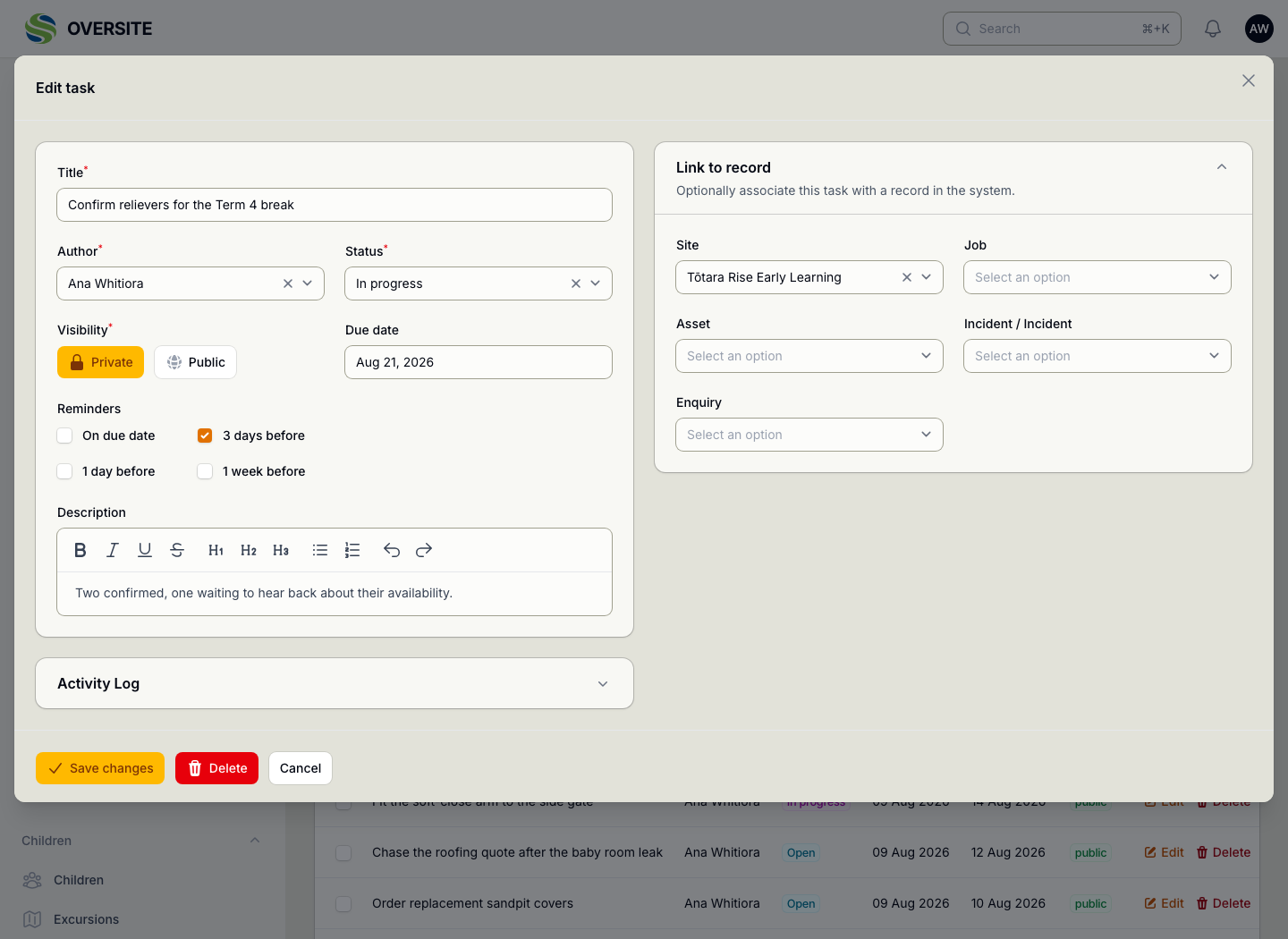
  • Private to you, or visible to the site
  • Open, in progress and done as real states
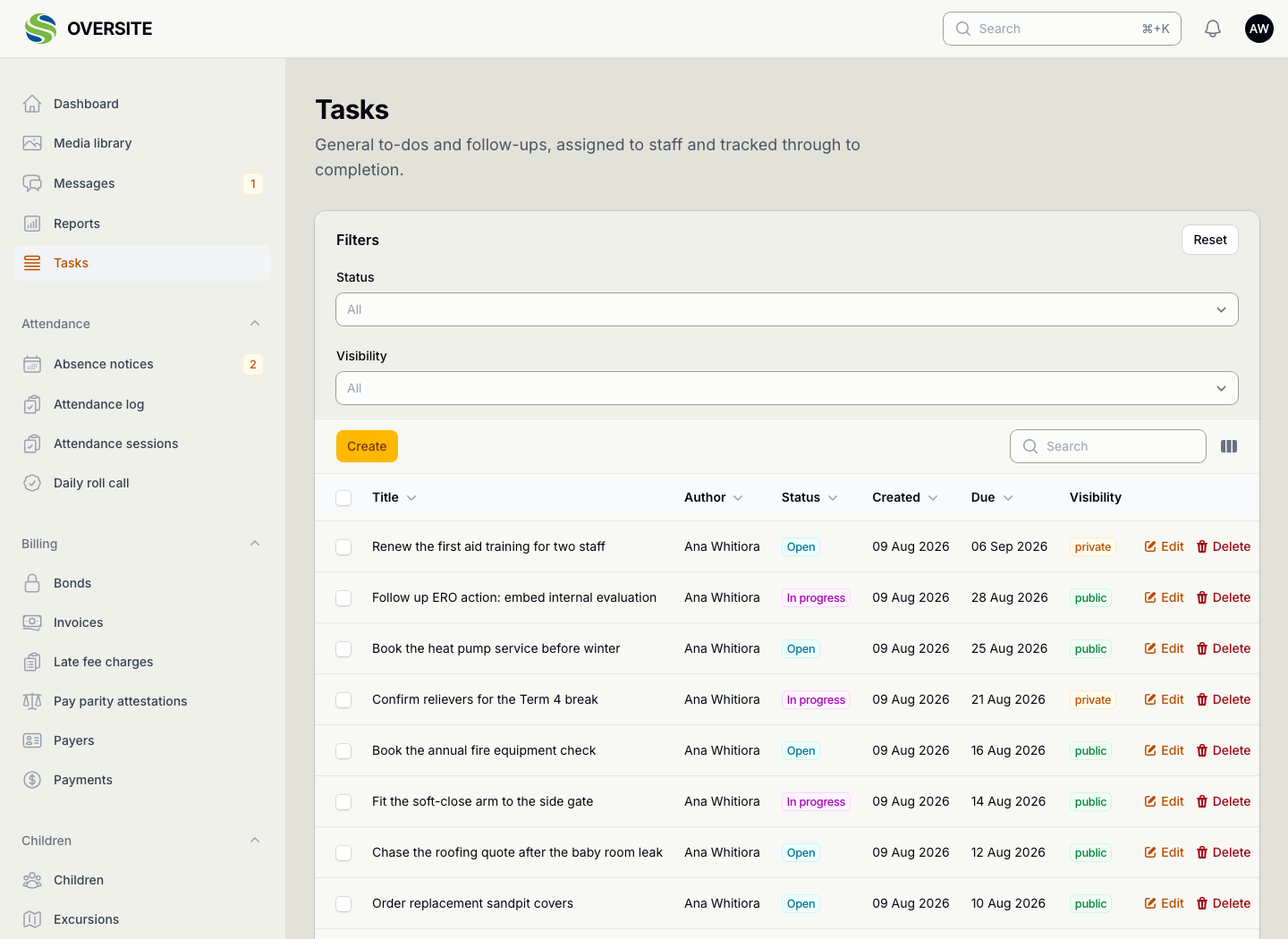
The Tasks screen listing nine work items, among them booking the annual fire equipment check, chasing a roofing quote and renewing first aid training, each with its author, status, created and due dates, and whether it is private or public. A task open for editing, linked to the sandpit shade sail refit job, with reminders set for the due date and the day before, and a note explaining what to check before ordering. A task set to Private rather than Public, so it is visible only to the person who wrote it, with a reminder three days before it falls due.

Every site, on one screen

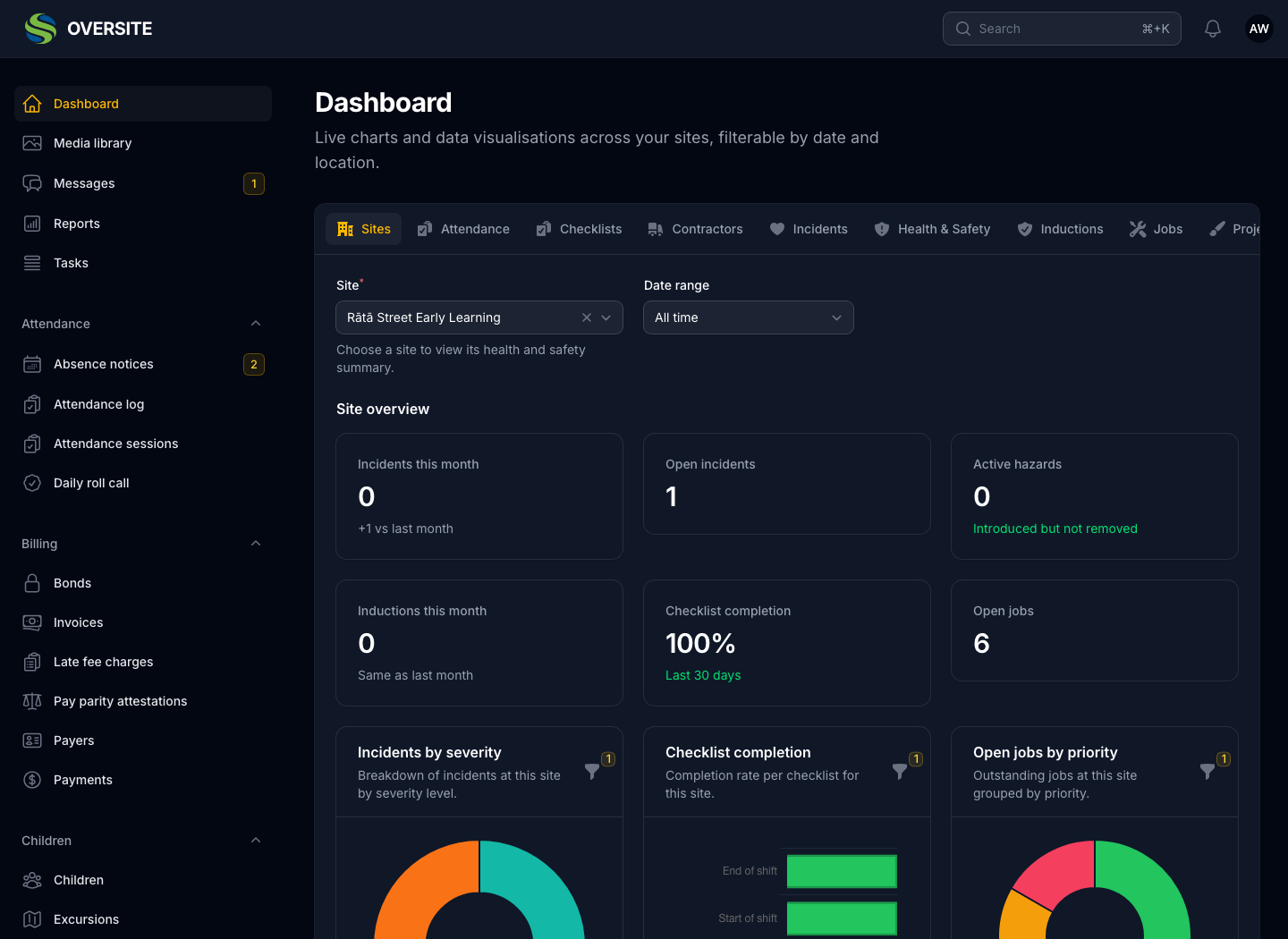
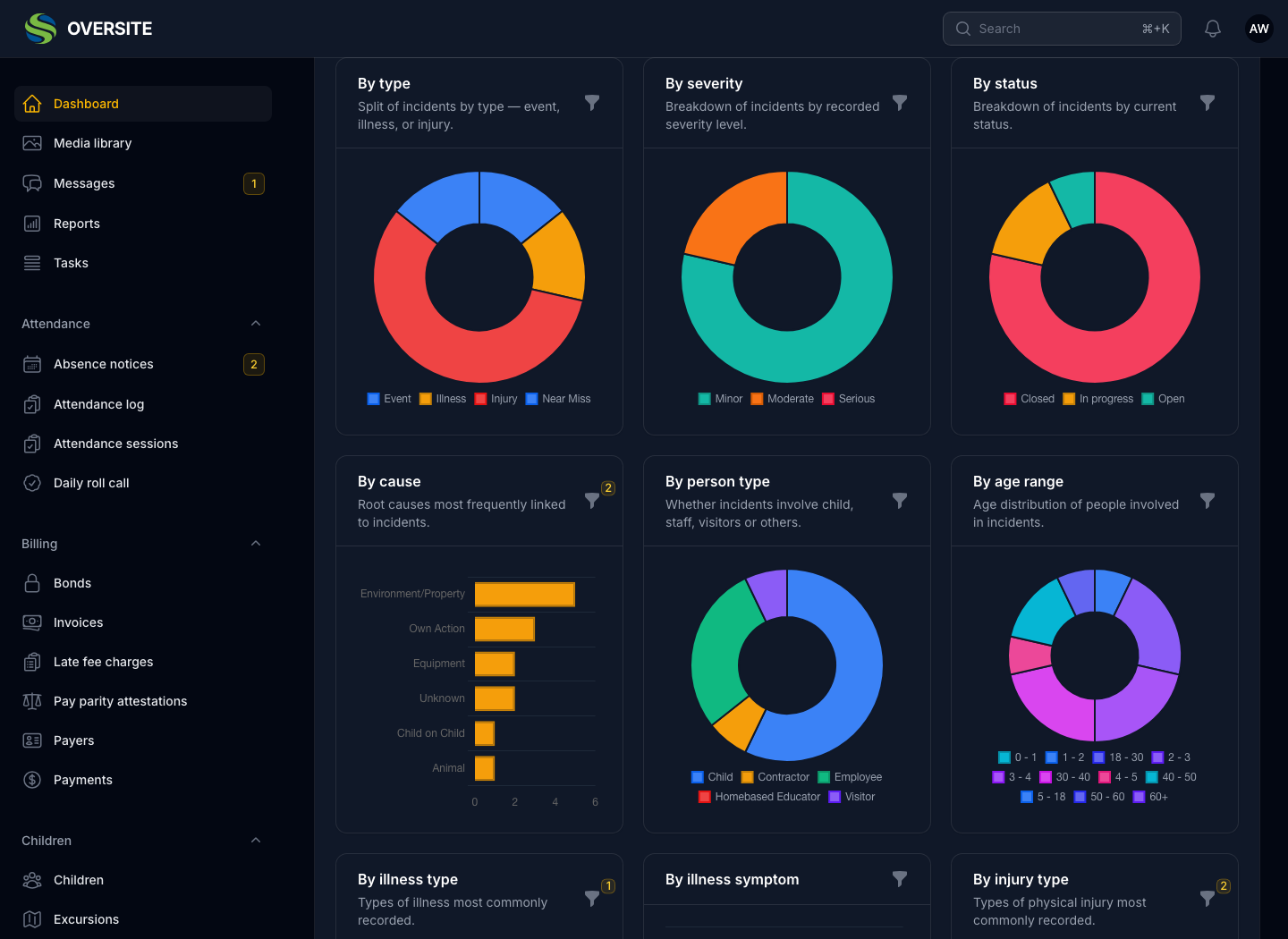
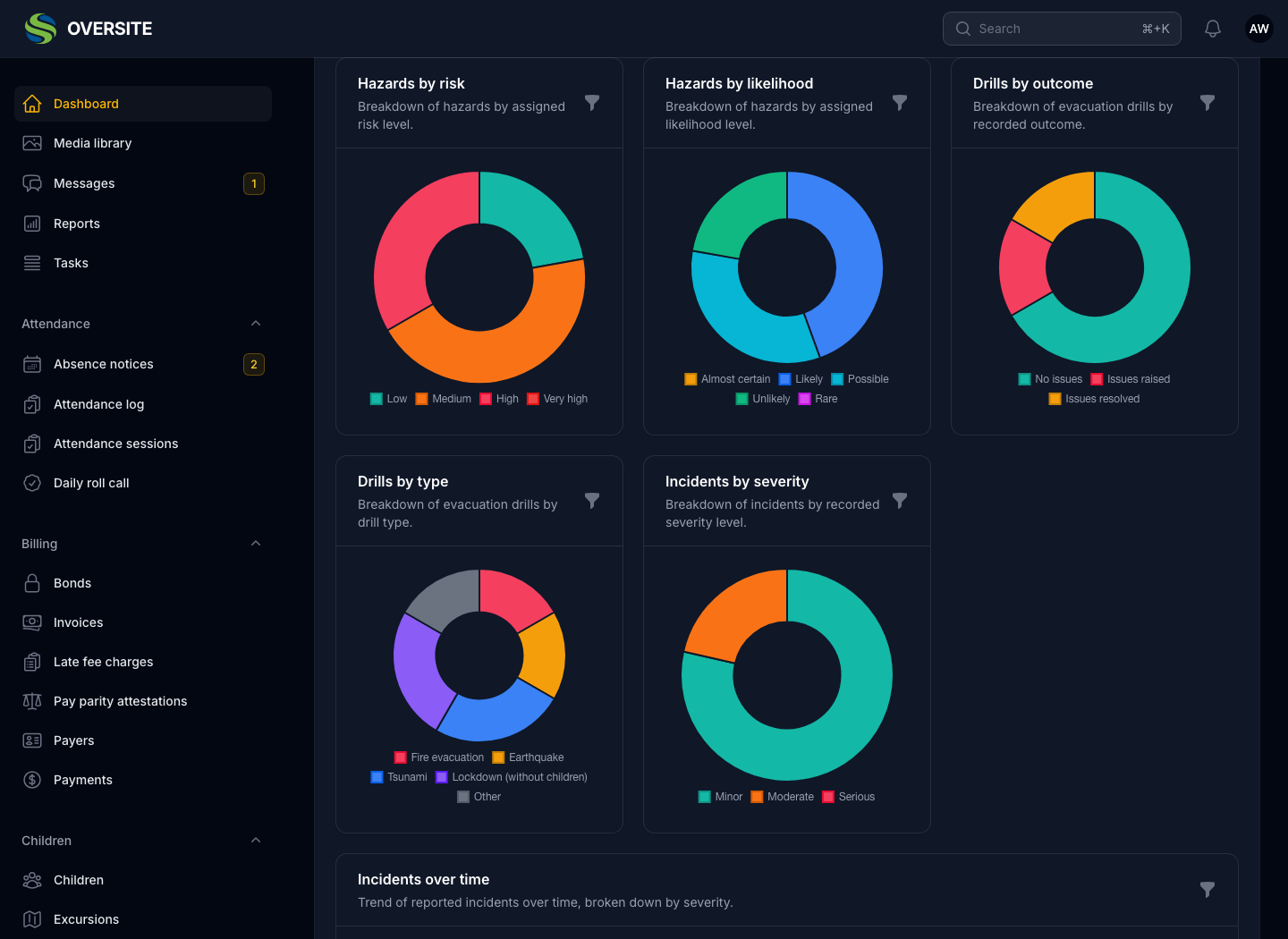
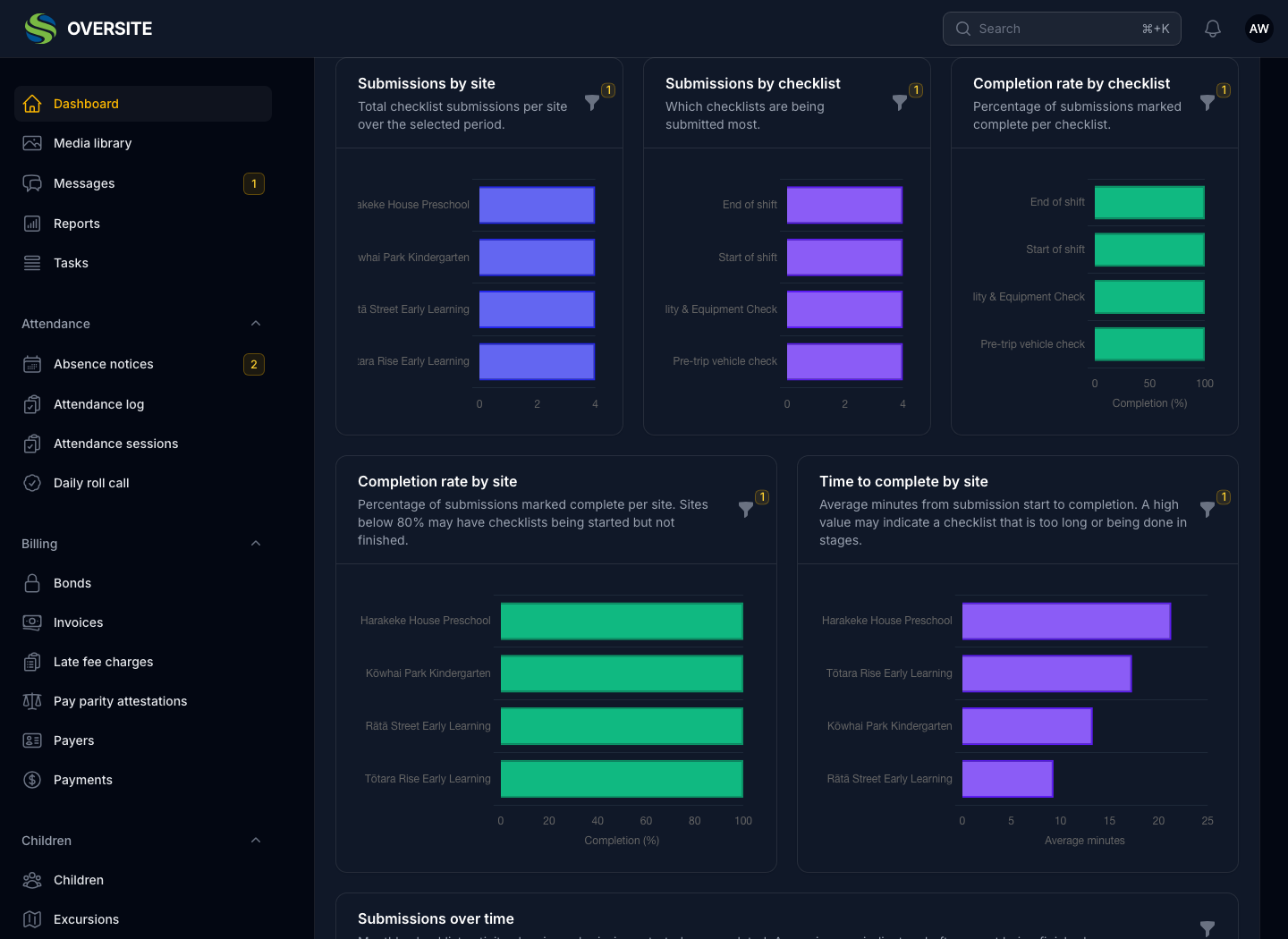
The dashboard puts the state of the organisation in one place, split into tabs for each area and filterable by site and period. Somebody running four centres can see all four without opening four sets of screens.

Each tab respects the same permissions as the module behind it, so what a person sees on the dashboard matches what they can reach everywhere else.

  • Attendance, checklists, contractors, incidents, H&S, inductions, jobs
  • Filtered by site and by date range
  • Each tab gated by the permission for that area
  • Charts and figures, not a wall of tables
The Dashboard in dark mode with a single centre chosen, showing incidents this month, open incidents, active hazards, inductions, checklist completion and open jobs, above charts for incidents by severity, checklist completion and open jobs by priority. The Incidents tab of the Dashboard in dark mode, showing doughnut charts breaking incidents down by type, severity, status, person type and age range, alongside a bar chart of root causes. The Health and Safety tab of the Dashboard in dark mode, showing hazards broken down by risk level and by likelihood, evacuation drills by outcome and by type, and incidents by severity. The Checklists tab of the Dashboard in dark mode, showing submissions by site and by checklist, completion rate per checklist and per site, and average time taken to complete.

Messages, and what the family sees

A change to a booking, a note about a pair of gumboots, a question about fees: all of it arrives in a thread attached to the family rather than in somebody's text messages or a note passed on verbally.

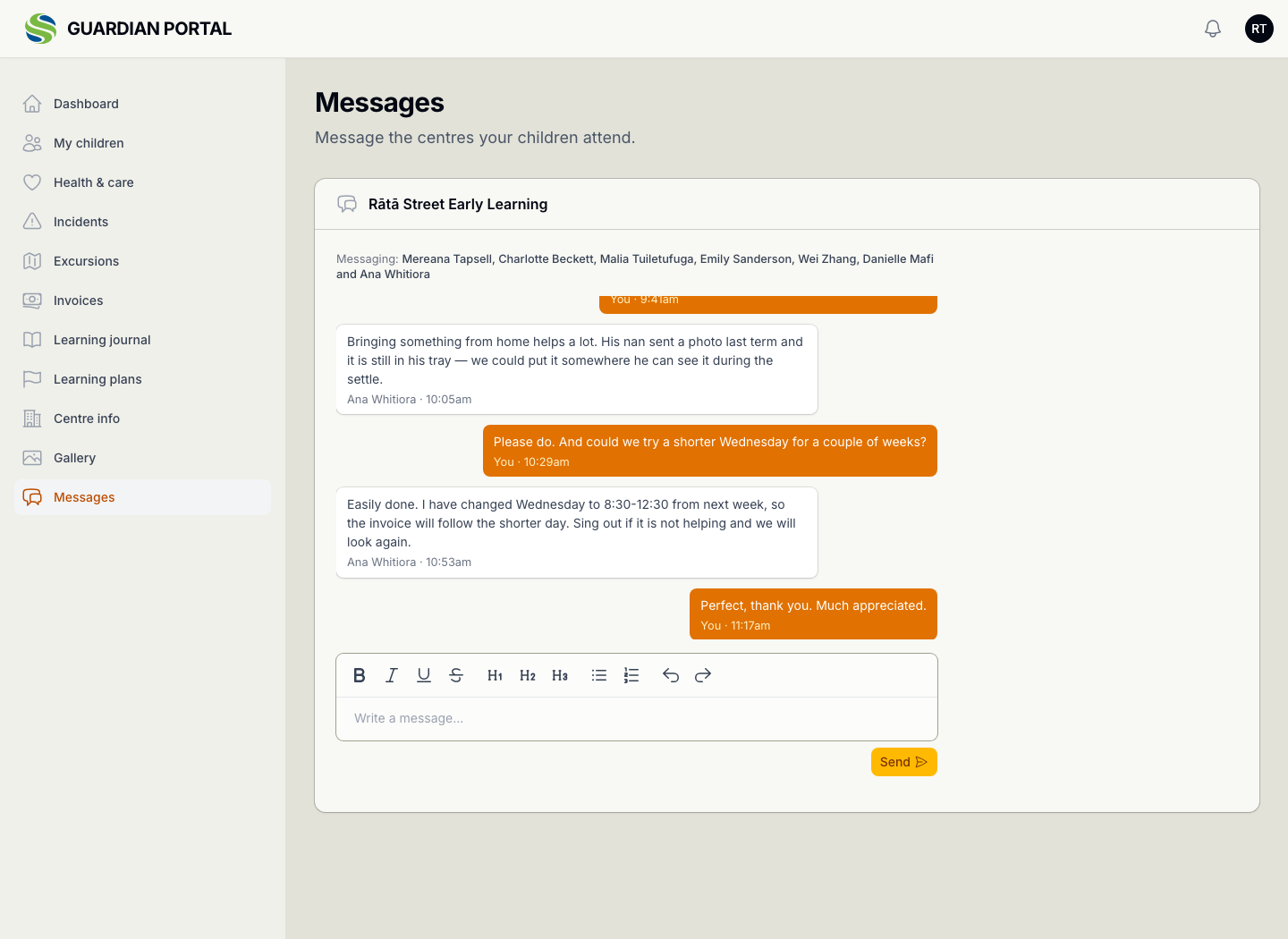
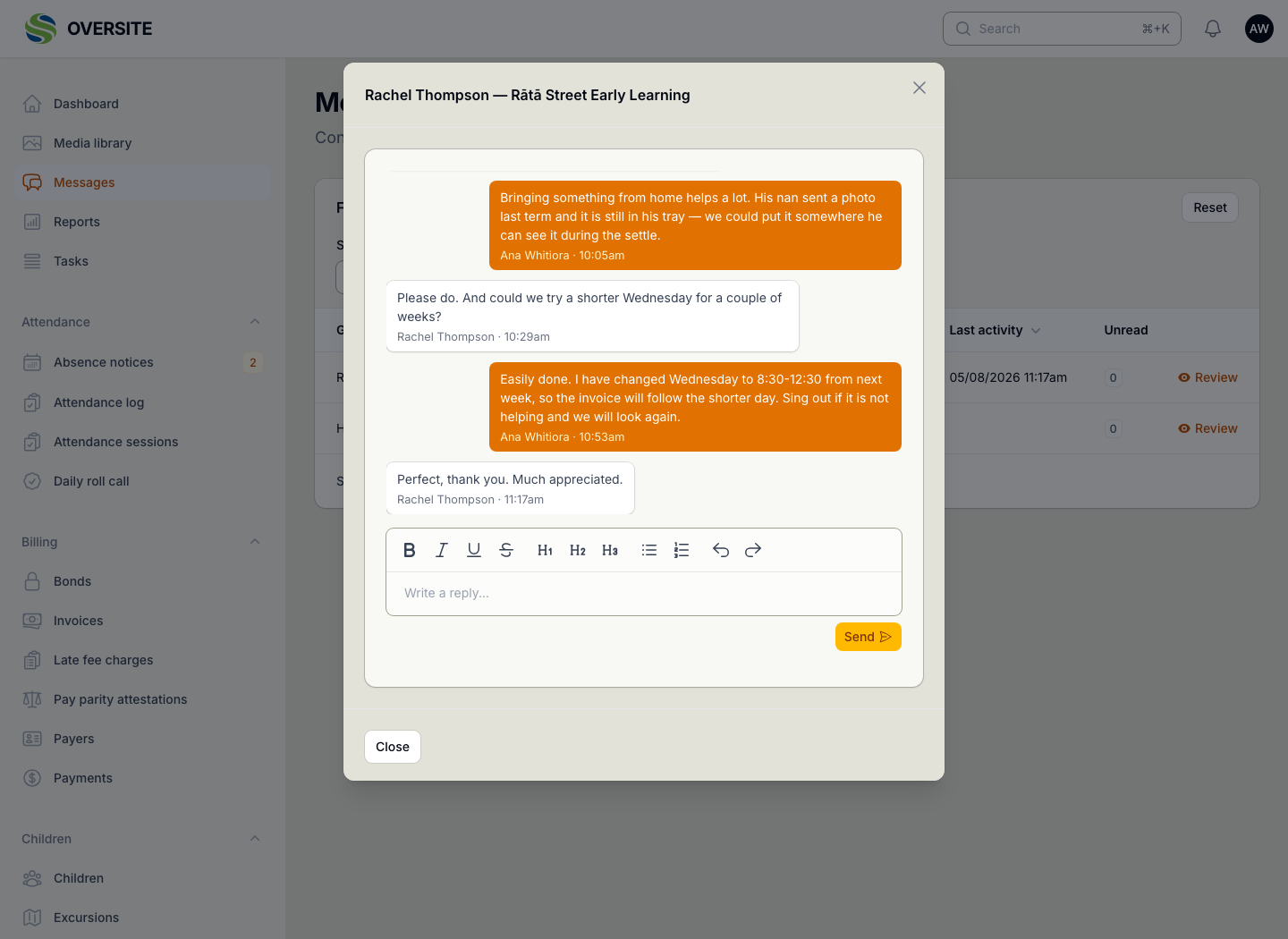
Drag the handle to see the same conversation from the other side. The family sees who at the centre can read it, which is the difference between messaging an organisation and messaging a person's phone.

  • One thread per family, per site
  • Both sides see the same conversation
  • The family sees which educators can read it
  • No personal phone numbers changing hands
The same thread as the family sees it in the guardian portal, with their own messages marked You, the educator named on theirs, and a note listing which staff at the centre can read the conversation. The message thread as your team sees it, opened from the Messages screen, with the guardian's name on their messages, your educator's name on yours, and a reply box beneath.
Your team
The family

And the plans behind the learning

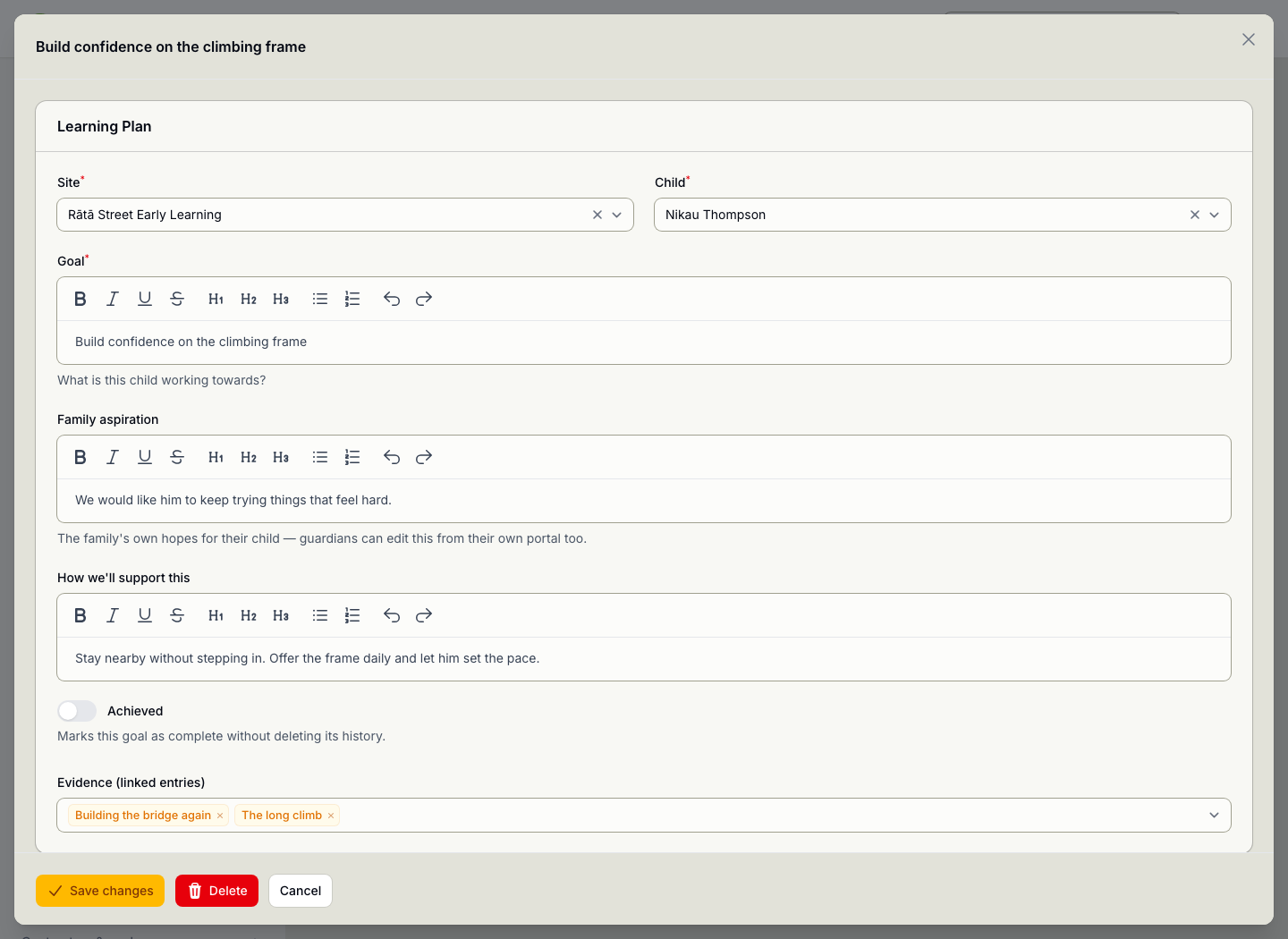
A learning plan is the forward half of the journal: what you are working towards with a child, agreed with their family rather than decided for them.

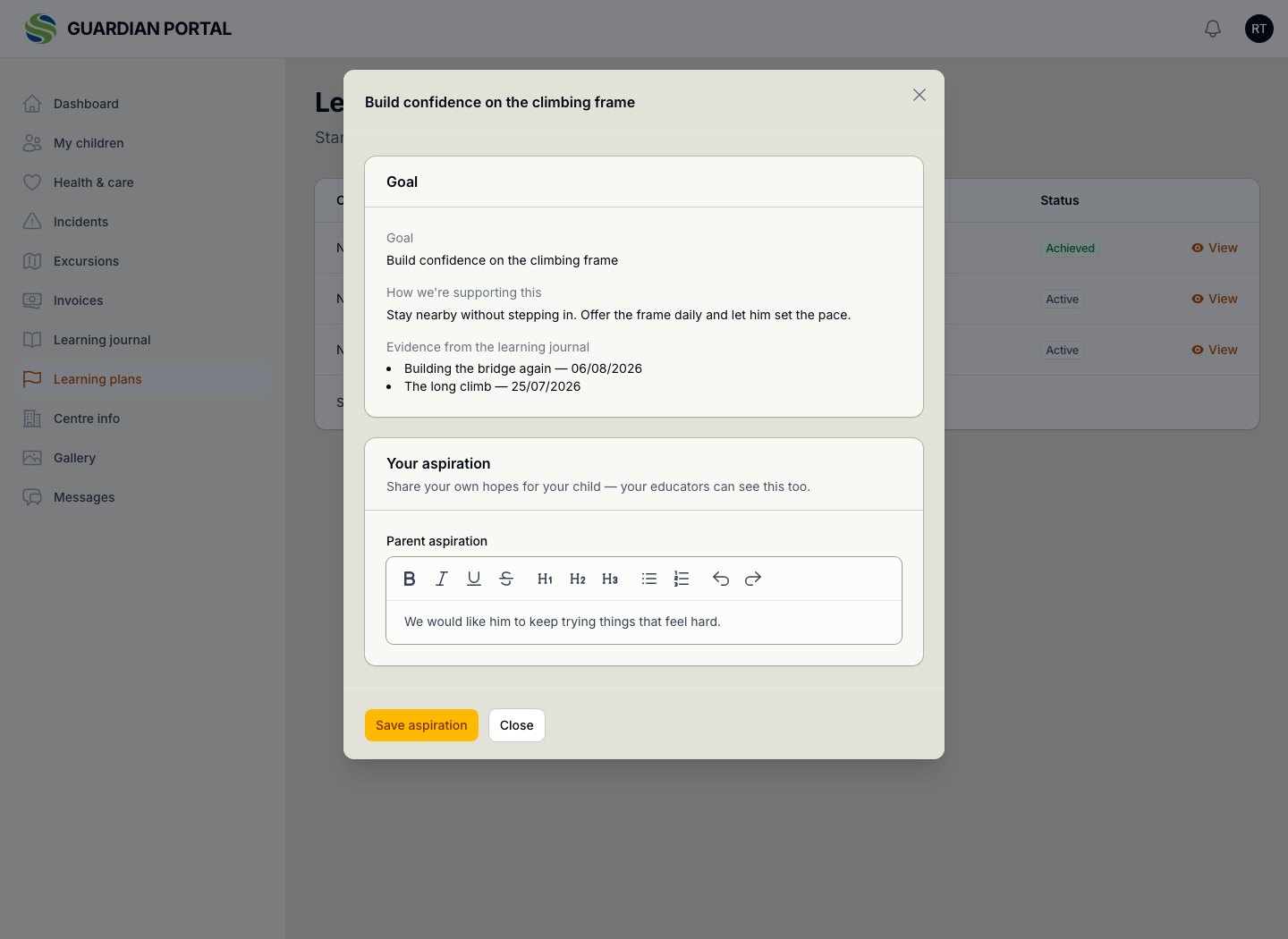
The family's aspiration is recorded in their own words alongside what educators will do about it, and they can open the plan themselves, which is what makes the next conversation a continuation rather than a restart.

  • The goal, in plain words
  • What the family hopes for, in theirs
  • How educators will support it
  • Journal entries linked as the evidence
  • Marked achieved when it is
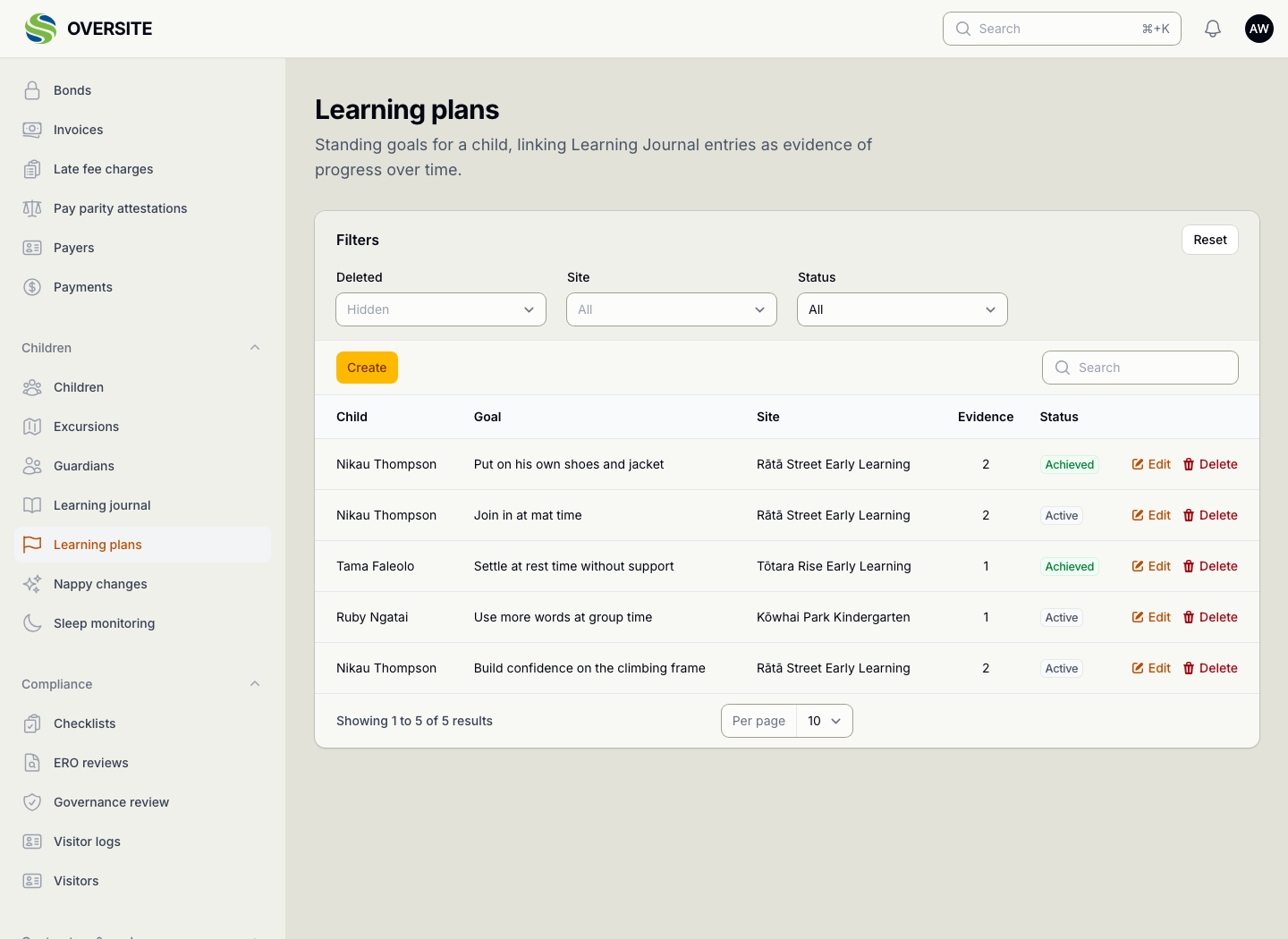
A learning plan open for editing, showing the child, the goal in plain words, the family's aspiration in their own words, how educators will support it, whether it has been achieved, and the journal entries linked to it as evidence. The Learning plans list showing goals agreed with families across the sites, each with the child, the goal, how many journal entries are linked as evidence, and whether it has been achieved. The same plan opened by the family in the guardian portal, showing the goal, how educators are supporting it, and a box where the family writes their own aspiration for their child.

See it with your own setup

Tell us how many sites you run and what you're using now, and we'll show you the parts that matter most to you. No obligation, and you'll hear back within one working day.

Book a demo