What it covers

What families see

Every family gets their own login: their child's learning journal, their invoices and payments, the incidents and excursions they need to know about, and a way to message the centre. It's the same records your team works from, so nothing has to be re-sent or re-typed.

Their child's learning, as it happens

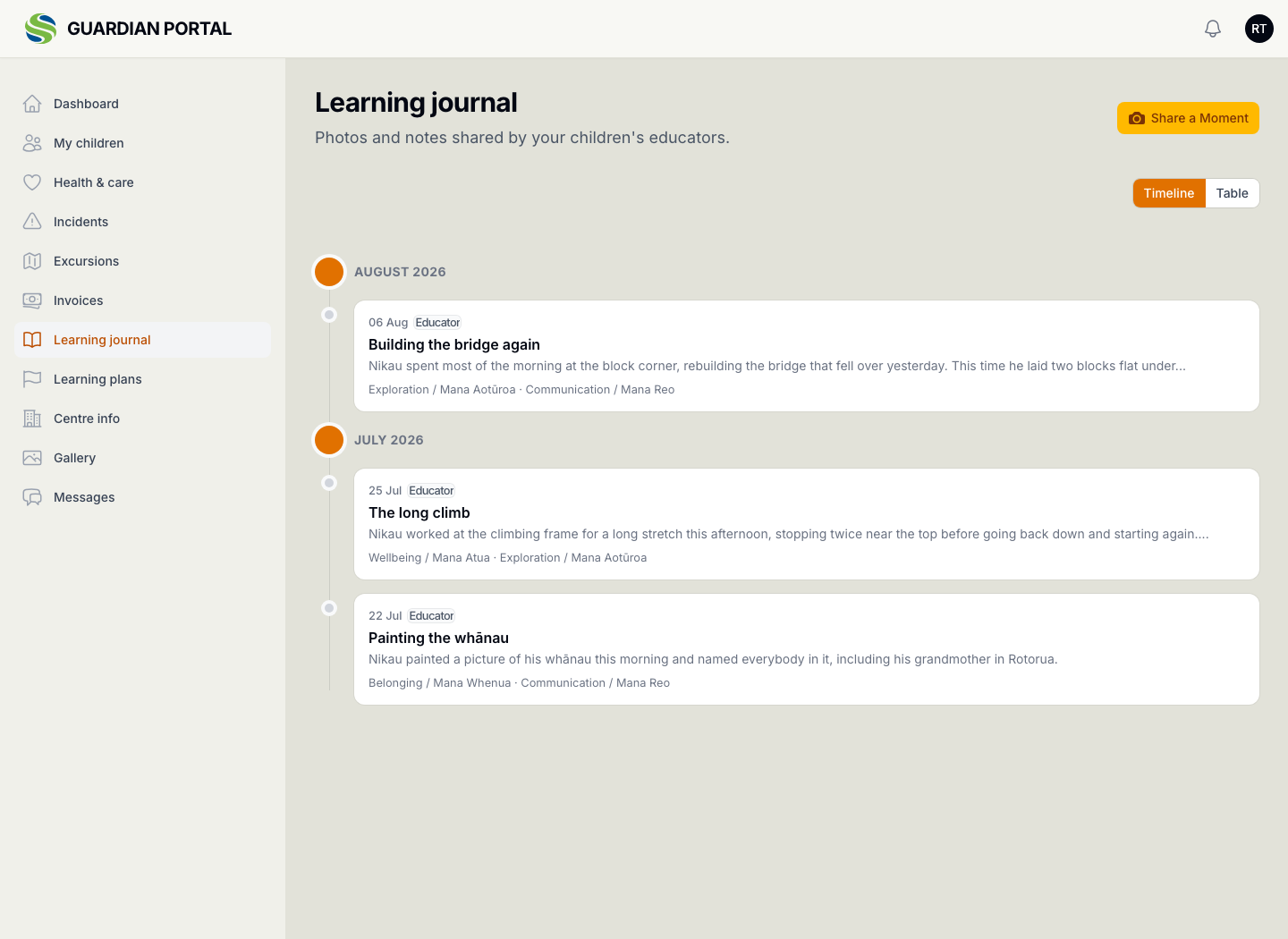
Educators write the observation once, and publishing it puts all of it in front of the family: what was seen, the learning noticed in it, and where it might go next.

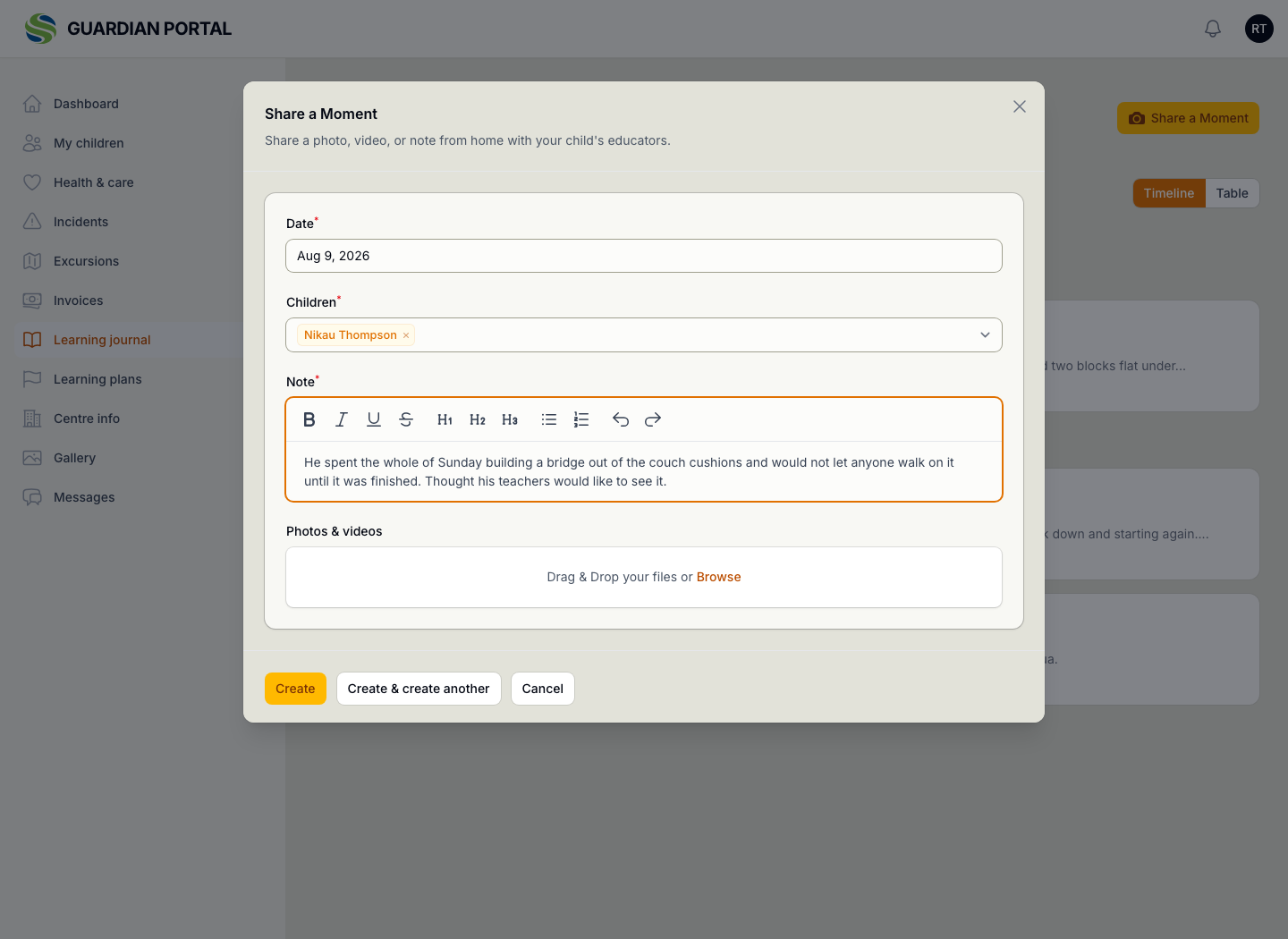
The journal runs both ways. A family can share something from home, so what happens at the weekend can be picked up on Monday.

  • A timeline, or a table if they prefer
  • Written against Te Whāriki strands
  • Photos and video in the gallery
  • Families can share a moment from home
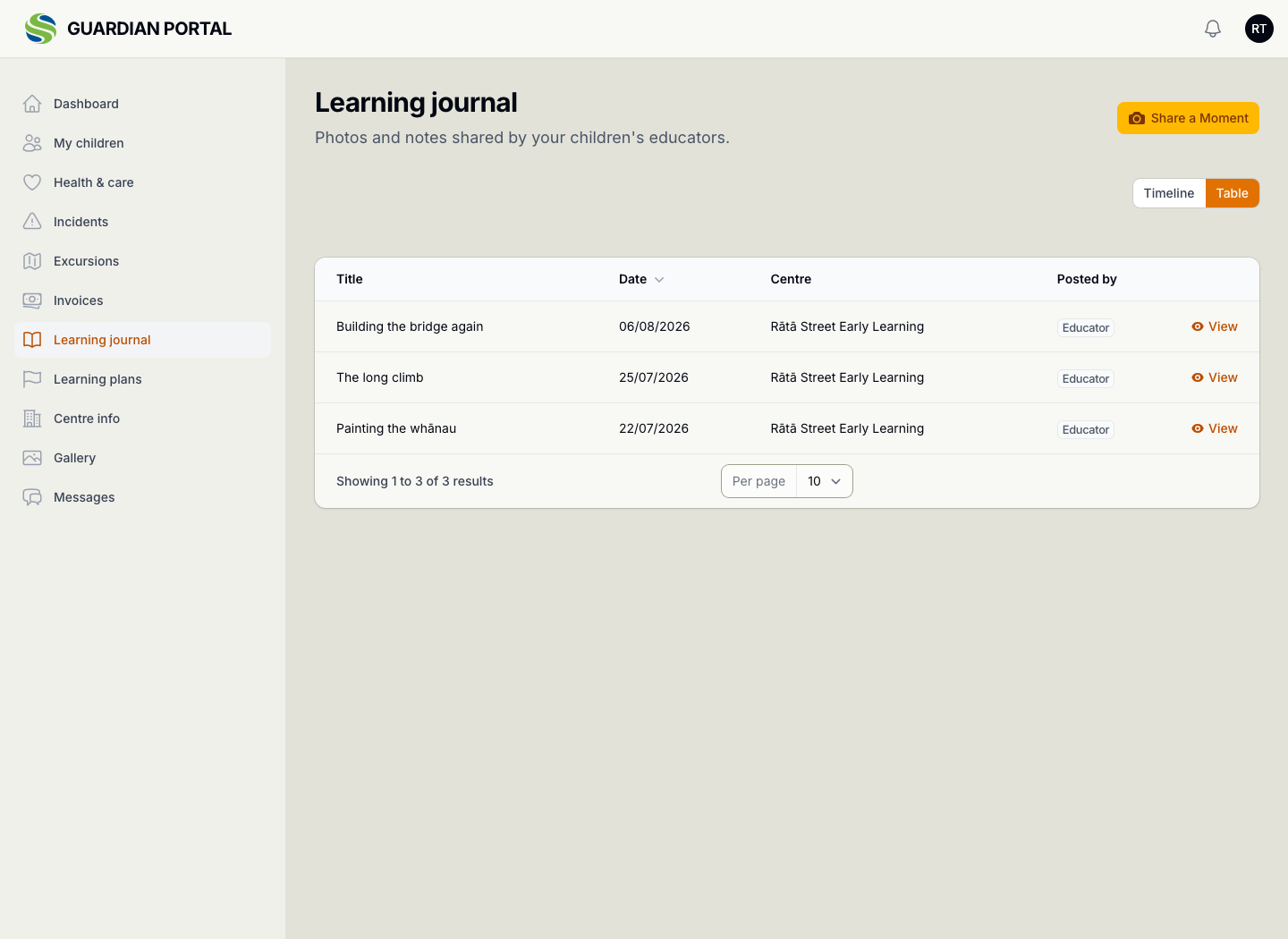
The guardian portal's Learning journal as a timeline, grouped by month, each entry showing the date, that an educator wrote it, the observation, and the Te Whāriki strands it sits against. The same Learning journal switched to the table view, listing each entry as a row with its date, title and strands. The Share a Moment form open in the guardian portal, with the date, the child chosen, a note written by the family about a weekend at home, and a place to attach photos or video.

Guardians can check fees themselves

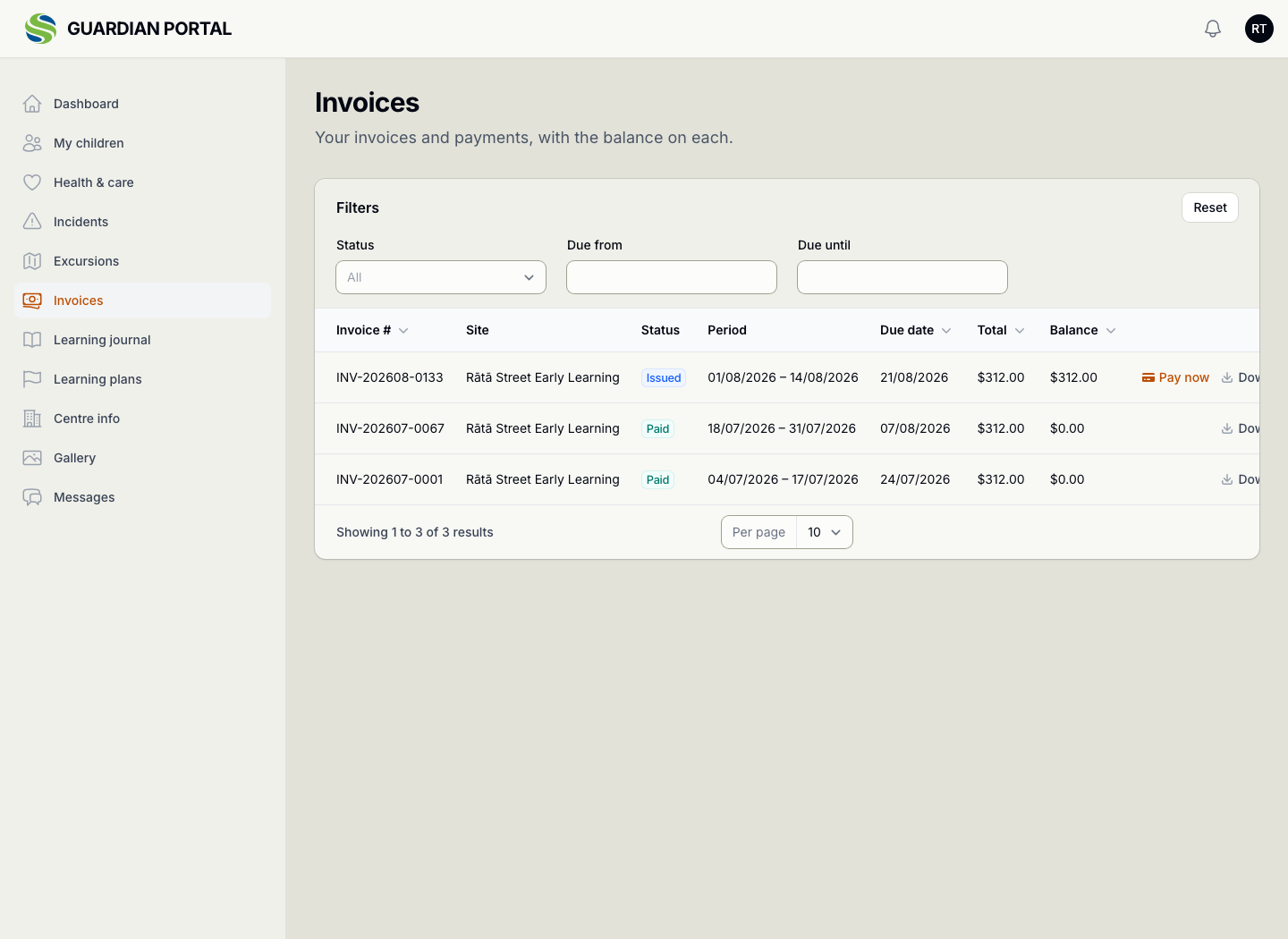
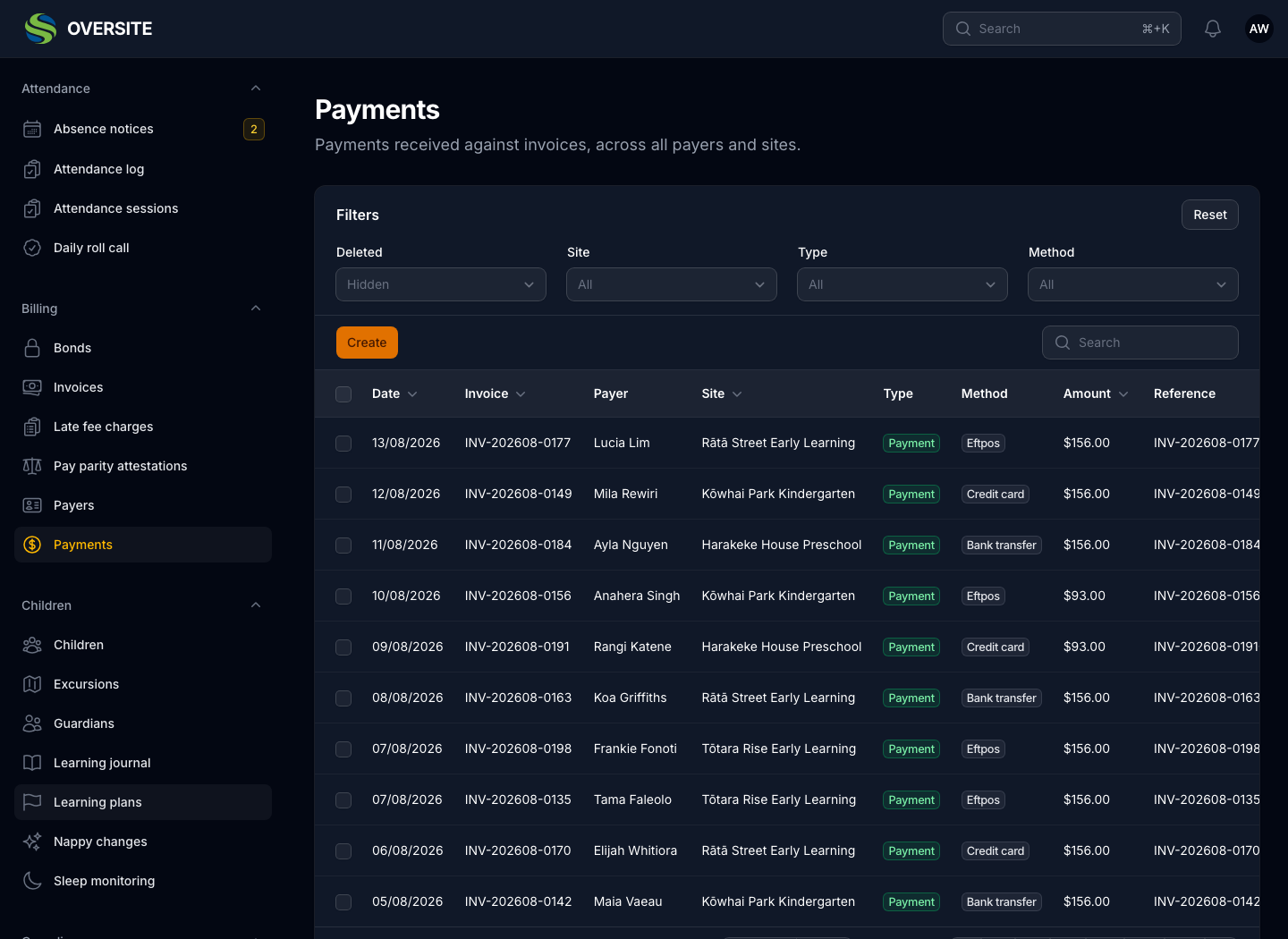
Families can see what has been invoiced, what has been paid and what is still to come, in their own time, rather than having to catch someone at pick-up to ask.

It reconciles to your ledger because it is your ledger, so nobody is working from a figure that has since moved.

  • Every invoice, with its balance
  • Downloaded as a PDF whenever they want it
  • Statements for FamilyBoost claims
  • Split billing shown honestly to both payers
The guardian portal's Invoices screen listing three fortnights: the current one issued with its balance still to pay and a Pay now button, and two earlier ones settled at zero, each with its period, due date, total and a download. The Payments screen in dark mode, listing payments received against invoices across every payer and site, with the date, invoice number, payer, centre, type, method and amount.

In the loop, and able to reply

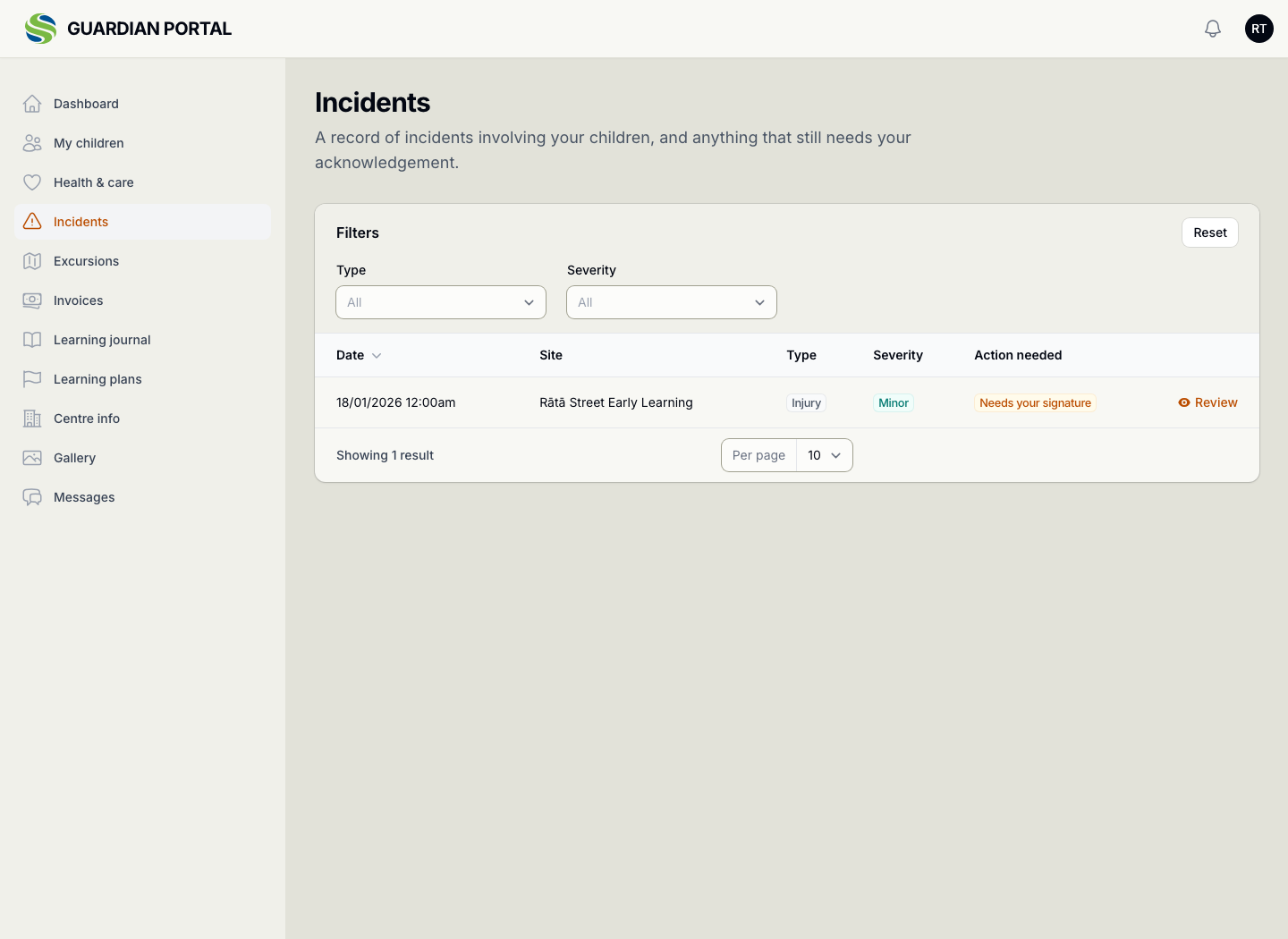
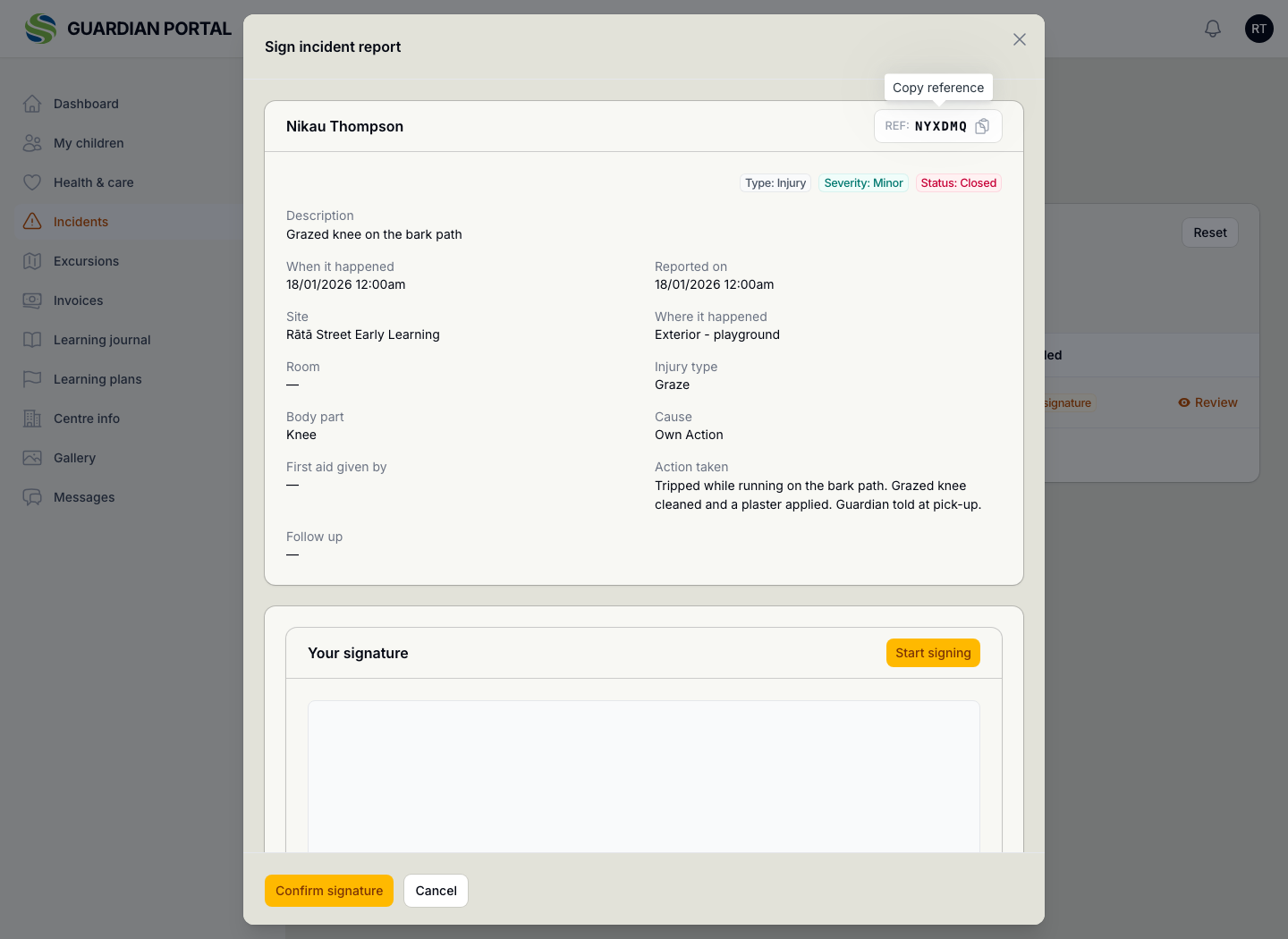
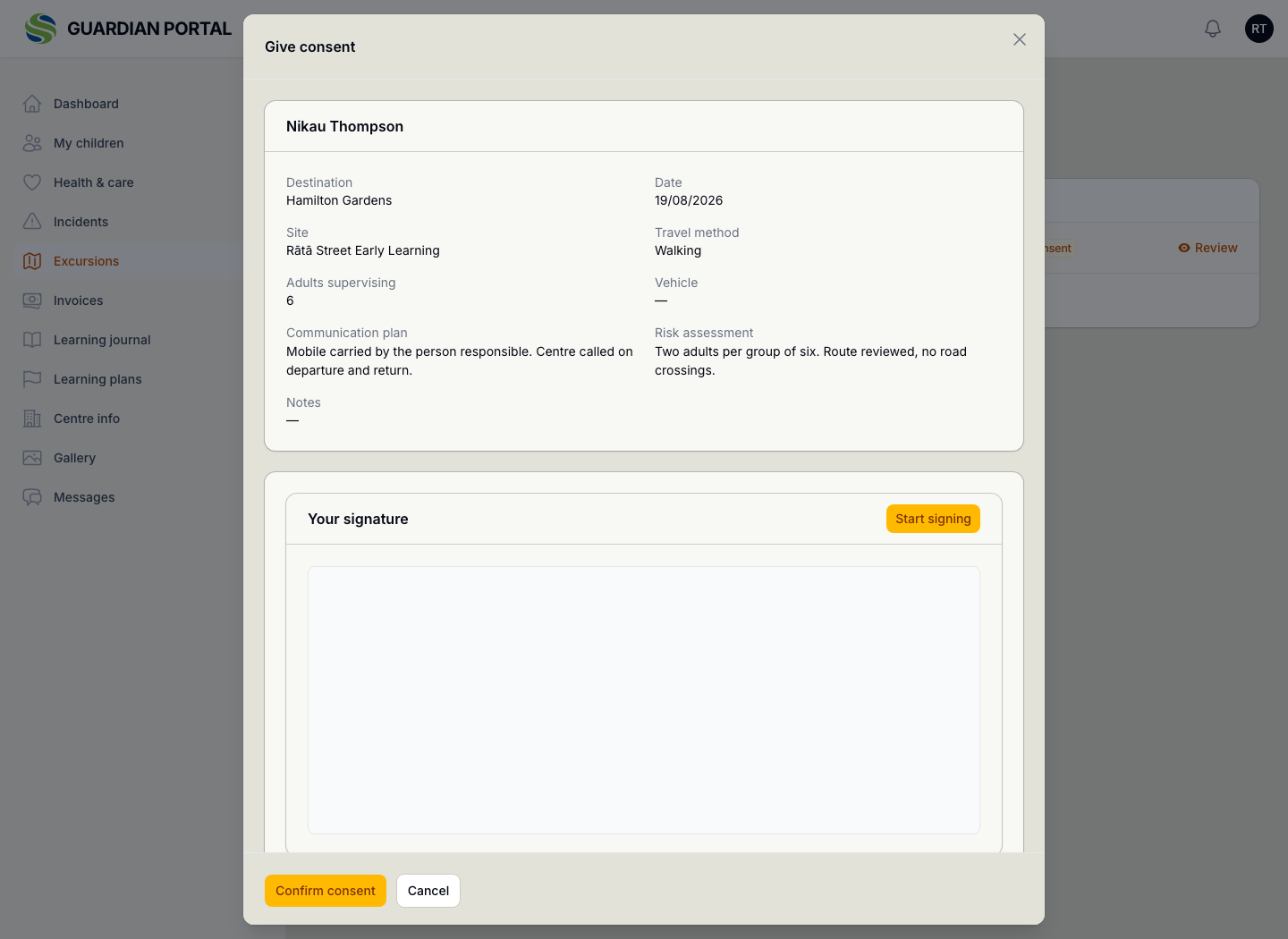
An incident that needs a guardian signature is waiting for them when they open the portal, rather than being a form to find at pick-up. Excursion consent works the same way, and the answer lands against the excursion your team is planning.

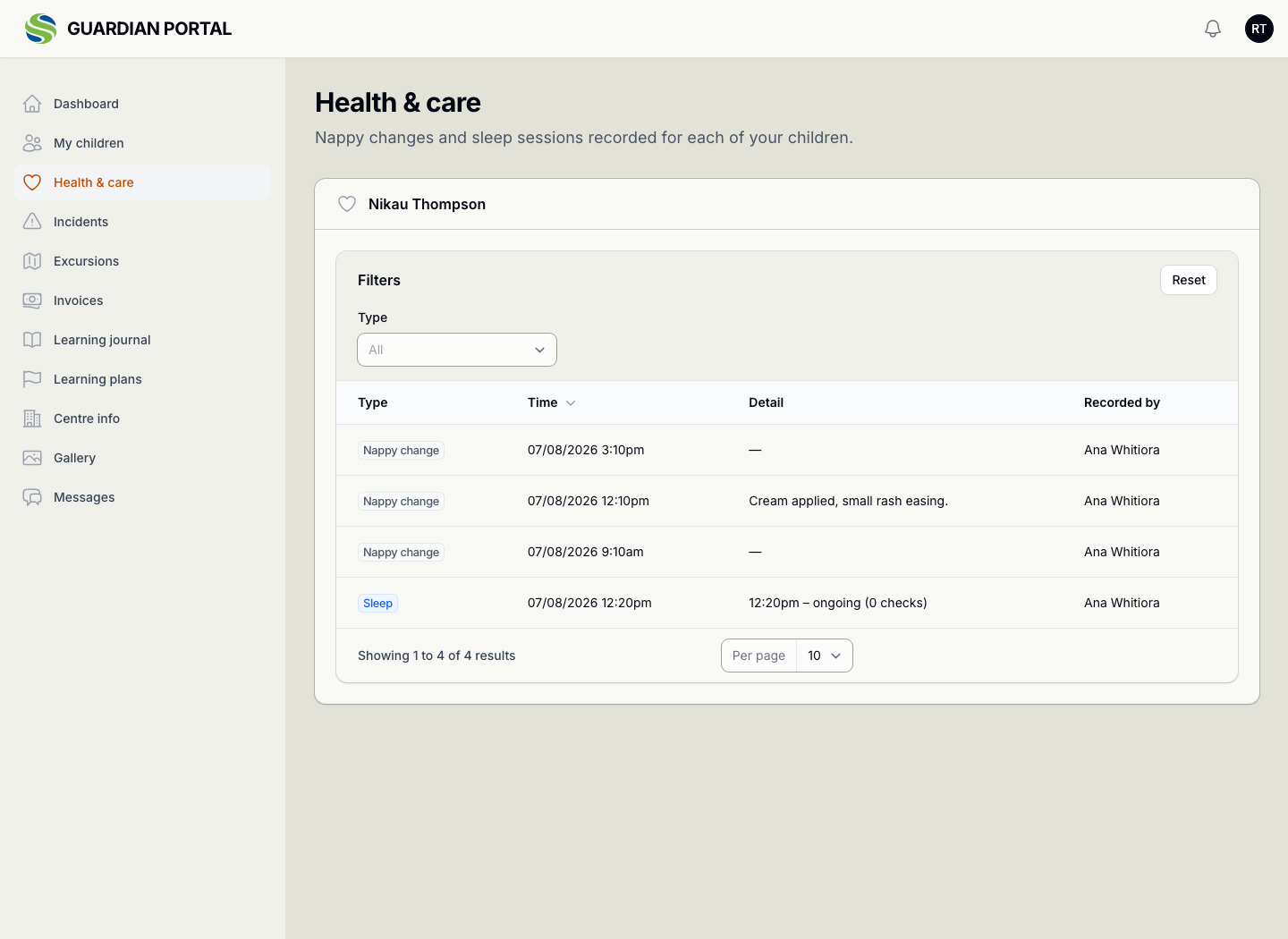
Families can also check their own contact details and who is allowed to collect, so those stay current without anyone having to chase them.

  • Incidents, with a signature where one is needed
  • Excursion consent given or declined in the portal
  • Health and care details they can check are right
  • Messages to and from the centre
The guardian portal's Incidents screen, listing an incident involving the family's child with its date, severity and whether it still needs their signature. An incident report open for signing in the guardian portal, showing the child, the reference, type, severity and status, what happened and where, the injury and body part, the action taken, and a signature pad with a Confirm signature button. An excursion consent form in the guardian portal, showing the destination, date, centre, travel method, how many adults are supervising, the communication plan and the risk assessment, above a signature pad and a Confirm consent button. The guardian portal's Health and care screen, listing the day's recorded care for the family's child so they can check what is held is right.

See it with your own setup

Tell us how many sites you run and what you're using now, and we'll show you the parts that matter most to you. No obligation, and you'll hear back within one working day.

Book a demo