What it covers

Seventy-two reports, and none of them a spreadsheet

Every module reports on itself. Seventy-two built-in reports across thirteen areas of the organisation, each scoped to the sites you can see, built from records you already keep, and reproducible as at any date you choose.

Grouped the way you'd look for them

The catalogue is grouped by the part of the organisation it belongs to rather than alphabetically, so finding the right report doesn't depend on remembering its name.

Each one carries its own permission. Somebody who should see attendance figures doesn't automatically see payroll ones, and cost-bearing reports are gated separately again.

  • Thirteen groups, so you look in the obvious place
  • Billing & funding has twelve reports on its own
  • Every report scoped to the sites you can access
  • Its own permission per report
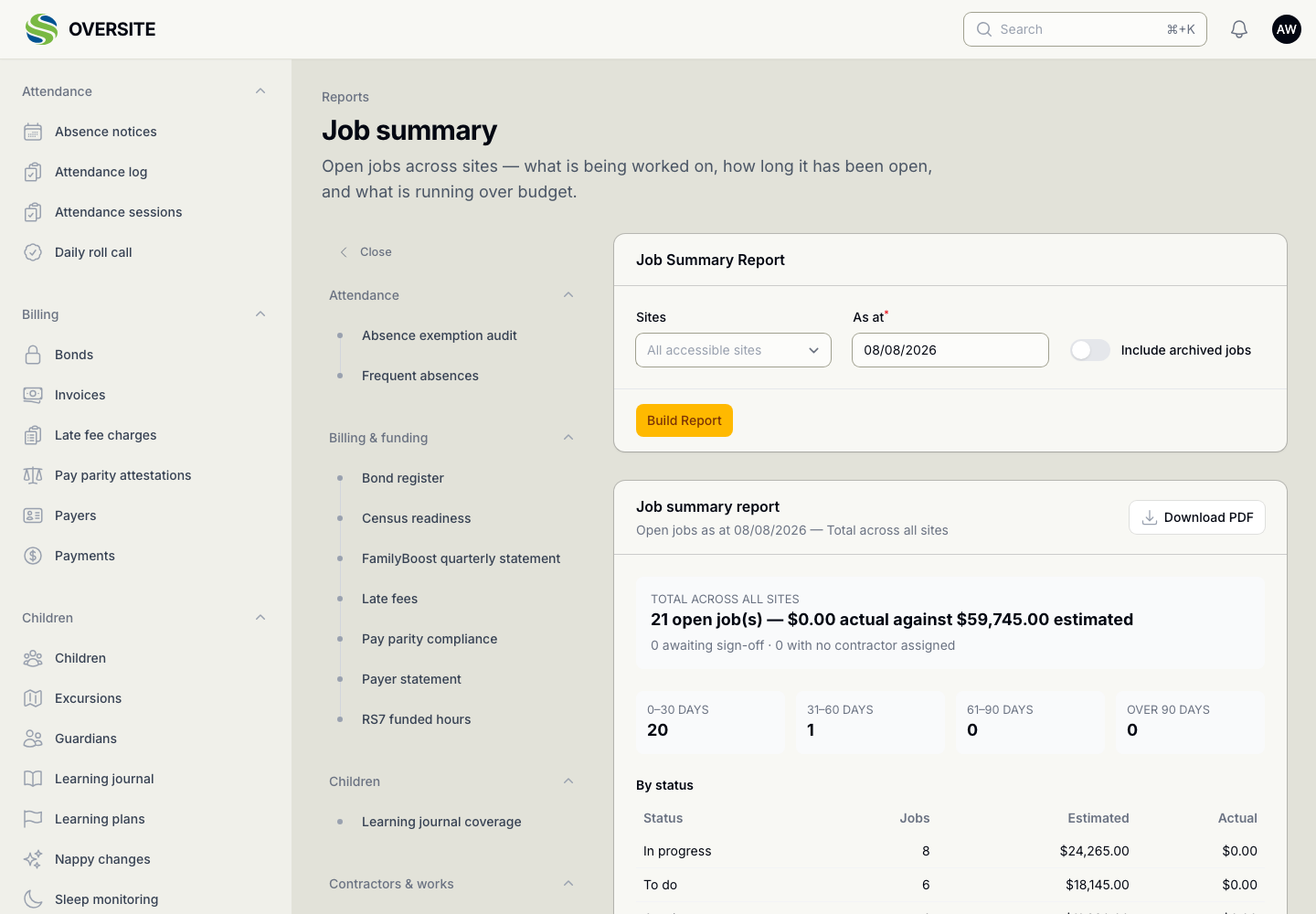
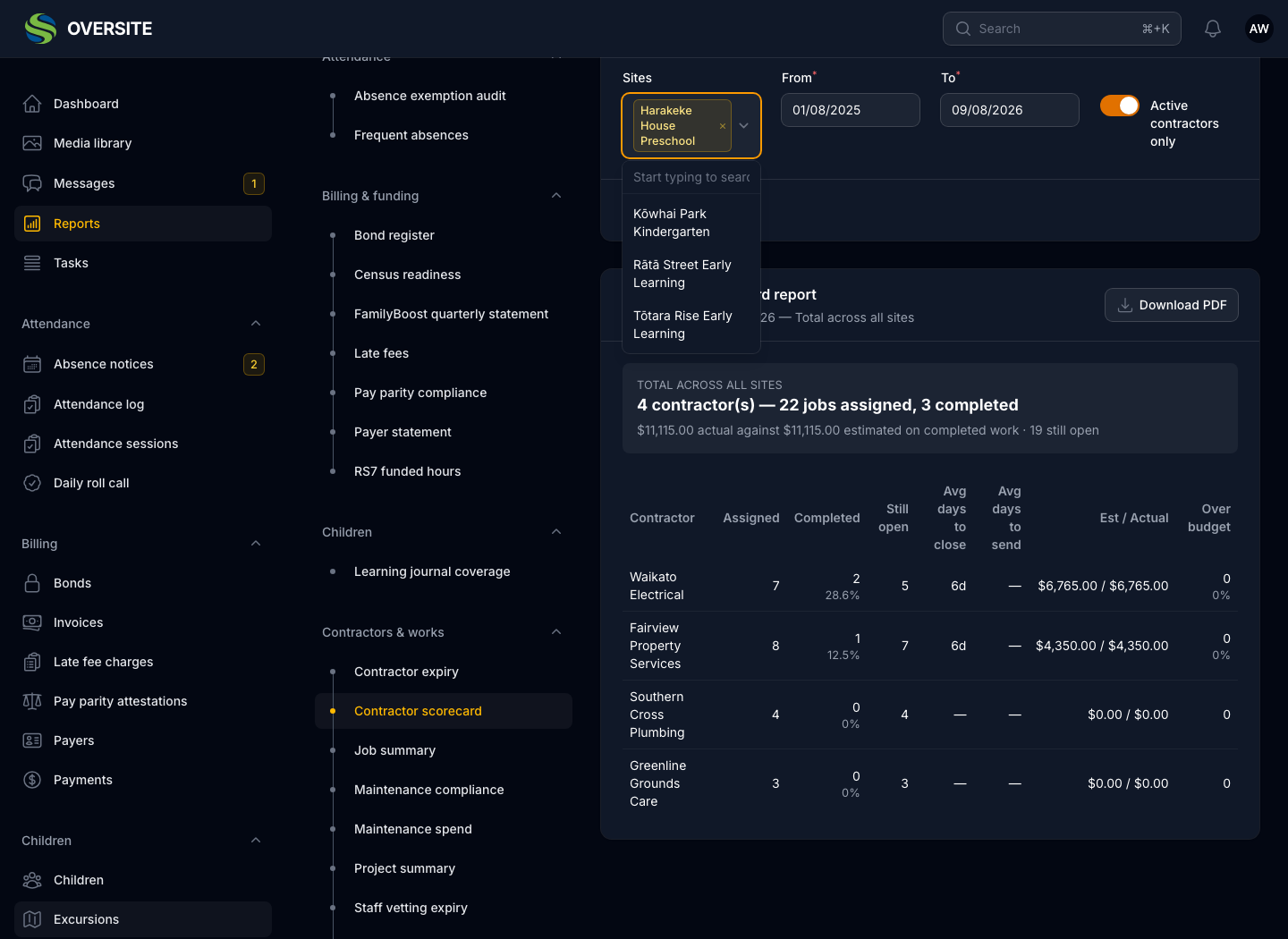
A report open with the full catalogue in a sidebar, grouped into areas such as Attendance, Billing & funding, Children, Compliance, Contractors & works, Enquiries, Enrolment, Facilities, Health & safety, Knowledge base, Recruitment, Staff and System, each listing its own reports.

All seventy-two, by name

Every one is built in. There is nothing here you configure, buy or wait for.

Attendance

  • Absence exemption audit
  • Absence notices and disputes
  • Attendance history
  • Closures and public holidays
  • Educator closure approvals
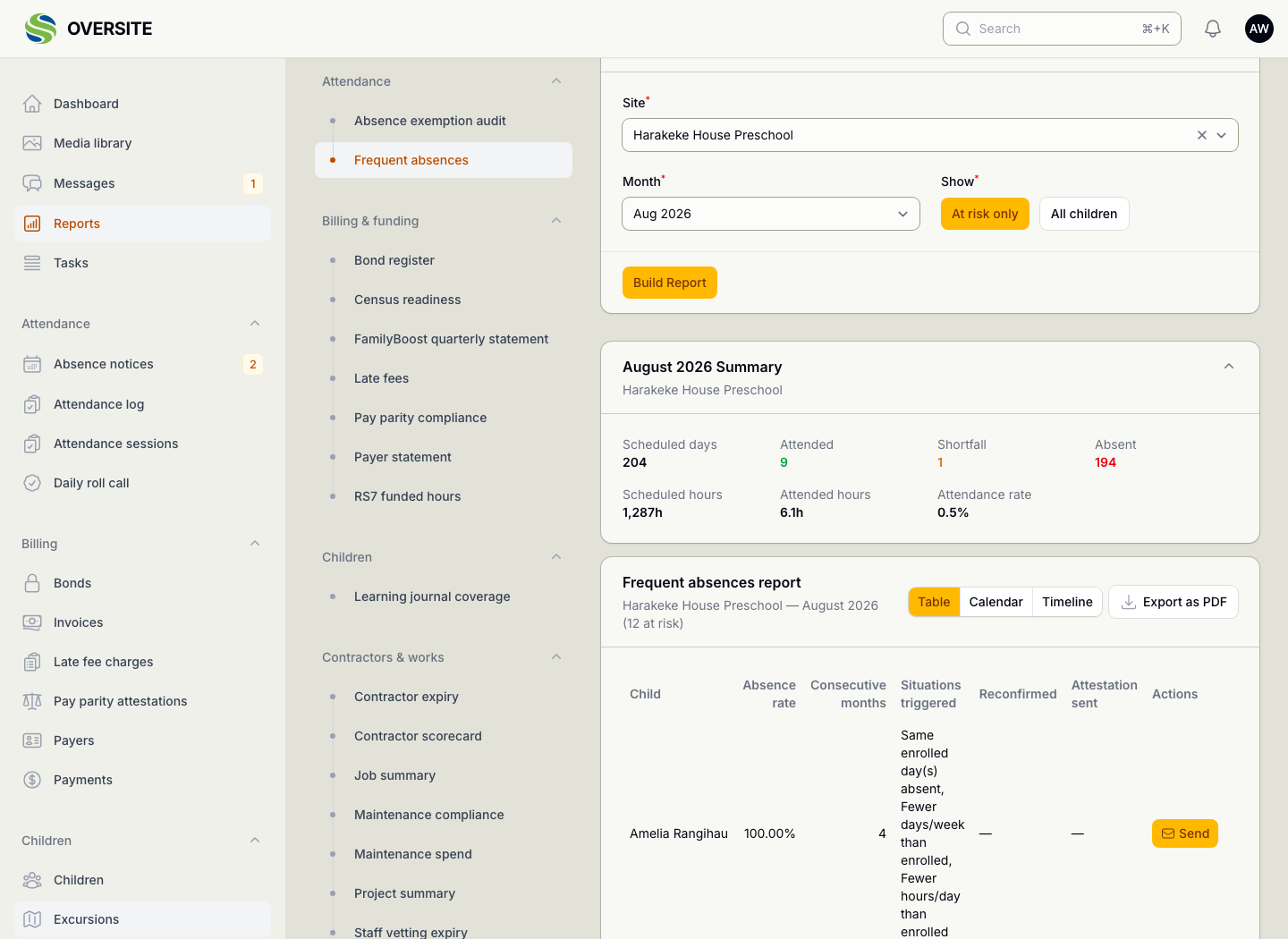
  • Frequent absences

Billing & funding

  • Aged debtors
  • Bond register
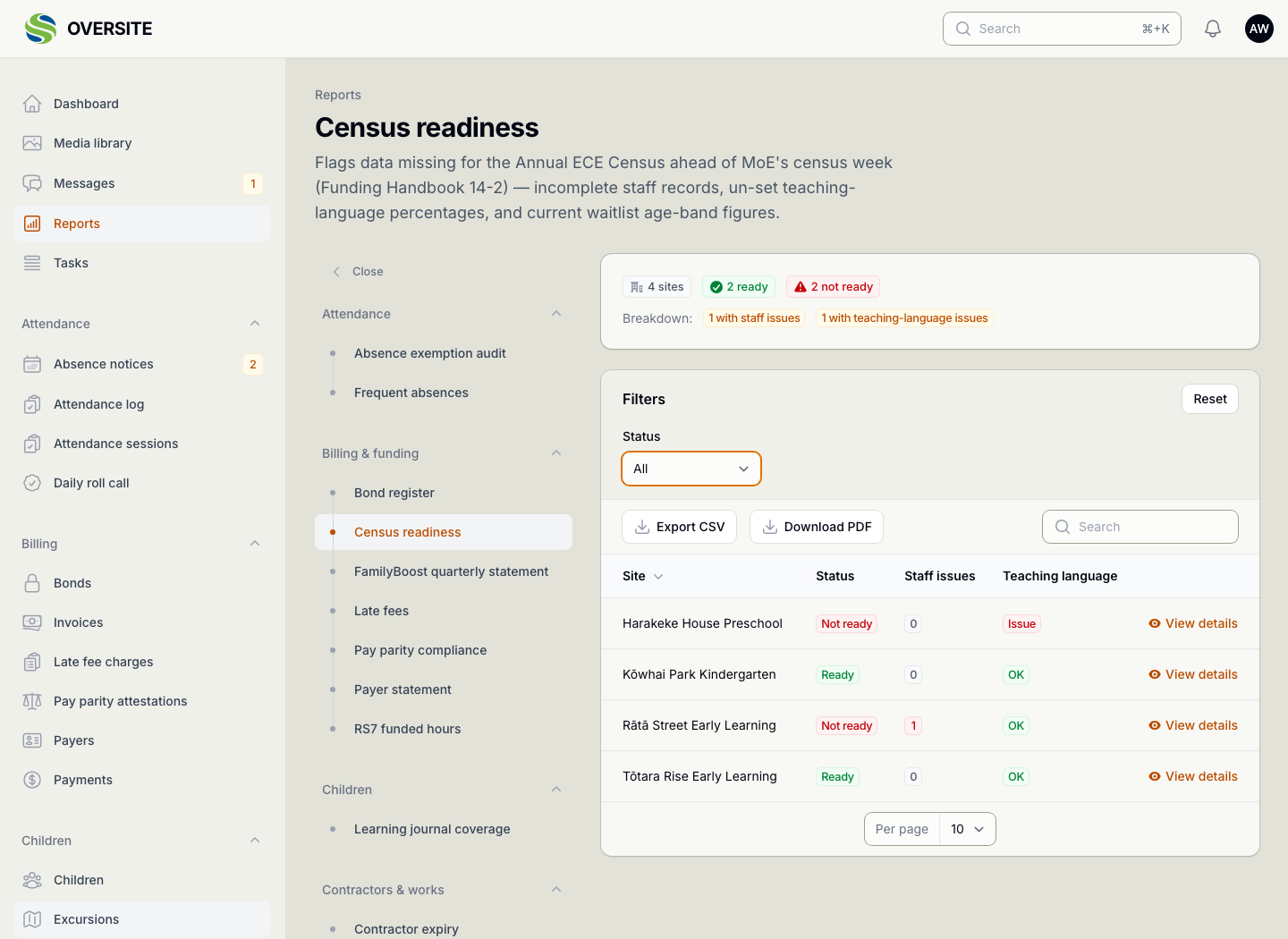
  • Census readiness
  • Centre balance
  • Discounts and fee schedule
  • FamilyBoost quarterly statement
  • Invoice preview
  • Late fees
  • Pay parity compliance
  • Payer statement
  • RS7 funded hours
  • Revenue and payments

Children

  • Age transitions
  • Allergies and healthcare plans
  • Child details and contacts
  • Demographics
  • Family communication
  • Family engagement
  • Immunisation status
  • Learning journal coverage
  • Medication log
  • Nappy and toileting
  • Sleep and supervision

Compliance

  • Everything expiring

Contractors & works

  • Contractor expiry
  • Contractor scorecard
  • Job summary
  • Maintenance compliance
  • Maintenance spend
  • Project summary
  • Staff vetting expiry
  • Unauthorised jobs
  • Works assurance

Enquiries

  • Declined reasons
  • Pipeline
  • Source performance

Enrolment

  • Children starting and leaving
  • Occupancy and vacancies
  • Waitlist

Facilities

  • Asset expiry
  • Asset register
  • Vehicle expiry
  • Vehicle running costs
  • Vehicle utilisation

Health & safety

  • Checklist compliance
  • ERO readiness
  • Evacuation drill compliance
  • Excursion register
  • H&S compliance logs
  • Hazard register
  • Incident
  • Induction completion
  • Visitor log

Knowledge base

  • KB usage

Recruitment

  • Recruitment activity

Staff

  • Compliance expiry
  • Hours by activity
  • Payroll export
  • Rostered against actual
  • Safety check compliance
  • Staff details and leave
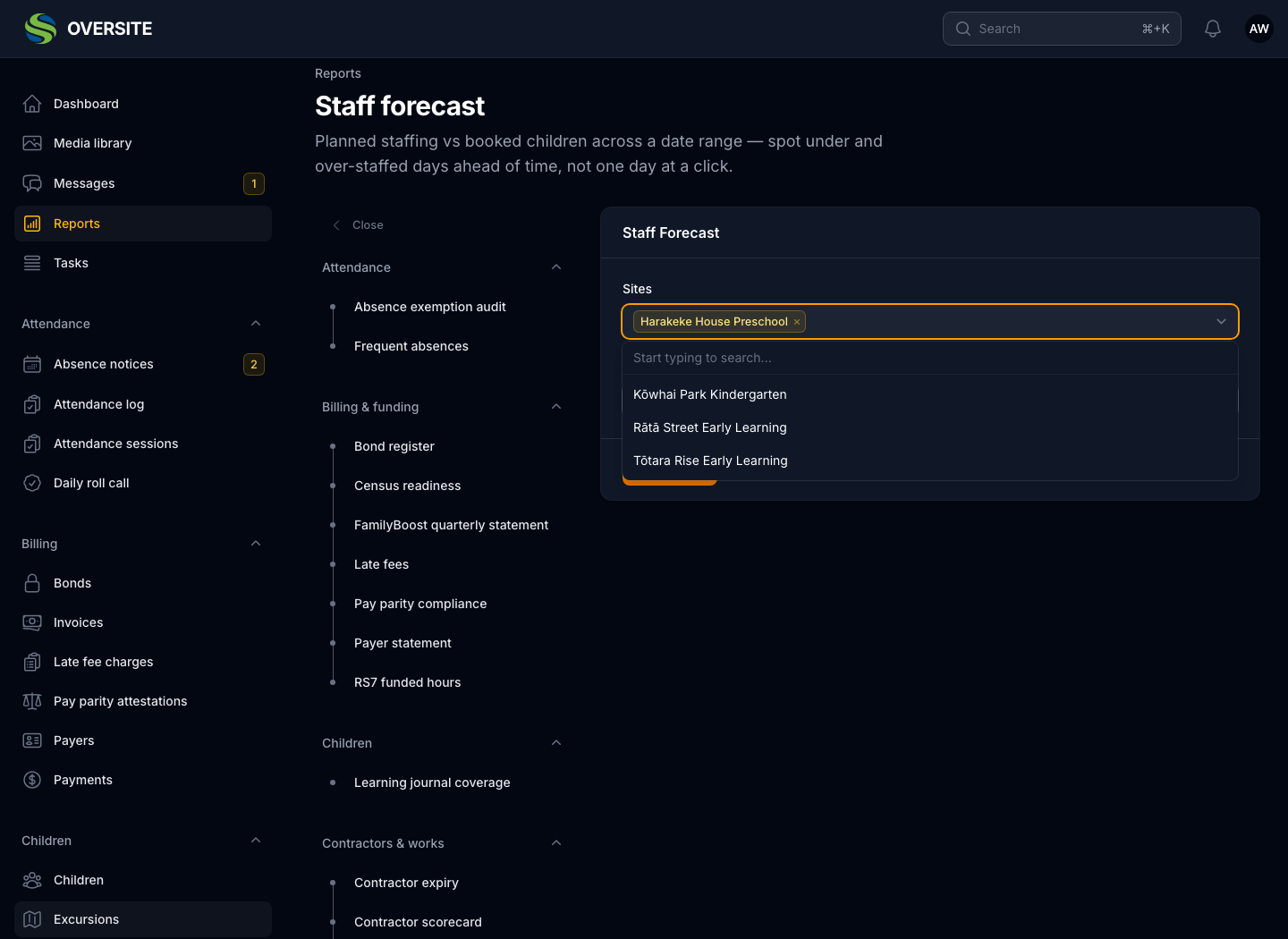
  • Staff forecast
  • Staff turnover

System

  • Audit log
  • Task completion
  • User access

Built for the questions you get asked

The funding and compliance reports exist because somebody outside the organisation asks for those exact figures on a schedule. They are built to match what is asked for, not to be a generic query tool pointed at the same data and left to you to shape.

Where a report finds a problem it names the site and the record. A count on its own just moves the search somewhere else.

  • Census readiness, ahead of census week
  • RS7 funded hours, from recorded attendance
  • Absence exemption audit, the evidence log an auditor asks for
  • Pay parity compliance and payroll export
The Census readiness report showing four sites, three ready and one not ready, with a breakdown naming the site that has a teaching-language issue to resolve. The Frequent absences report listing children whose attendance has fallen into the pattern the Ministry's Frequent Absence Rule describes, with the months affected and what triggered each one.

Reproducible, exportable, forward-looking

Every report runs as at a date, which means a figure you quoted in March can be produced again in September and come out the same. That is what makes a report useful in an audit rather than merely interesting on the day.

Several look forward rather than back: which certificates lapse next term, which warrants expire, whether the roster covers what you expect to need. That is the difference between a report that records a problem and one that prevents it.

  • As-at dates, so a figure can be reproduced months later
  • Exported to CSV for your own analysis, or PDF for a board pack
  • Expiry reports that look forward, not just back
  • Every report scoped to the sites you have access to
The Staff forecast report in dark mode, projecting staffing needs against expected rolls so a shortfall is visible before it happens. The Contractor scorecard report in dark mode, ranking contracting companies on the work they have completed, what it cost and how long it took.

See it with your own setup

Tell us how many sites you run and what you're using now, and we'll show you the parts that matter most to you. No obligation, and you'll hear back within one working day.

Book a demo