What it covers

The children, and the families behind them

From a first enquiry through to the daily roll, the child's record follows them. Bookings, attendance, absences, guardians and consents all sit against the same profile, so nobody is rebuilding the picture from three different places.

Know who's here, right now

The roll call answers the question you get asked in an emergency: who is on site. Oversite lists every child booked today, what time they were booked for, and what happened, so a late arrival or an early collection is visible rather than something you find out about at the end of the month.

Anything the kiosk couldn't capture gets fixed here, and the day is signed off once it's right.

  • Booked hours shown against what happened
  • Arrivals and departures flagged automatically
  • Walk-ins added on the spot
  • Muster list printed for a drill or an excursion
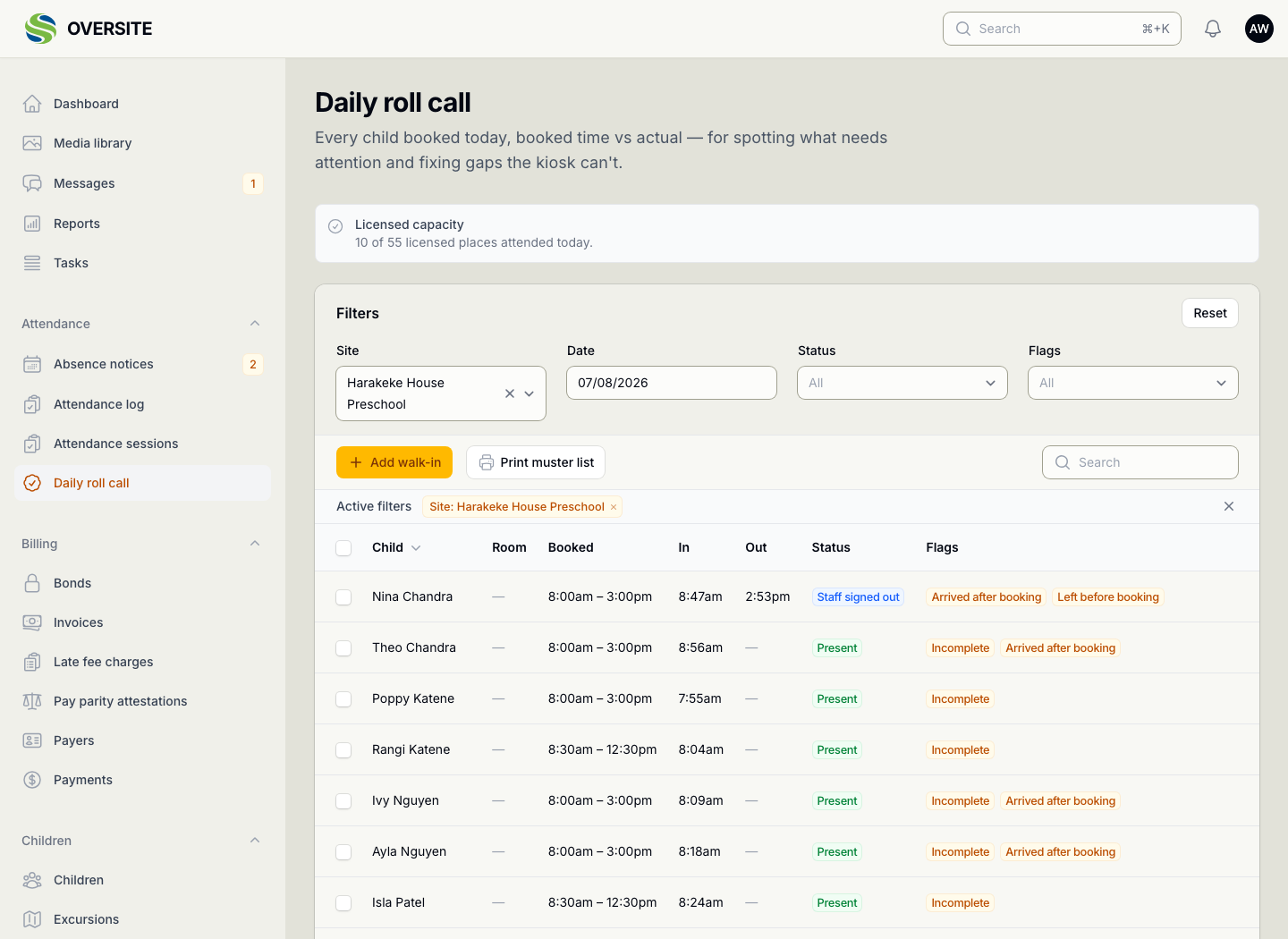
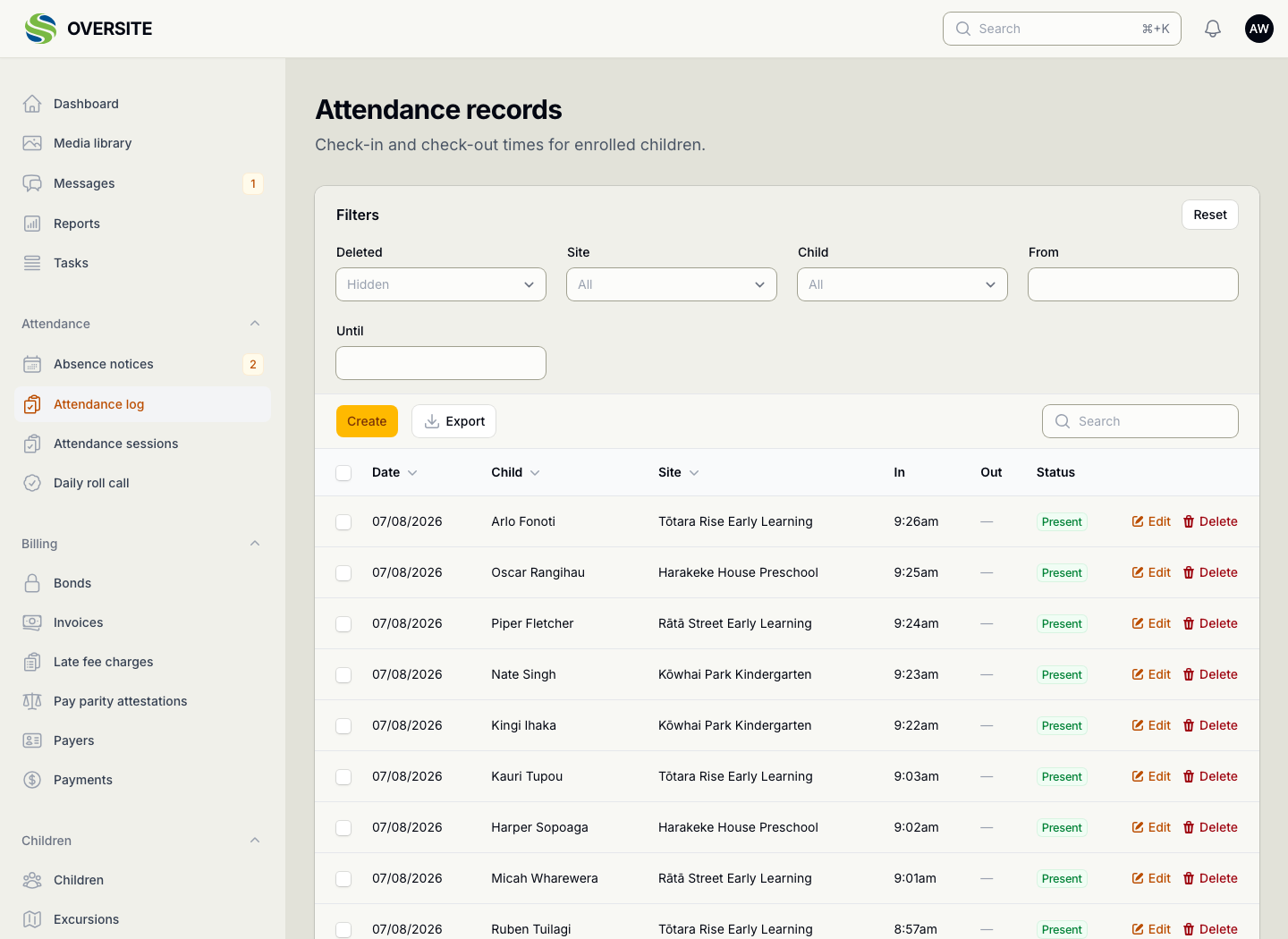
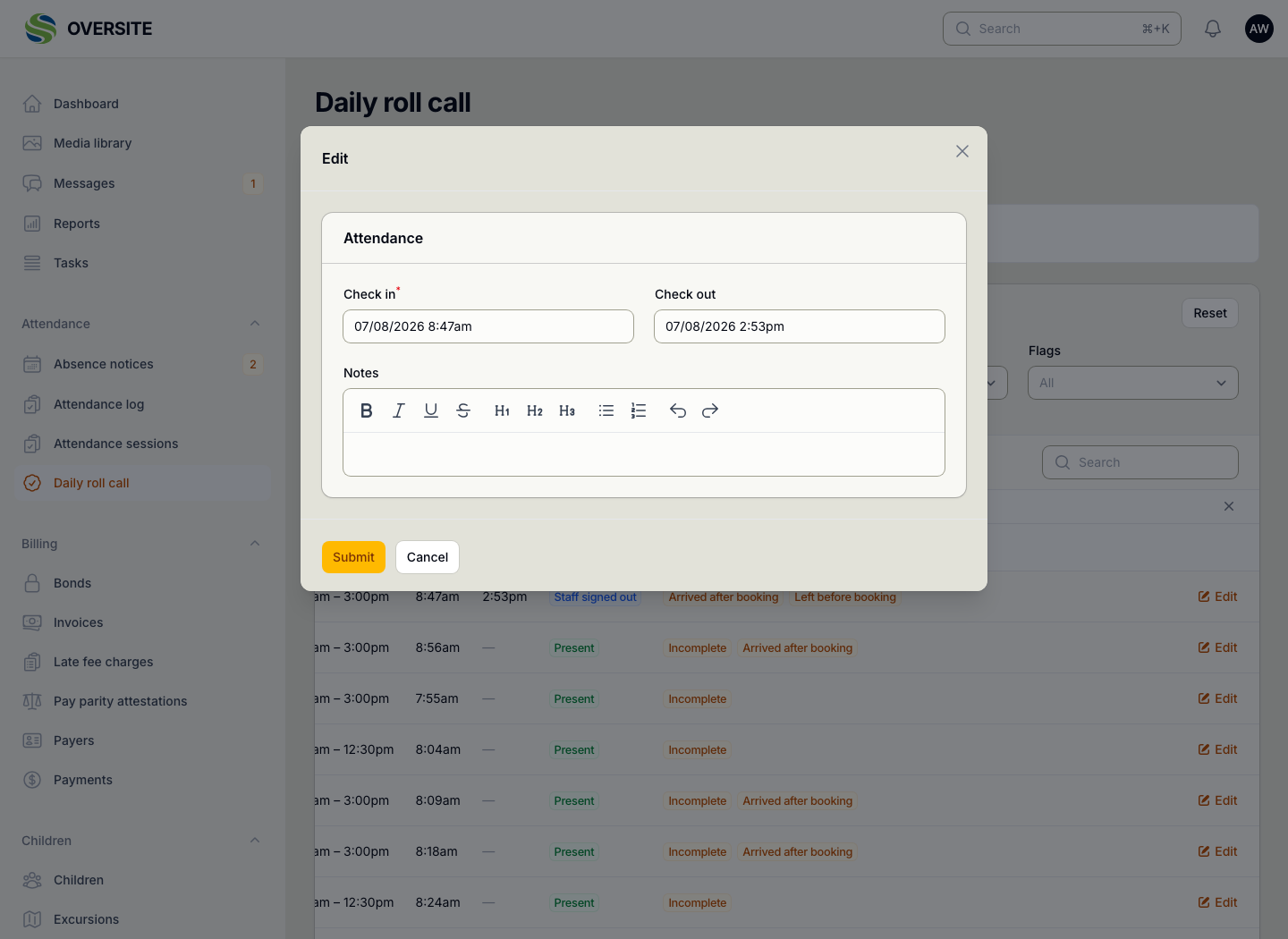
The Daily roll call for one centre, showing licensed capacity used, then every child booked that day with their booked hours beside their actual sign-in and sign-out times, and flags for arriving after their booking or leaving before it. The Attendance records screen listing check-in and check-out times for children across all four centres, filterable by site, child and date range, and exportable. A child's attendance for the day open for editing, with their check-in and check-out times and a note, over the roll call showing the rest of the day's flags.

One record per child

Everything about a child lives on their profile rather than scattered across forms: who their guardians are, who is allowed to collect them, what they can't eat, what they're allergic to, and which consents you hold.

When a child moves between your centres, the record moves with them.

  • Health, dietary and medical detail in one profile
  • Guardians, contacts and who may collect
  • Consents and permissions recorded against the child
  • Immunisation status tracked for the funding rules
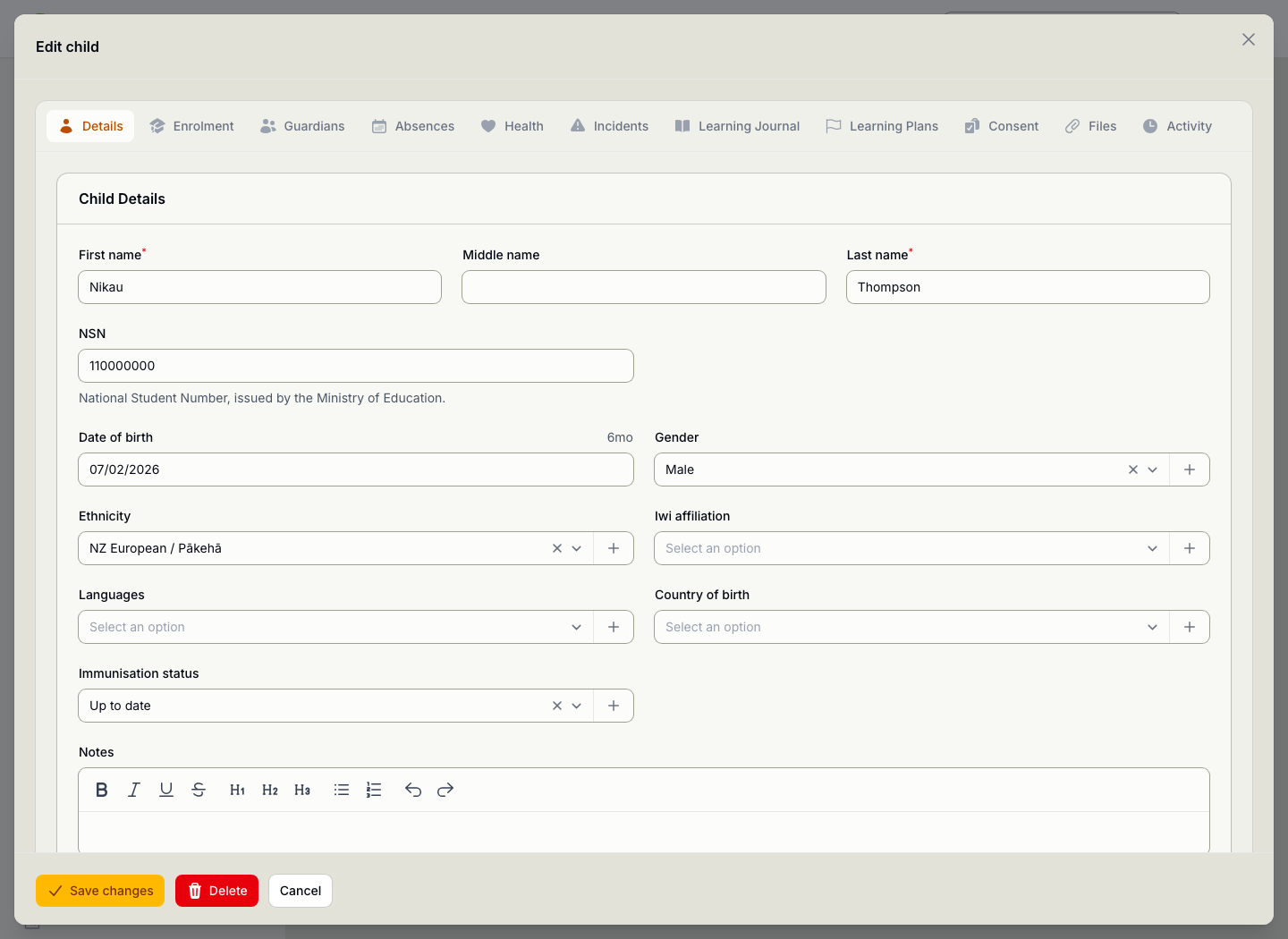
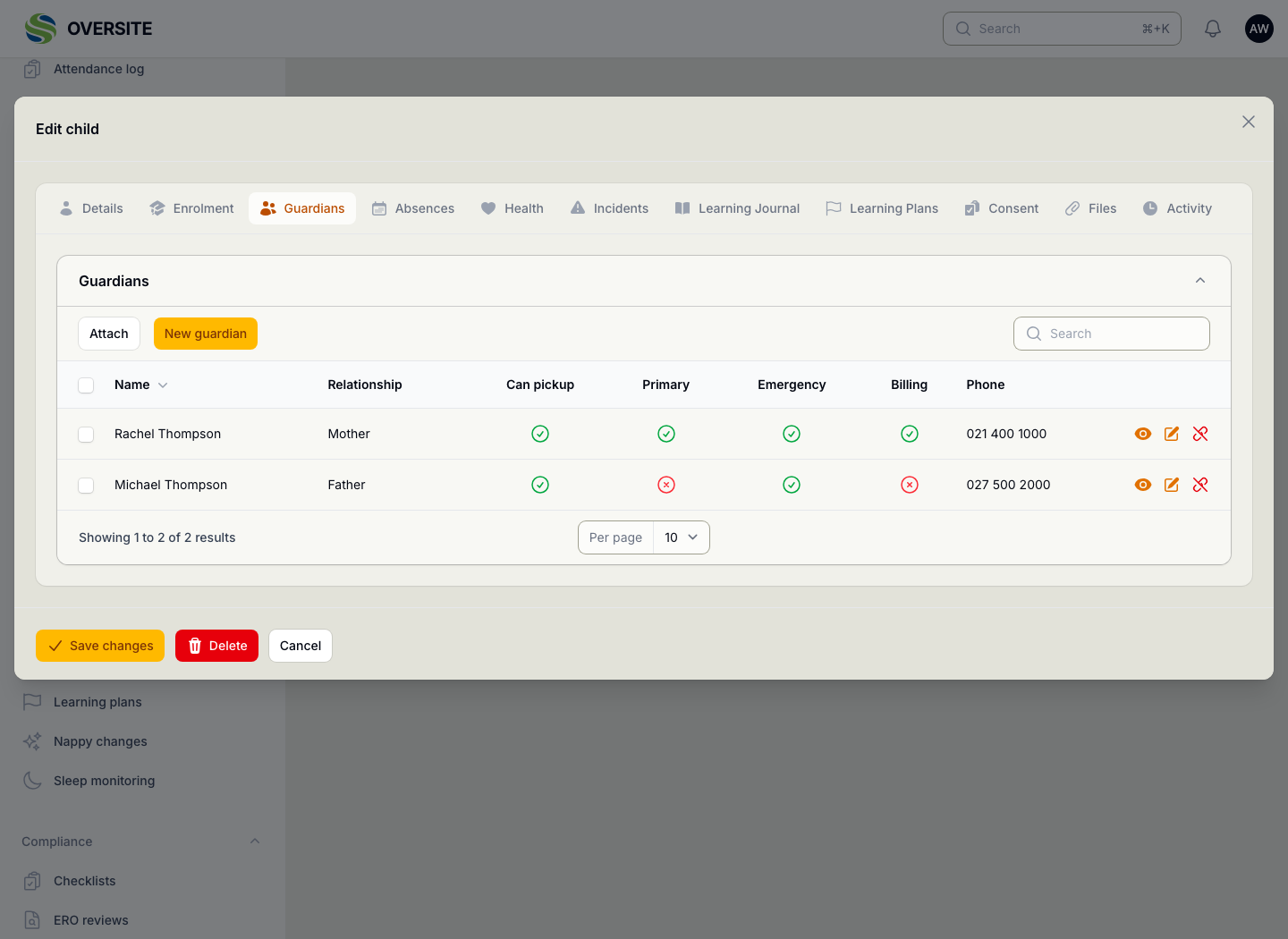
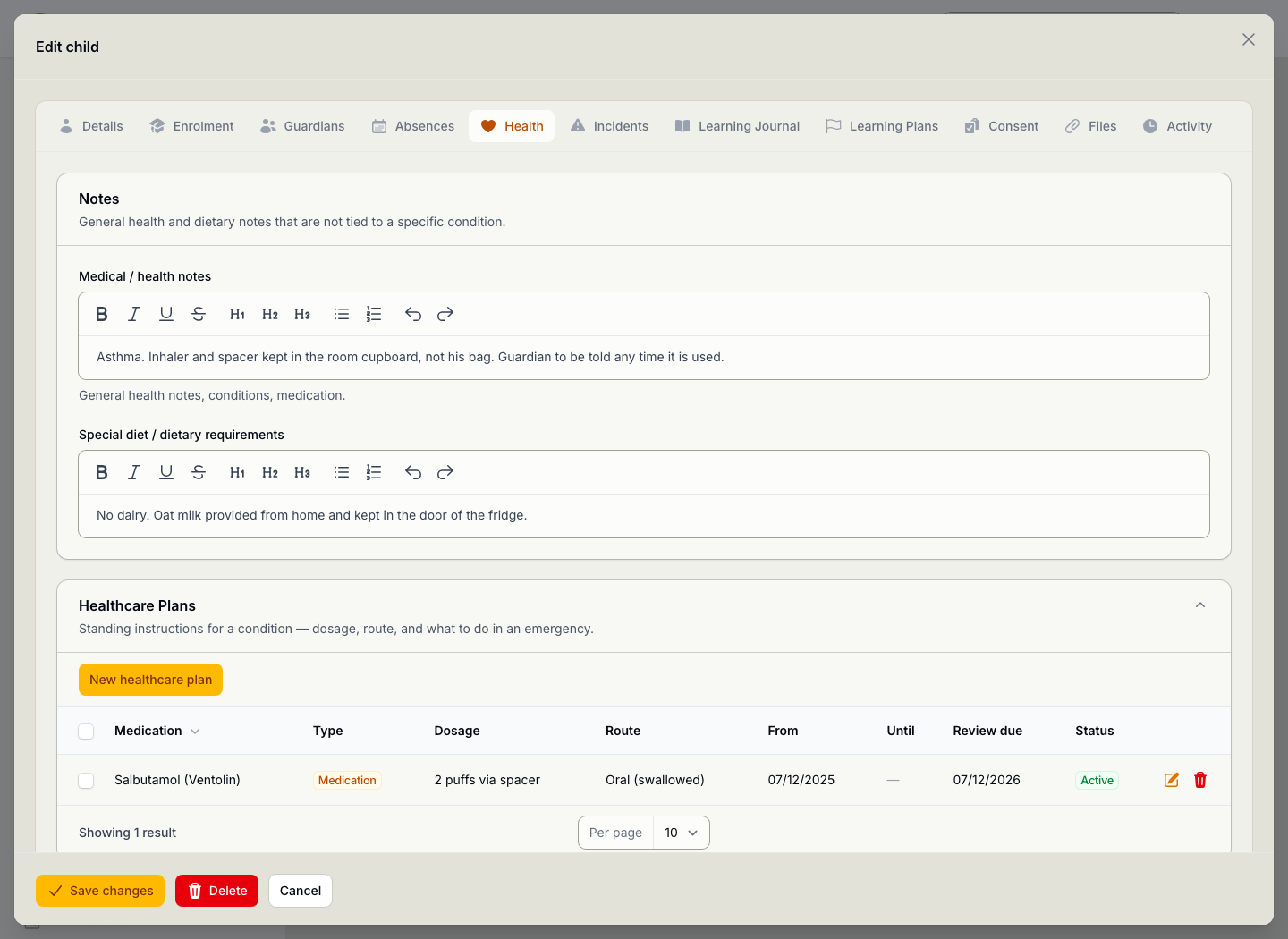
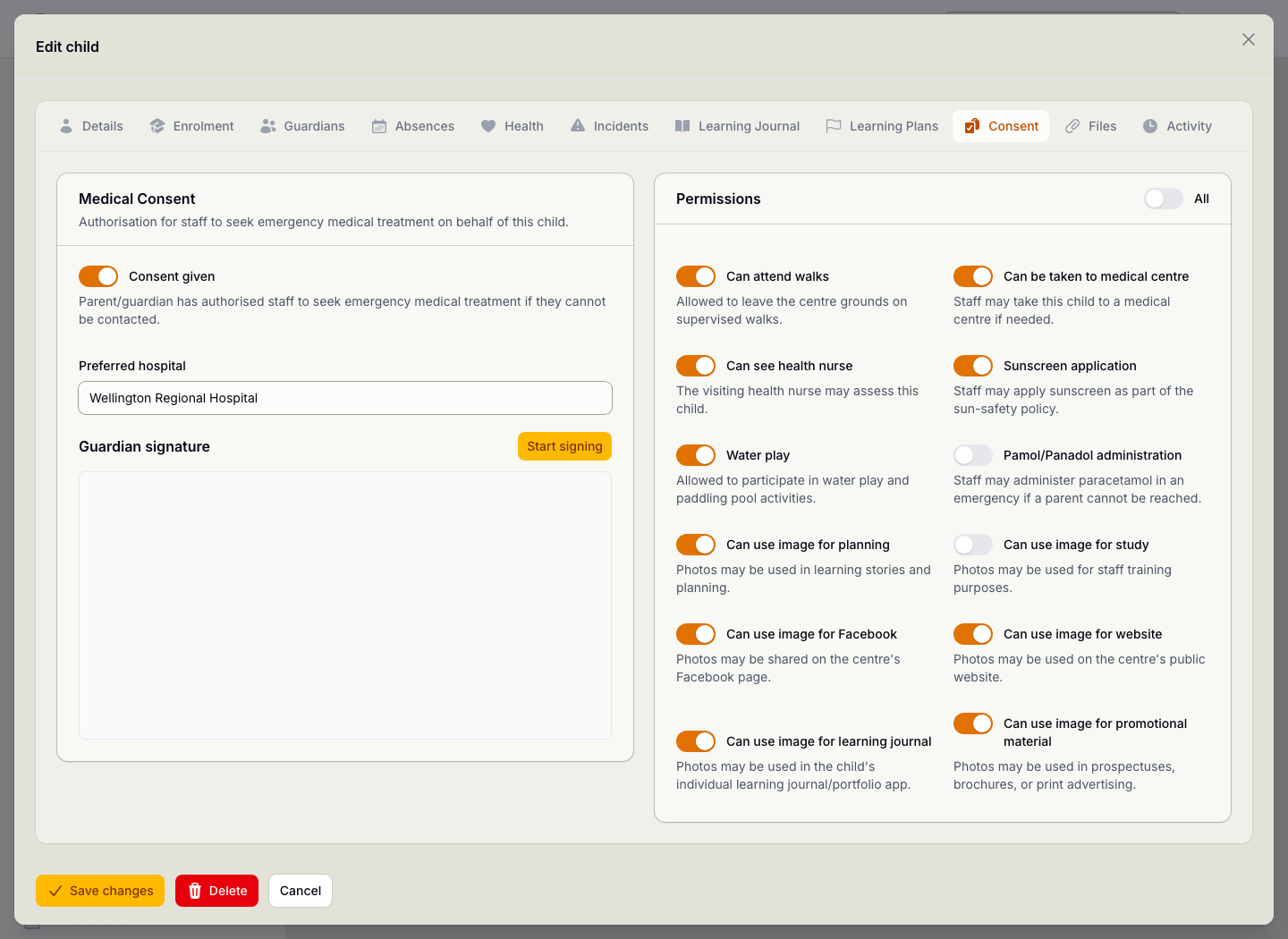
A child's record open for editing, with tabs for Details, Enrolment, Guardians, Absences, Health, Incidents, Learning Journal, Learning Plans, Consent, Files and Activity, showing name, National Student Number, date of birth with age, gender, ethnicity and immunisation status. The Guardians tab of the same child, listing their mother and father with the relationship, and separate ticks for who may collect them, who is the primary contact, who to ring in an emergency and who can see the billing. The Health tab of the same child, with a note about asthma and where the inhaler is kept, a dairy-free dietary requirement, and a healthcare plan for Salbutamol recording the dosage, route and review date. The Consent tab of the same child, showing medical consent with the preferred hospital and a space for the guardian signature, beside twelve permissions the family has given or withheld: walks, sunscreen and water play given, paracetamol and photographs for staff training withheld.

From waiting to enrolled

A place rarely comes free the week a family asks for one. The waitlist holds who is waiting, which centre they are waiting for, and how long it has been, so when a space does open, the answer is on the screen rather than in somebody's memory.

A child waiting isn't billed and isn't counted against your licensed capacity. Accepting them turns the wait into an enrolment in a single step, and the age-band figures the Ministry asks for at census time stay current as a by-product of running it.

  • Who is waiting, for which centre, and since when
  • Not billed or counted toward capacity until accepted
  • Accepted in one step, from waiting to enrolled
  • Age bands ready for the annual census
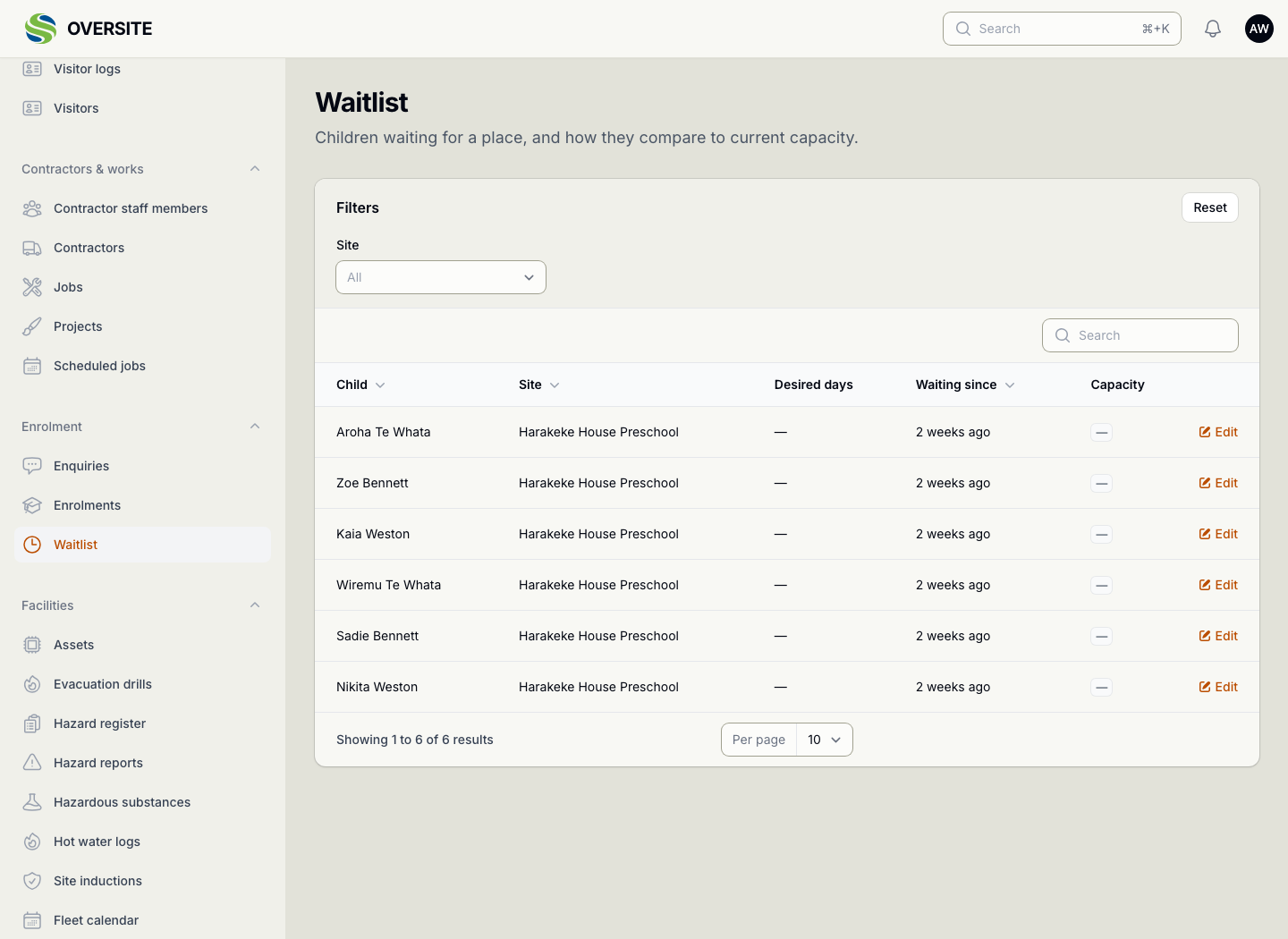
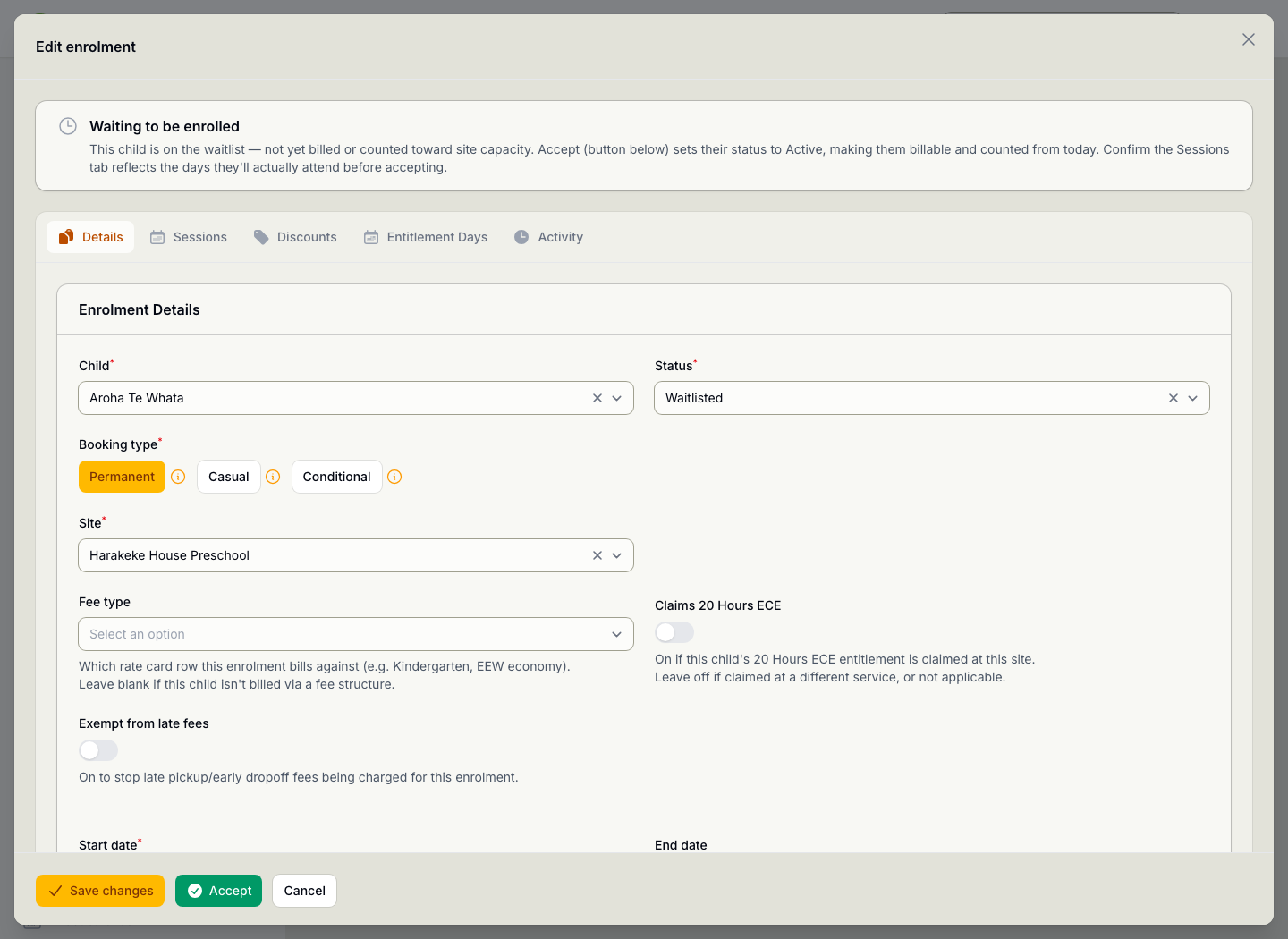
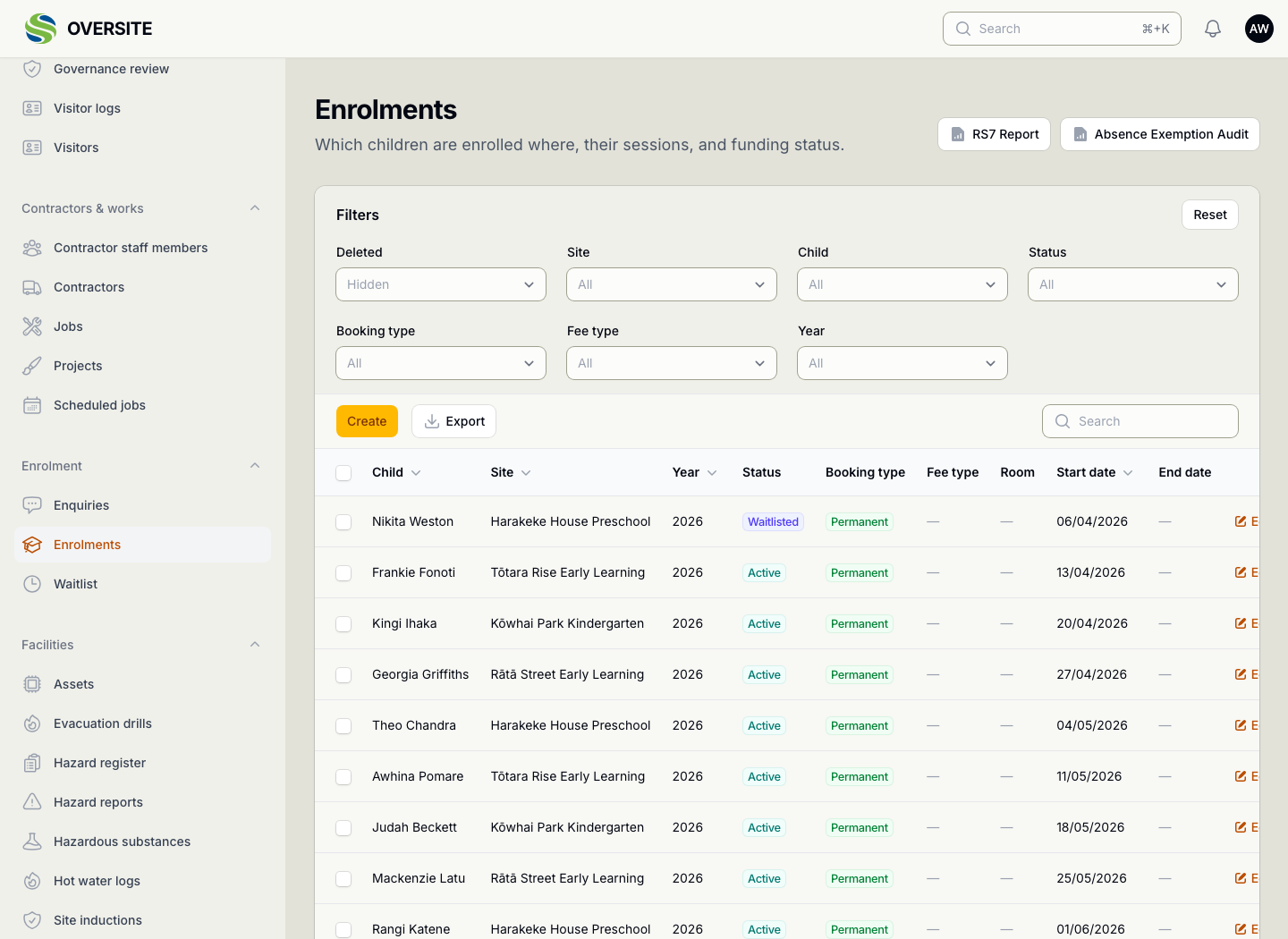
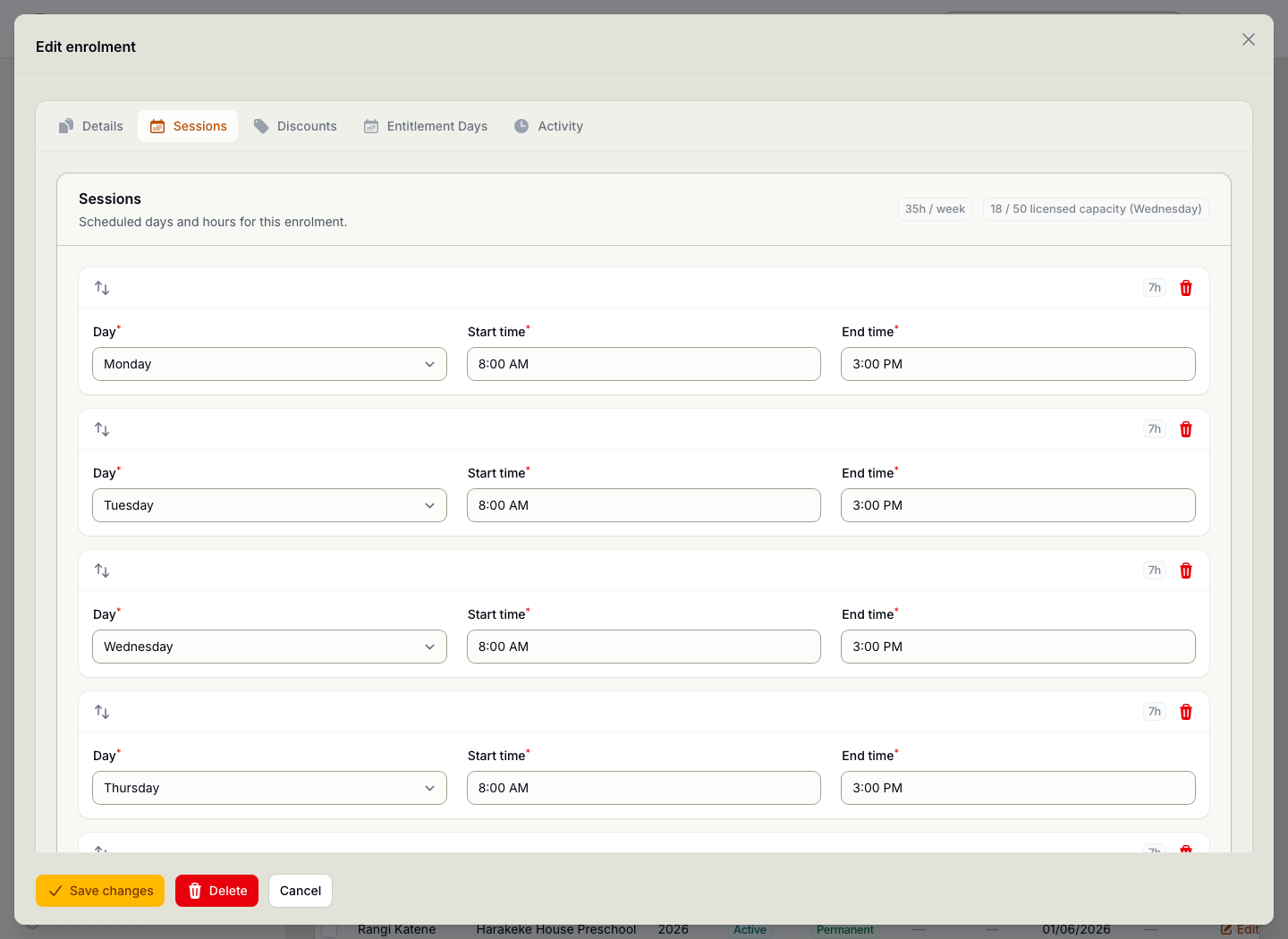
The Waitlist screen listing children waiting for a place, with the site they are waiting for and how long they have been waiting. A waitlisted enrolment open for editing, headed by a note explaining the child is not yet billed or counted toward capacity, with tabs for sessions, discounts and entitlement days, a booking type of permanent, a 20 Hours ECE toggle, and an Accept button that makes the place live. The Enrolments screen showing which children are enrolled at which centre, their year, status, booking type and start date, with buttons for the RS7 return and the absence exemption audit. An enrolment open on its Sessions tab, showing the days and hours booked each week, Monday to Friday from eight until three, totalling thirty-five hours a week, with a badge showing eighteen of fifty licensed places used on the busiest day.

Enquiries straight from your own website

Most enquiries start on your website, and most systems make you copy them across by hand. Oversite gives you a form to embed on your own pages that writes straight into the enquiry queue, carrying the site, the child's age and where the enquiry came from already attached.

The form belongs to your pages and works nowhere else, so a copy of it lifted somewhere it shouldn't be is inert. You can put a version on a staging site and try the whole thing end to end before anything reaches your real queue.

  • An embeddable form for your own site, styled to match it
  • It only ever works where you put it
  • Every enquiry arrives with the source it came from
  • One widget for the whole group, or one per centre
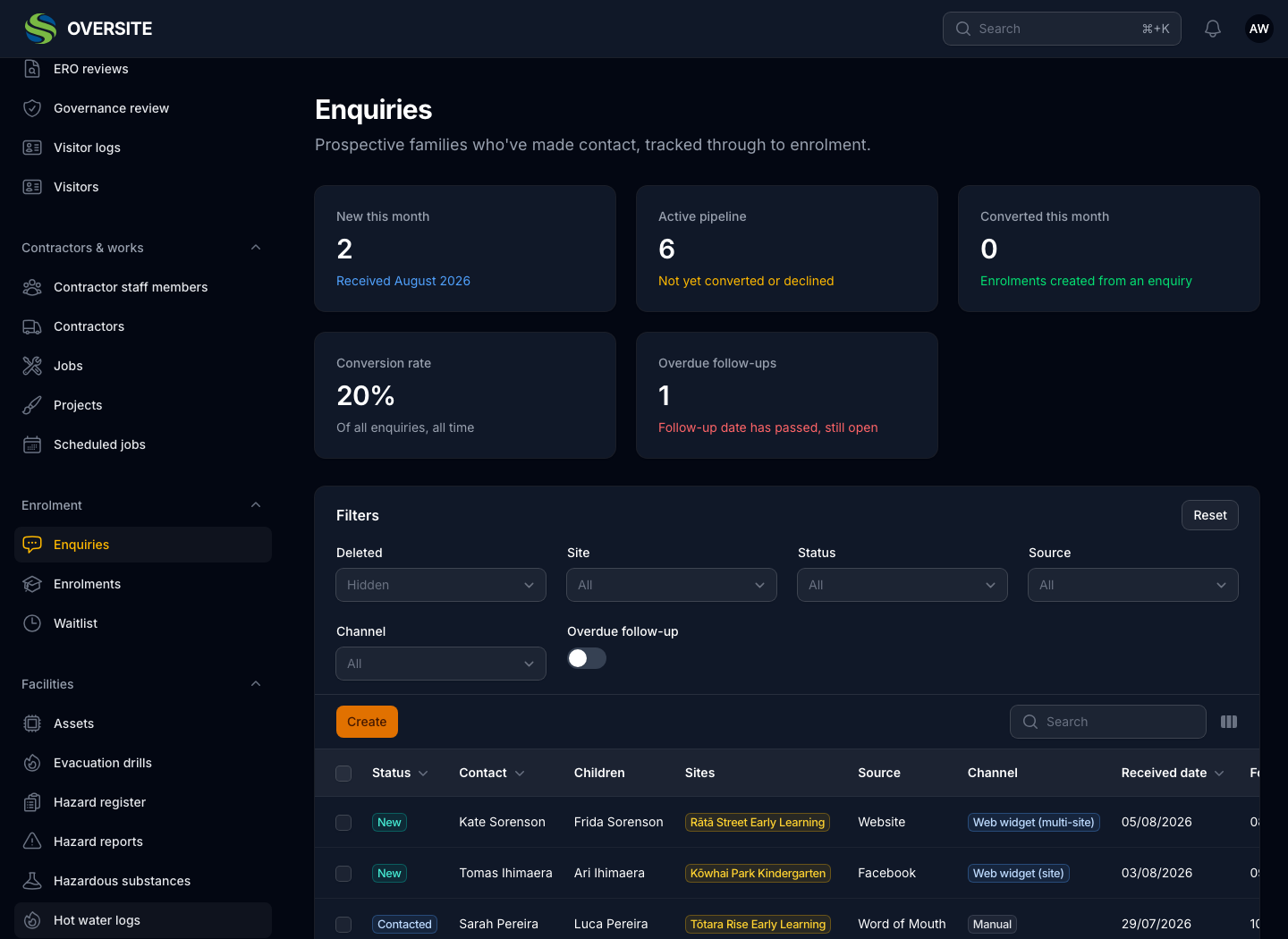
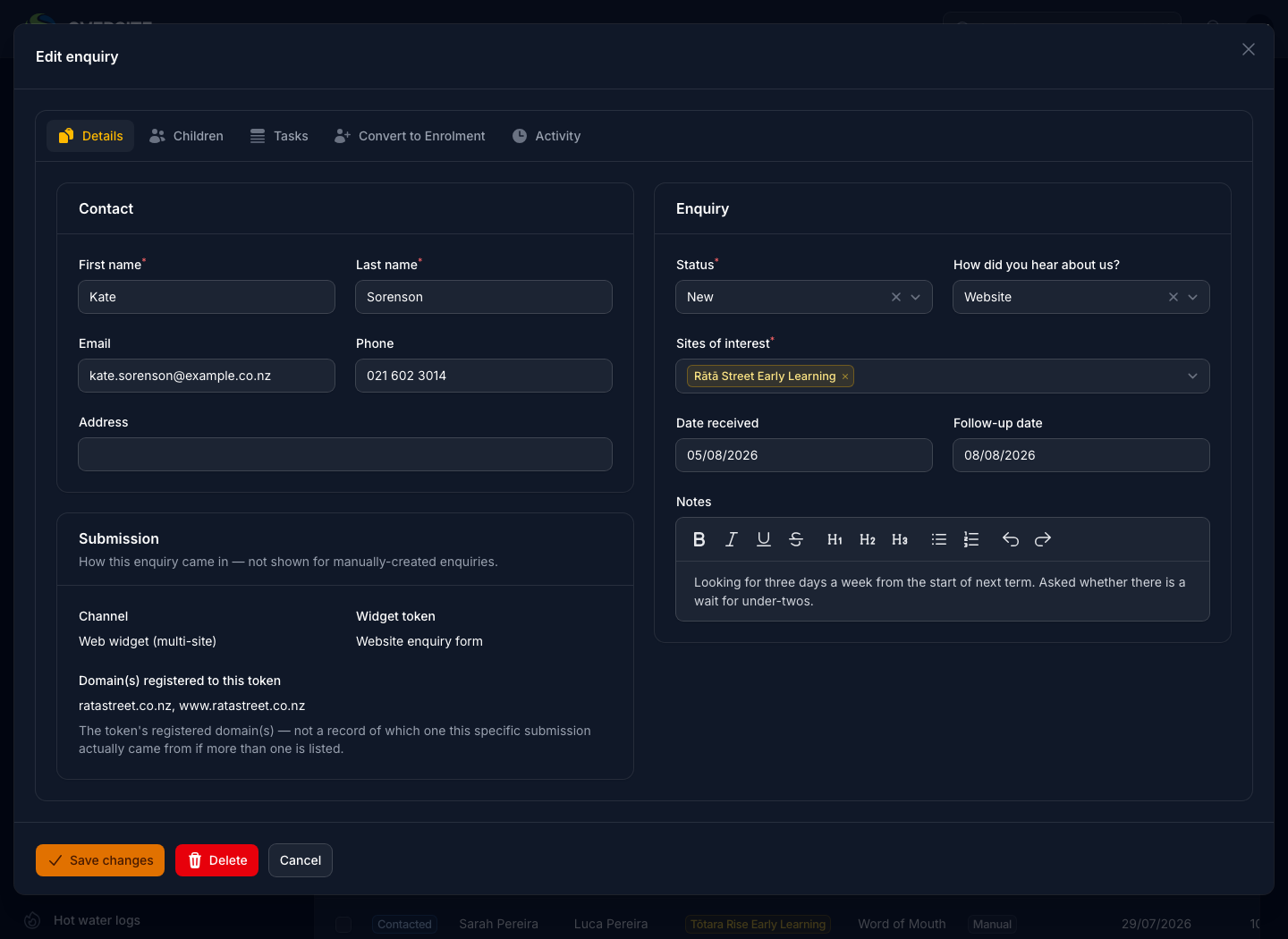
The Enquiries screen in dark mode with cards for new this month, active pipeline, converted this month, conversion rate and overdue follow-ups, above a list of prospective families showing the status, the child, the centre they are interested in, where they heard about you and whether they came through the web form or were entered by hand. An enquiry open for editing in dark mode, with the family's contact details, status, source, the centre of interest, the follow-up date and the note they left, alongside a panel recording how the enquiry reached you.

See it with your own setup

Tell us how many sites you run and what you're using now, and we'll show you the parts that matter most to you. No obligation, and you'll hear back within one working day.

Book a demo