What it covers

From advert to first day, on one record

Hiring in early learning is not generic recruitment. A vacancy has to say whether the role counts toward your qualified ratio and where it sits on the pay parity scale, and nobody starts until their safety check clears. All of that lives with the applicant rather than in somebody's inbox.

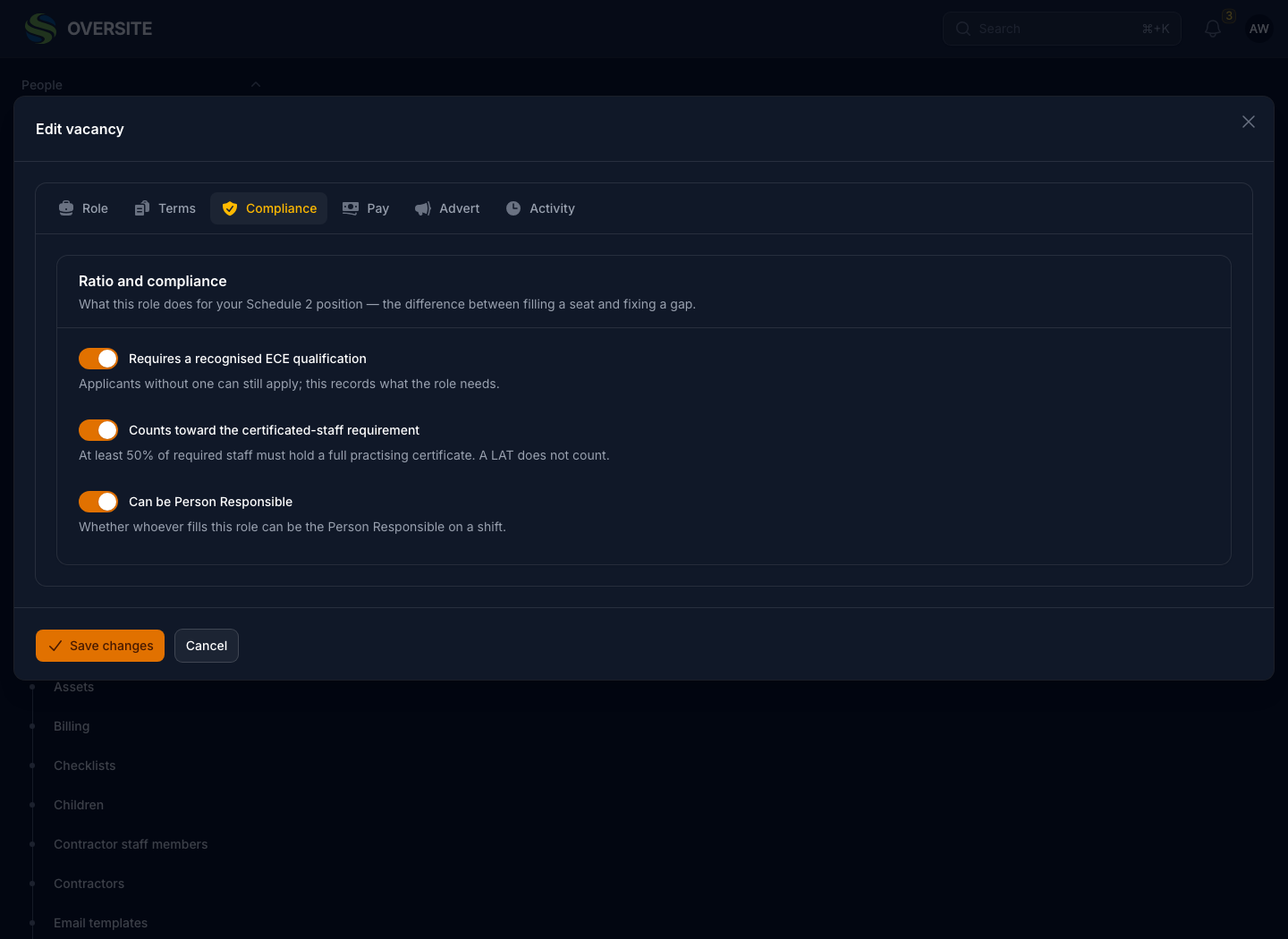
A vacancy that knows what the role has to do

Most job software treats a role as a title and a salary band. Yours has to answer questions the Ministry asks: is this person qualified, do they count, can they be left in charge.

Recording that on the vacancy means the answer is already there when you hire, rather than something worked out again on the day they start.

  • Whether it counts toward your qualified ratio
  • Whether the holder can be Person Responsible
  • Pay parity steps, from and to
  • FTE, hours a week, and the reason for a fixed term
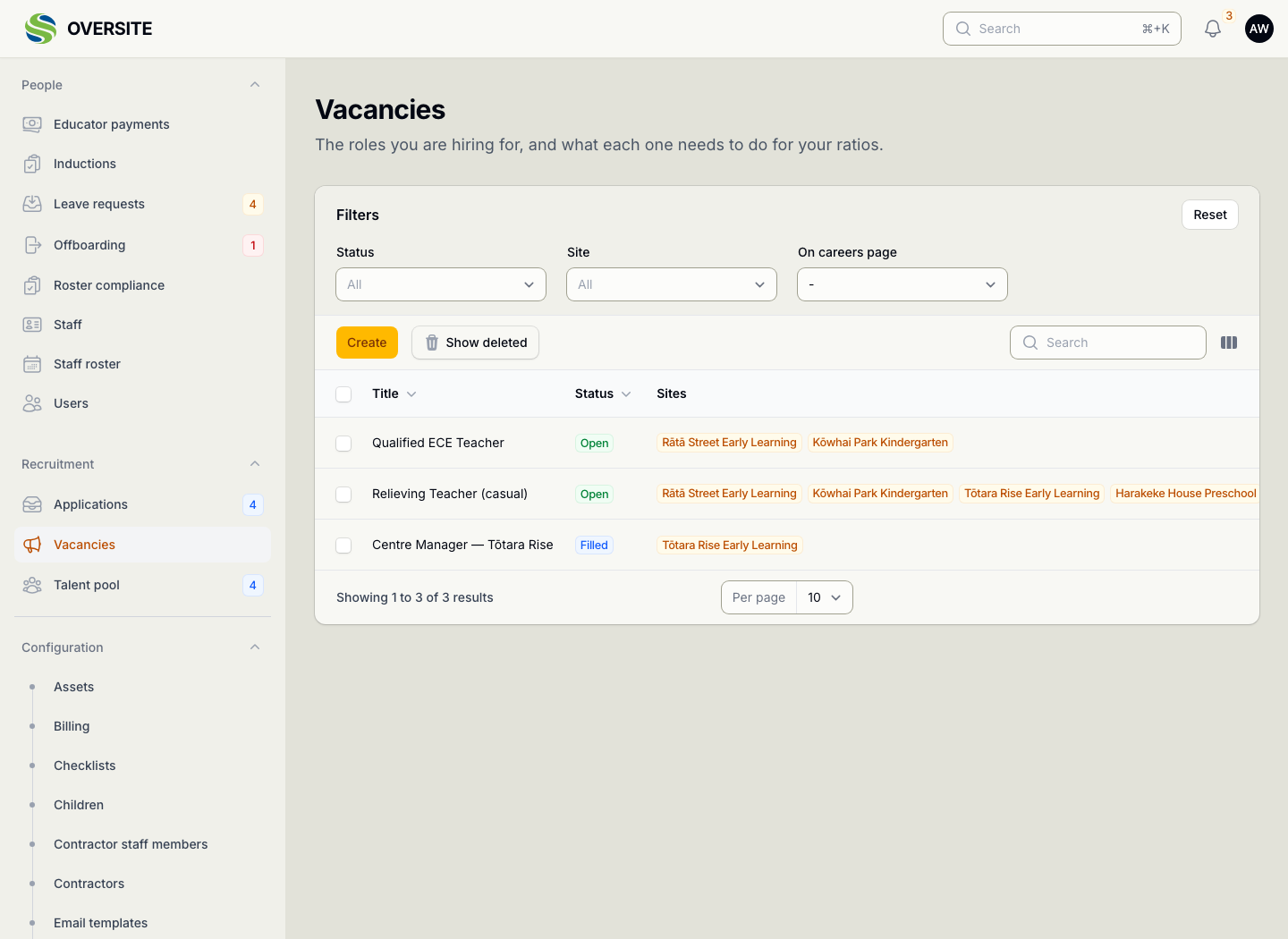
The Vacancies list showing three roles with their status and the centres each one covers. A vacancy open on its Compliance tab in dark mode, with switches for whether the role requires a recognised ECE qualification, counts toward the qualified ratio, and can be Person Responsible.

A careers page, without building one

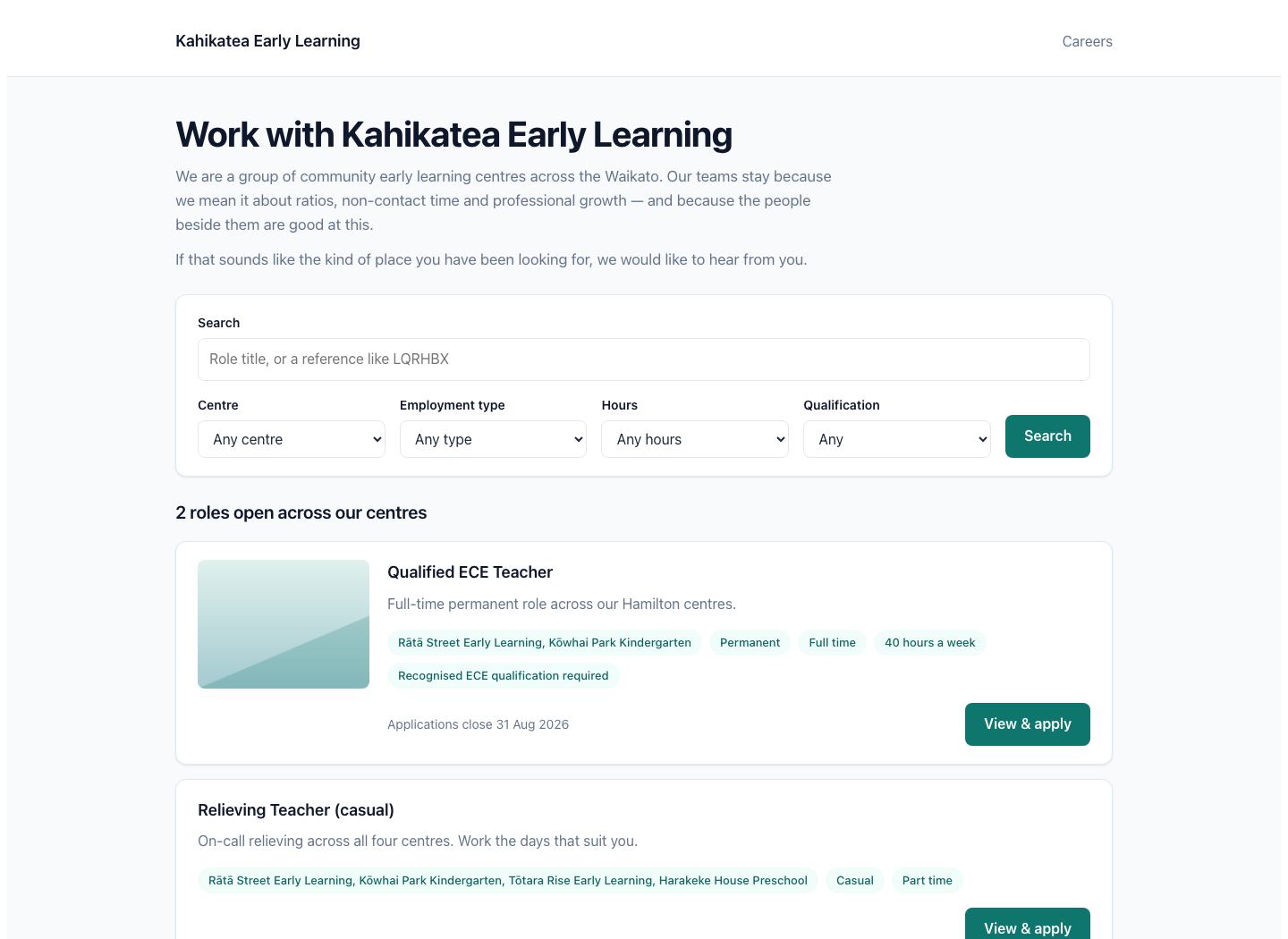
Every open vacancy can appear on a careers page we host on your behalf, written in your words. Nothing to build and nothing to keep in step, because closing a vacancy removes it.

If you already have a website, the same roles embed into it instead. Either way the applications land in the same place.

  • Your name and your words, on your own domain
  • Filtered by centre, hours, type and qualification
  • Apply on a phone, in three fields
  • Or embed the same roles in a site you already have
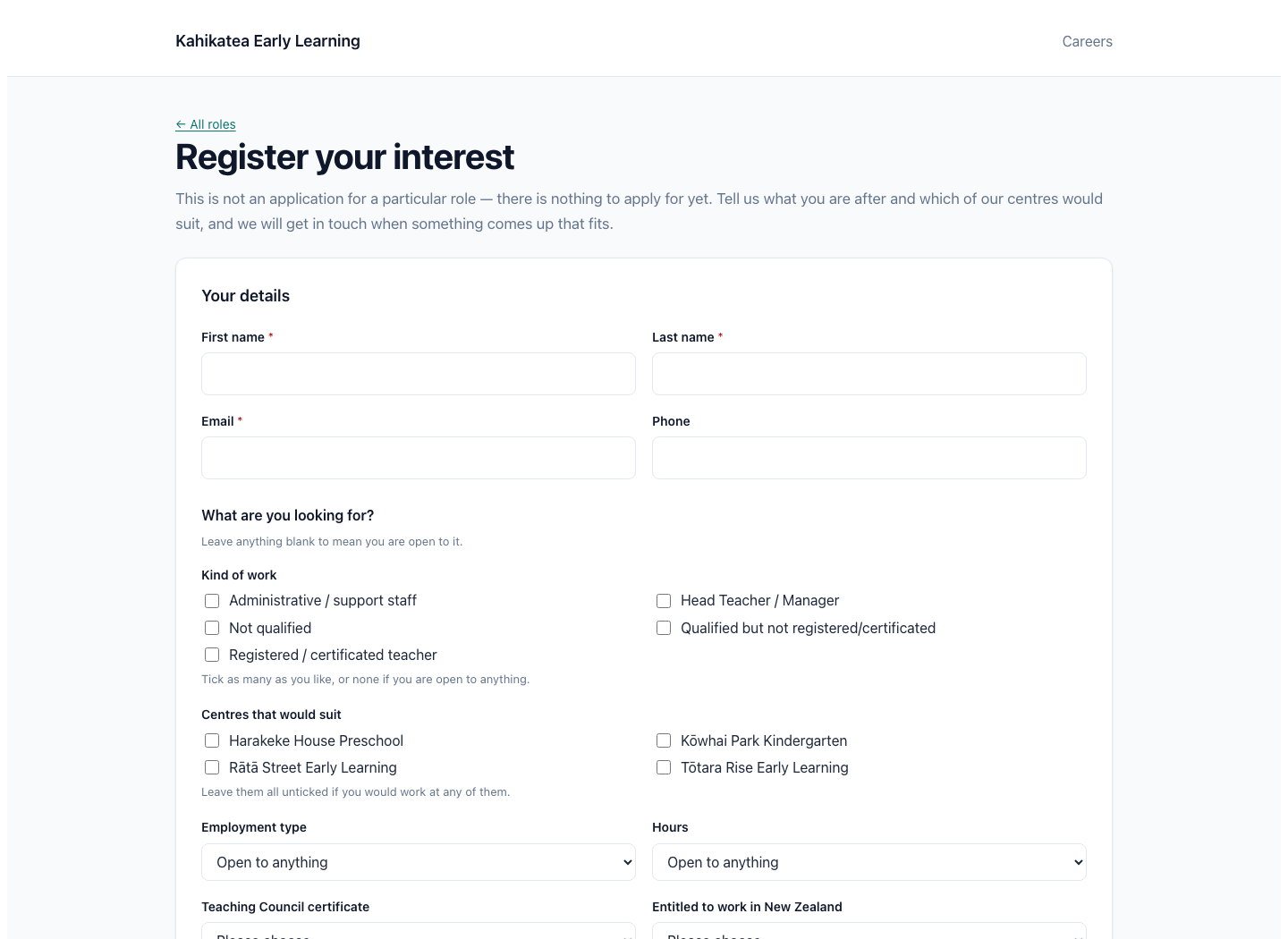
A hosted careers page headed Work with Kahikatea Early Learning, with search filters for centre, employment type, hours and qualification, and two open roles listed with their centres and terms. The register-interest form on the careers page, for somebody who wants to be told when a suitable role opens.

Every applicant, and where they got to

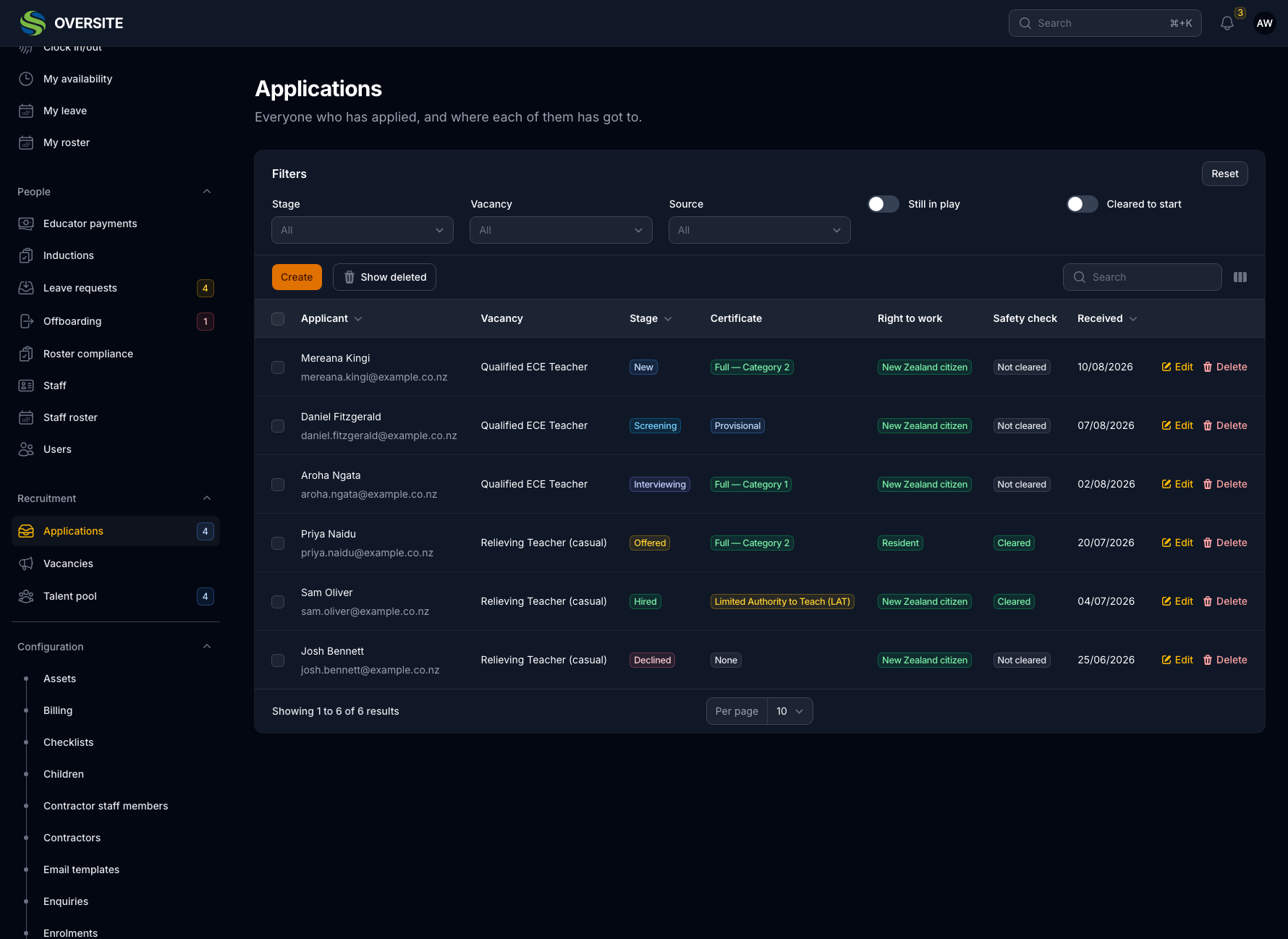
The list answers the question a manager has in front of them, which is not how many applied but who is waiting on them. Certificate type and right to work sit on the row, so a shortlist does not need six records opened to build.

Turning somebody down records why. Over a year that becomes an answer to a harder question: whether the roles are written the way the people you want read them.

  • Stages you name, from new through to hired
  • Certificate type and right to work on the row
  • Where each applicant came from
  • A reason recorded when you say no
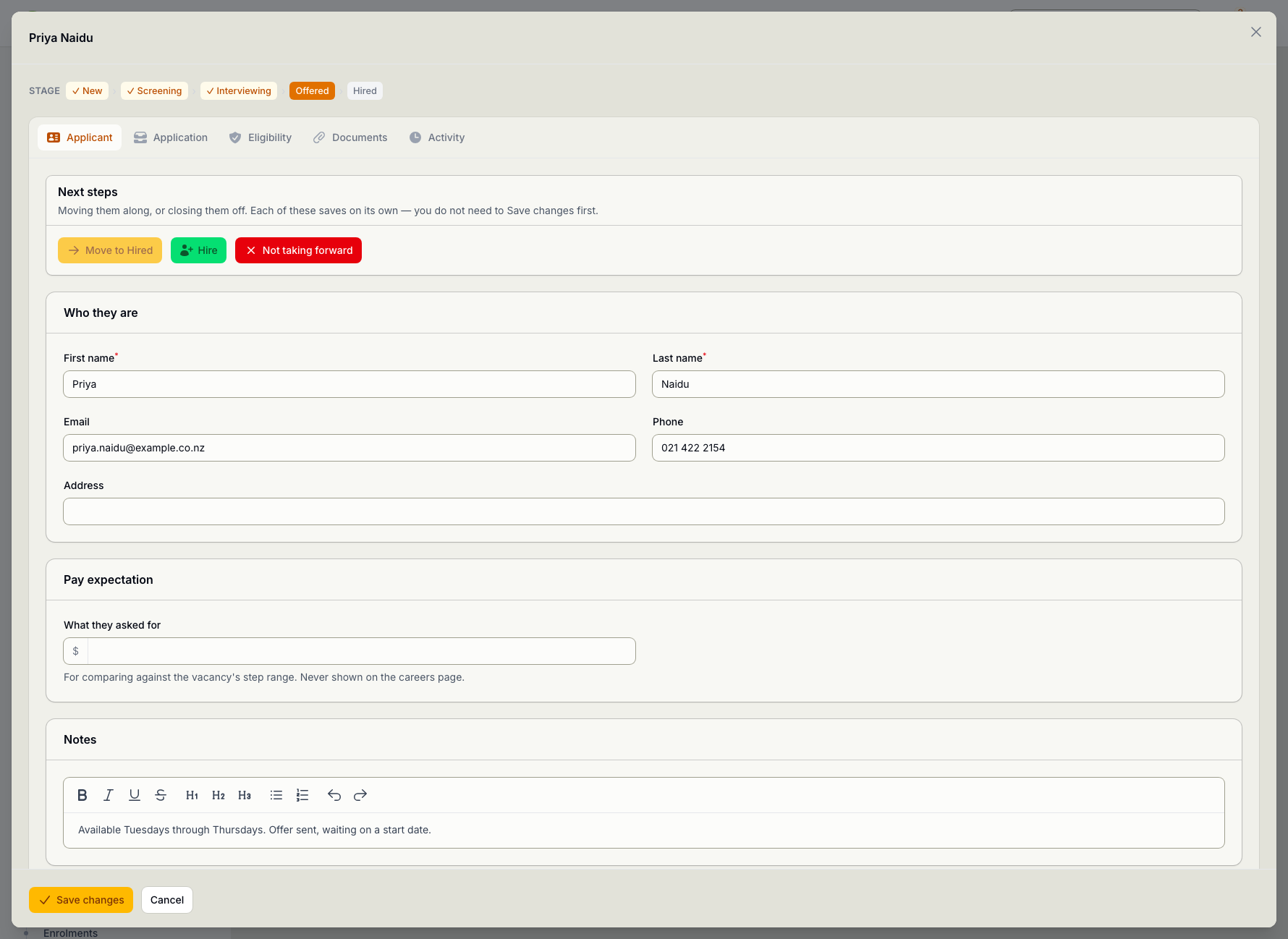
The Applications list in dark mode showing six applicants with their vacancy, stage, teaching certificate type, right to work and safety check status. An applicant record open at the Offered stage, with tabs for the applicant, their application, eligibility, documents and activity, and buttons to move them to hired, hire them, or stop the process.

Everyone writes their own view before they see anybody else's

Somebody who reads two strong yeses before writing their own is no longer giving a second opinion. They are endorsing the first one. Until you submit yours you can see how many of the panel have answered and nothing about which way they went.

The panel is emailed for you: when they are added, if the time moves, the day before, and again if their feedback has not come in. Nobody has to remember to send any of it, which is usually why it does not get sent.

  • A panel, each with their own feedback form
  • Nobody sees the others until theirs is in
  • Rated against criteria you write
  • A split panel is flagged, not averaged away
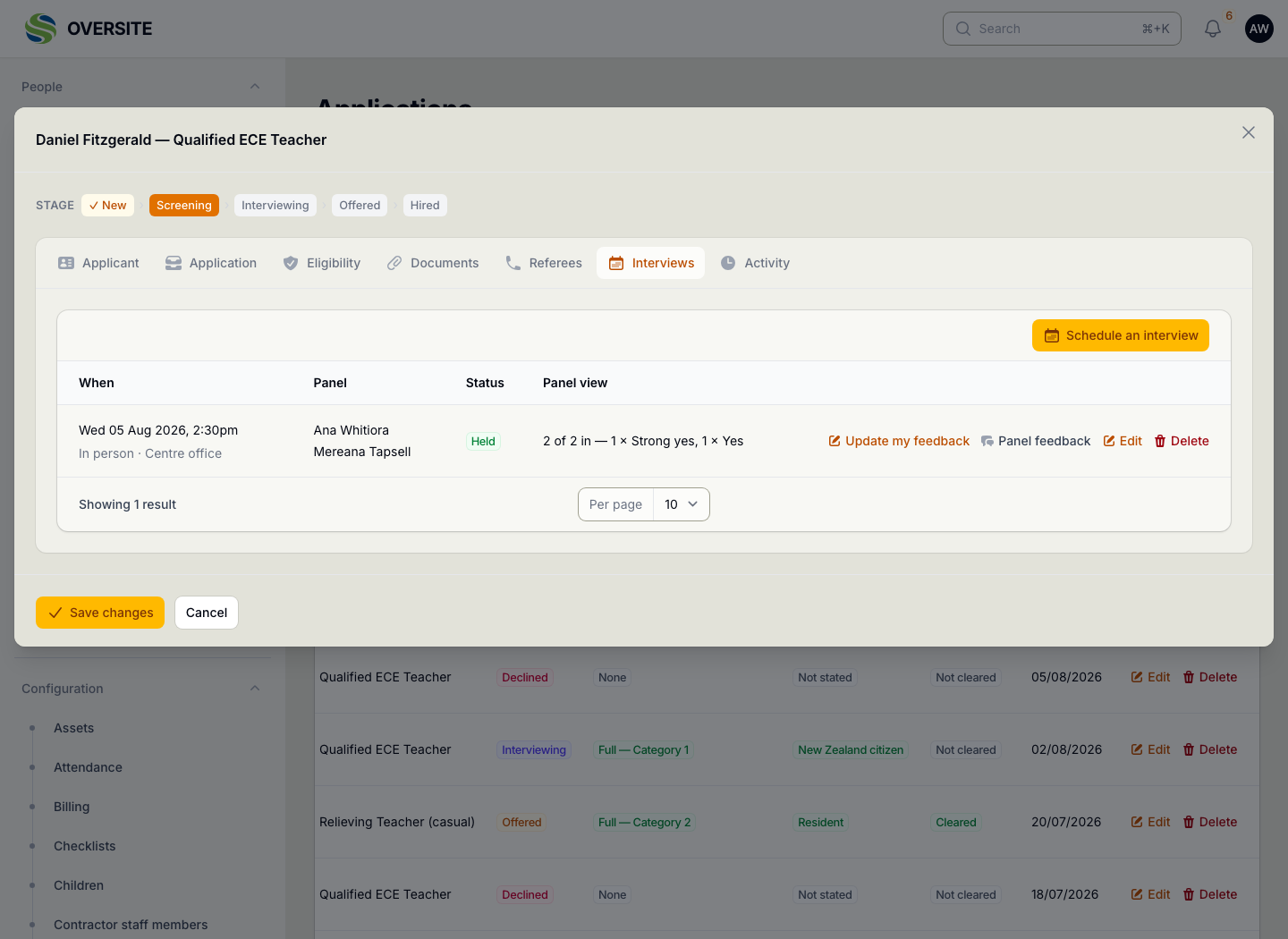
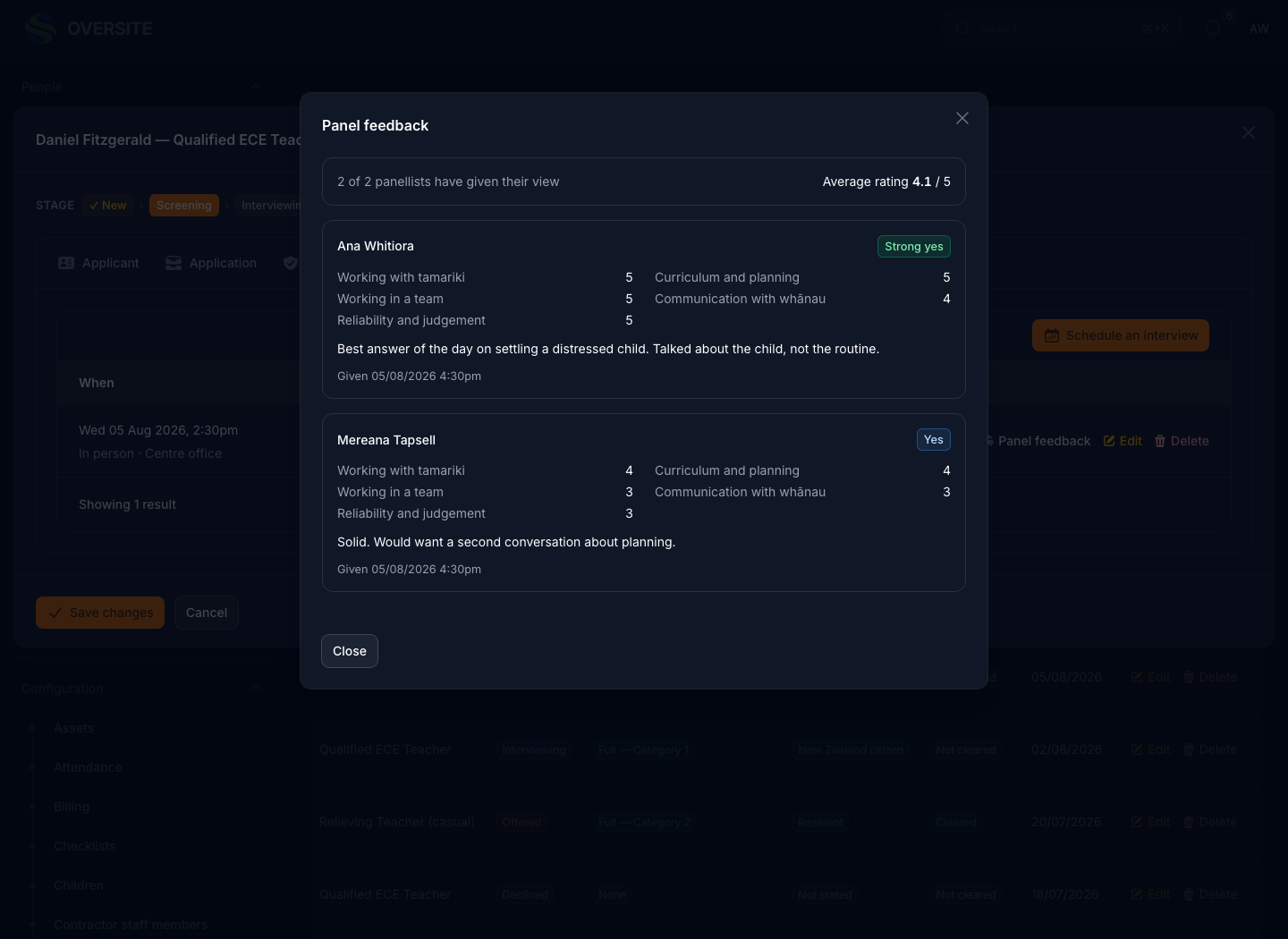
The Interviews tab on an applicant showing one held interview, the two people on the panel, and a panel view reading two of two in with one strong yes and one yes. The panel feedback dialog in dark mode showing both panellists, their ratings out of five against each interview criterion, their overall recommendation and their written comments.

References taken while the decision is still open

The safety check has a referee step of its own and that is the statutory record. It only exists once you have decided to hire, so the calls that informed the decision were happening somewhere else: a notebook, an inbox, somebody's memory of a chat.

Recording the outcome as well as the words means a reference nobody could take shows as its own answer rather than as a blank somebody forgot to fill in.

  • Recorded at shortlist, not after the offer
  • Who you spoke to, when, and what they said
  • A concern is flagged on the application
  • Separate from the statutory referee check
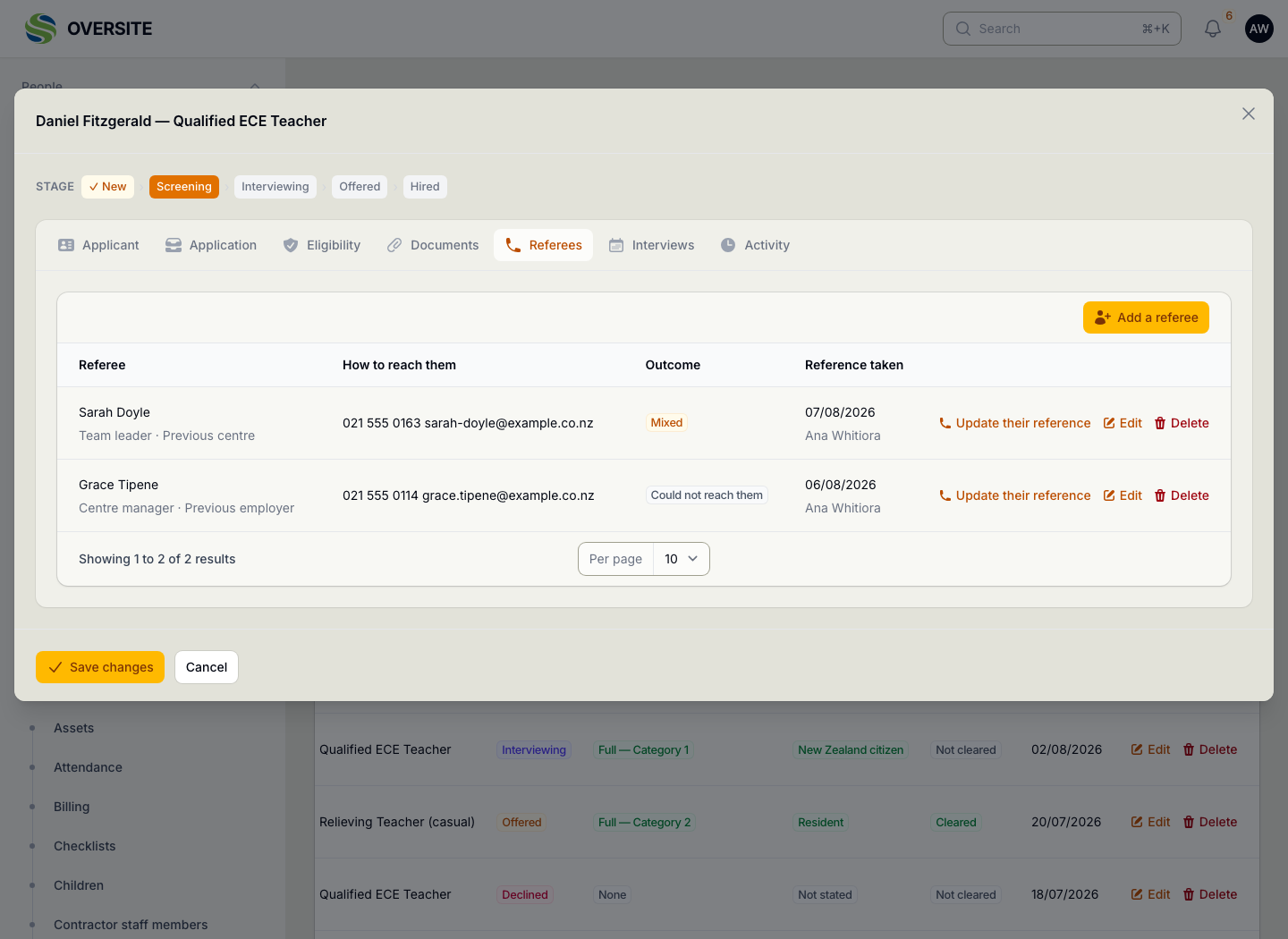
The Referees tab on an applicant listing two referees with their phone and email, the outcome of each call shown as mixed and could not reach them, and the date each reference was taken with who took it.

Nobody starts before their safety check clears

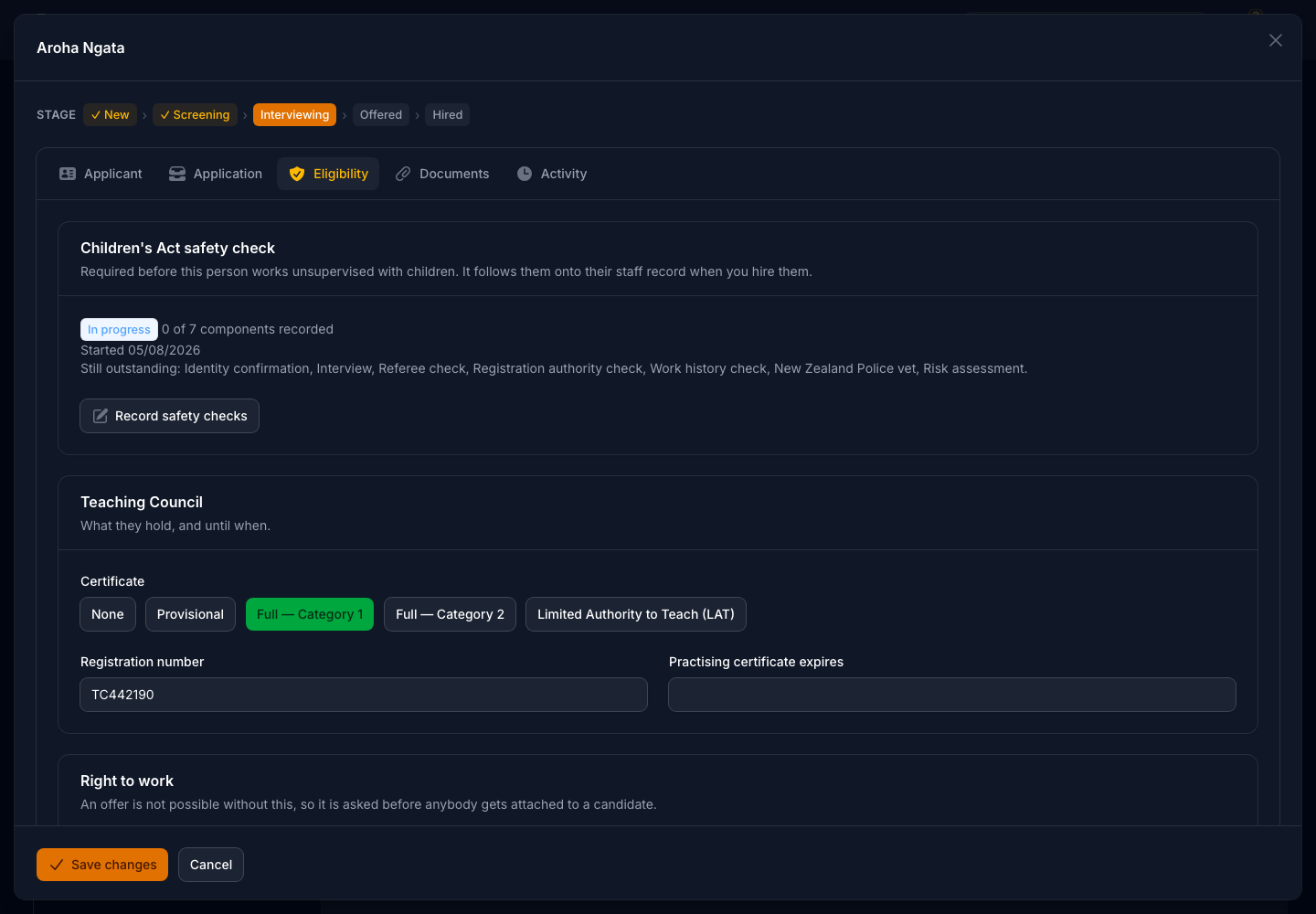
A children's worker cannot start before they are safety checked, so the check is part of hiring rather than something onboarding catches up on. Until it is complete and approved, the hire button says why it will not proceed.

It can be overridden, because sometimes there is a real reason, but the reason is typed in and kept. The check itself then moves onto the staff record rather than being done twice, which is what keeps the evidence intact from applicant to employee.

  • The check runs against the candidate, before an offer
  • Hiring is blocked until it is complete and approved
  • Overriding it requires a written reason
  • The same check follows them onto their staff record
An applicant's Eligibility tab in dark mode showing the Children's Act safety check part-way through, listing what is still outstanding: identity confirmation, interview, referee check, registration authority check, work history check, police vet and risk assessment.

Hiring writes the record for you

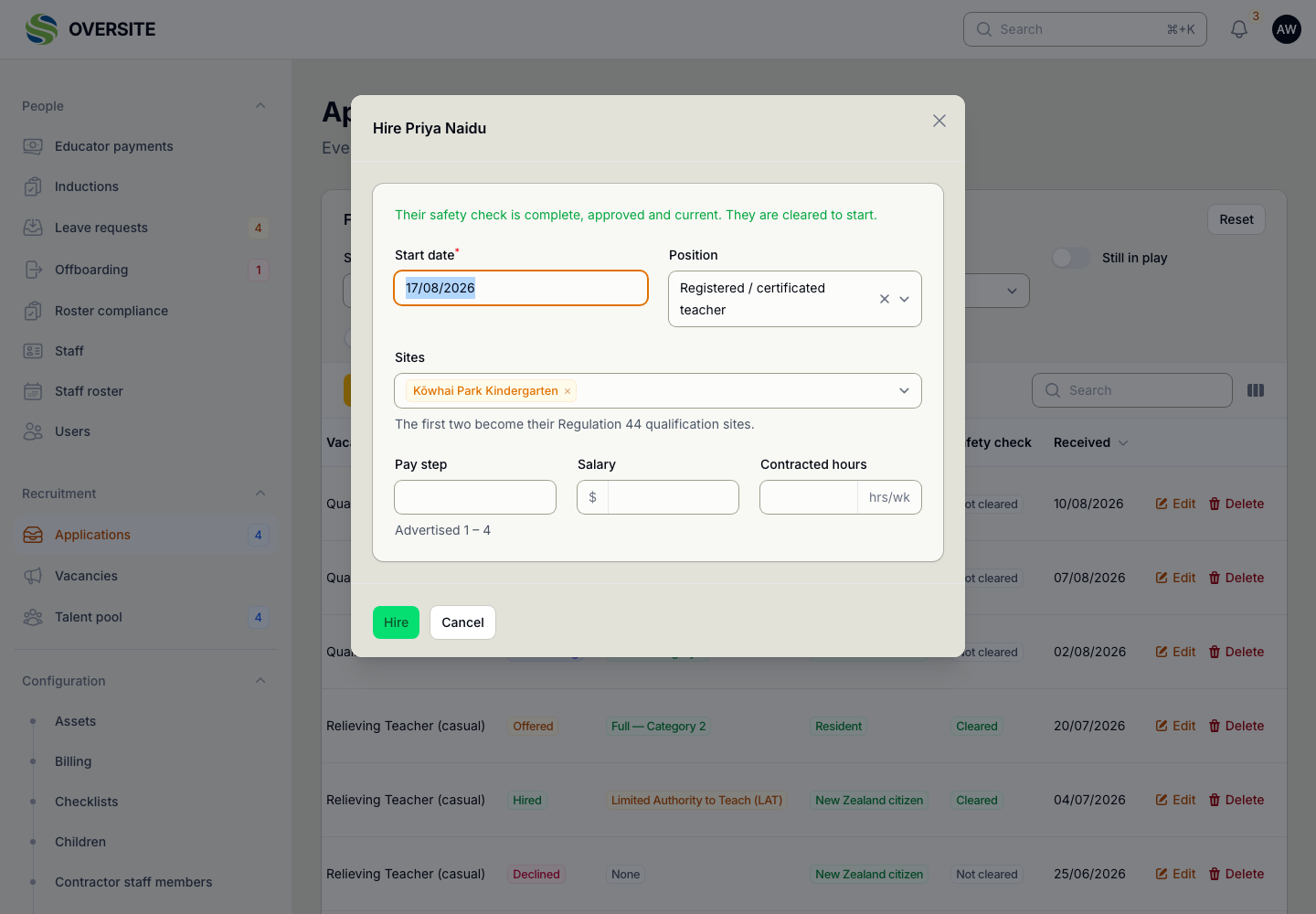
Saying yes to somebody creates the four things that have to exist for them: a staff record, a login, their pay parity row, and access to the centres they will work at. They are created together, so there is no half-finished person in the system.

The login is deliberately switched off until somebody turns it on. Most people hired have a notice period to work, and a live account sitting there for six weeks is an account nobody is watching.

  • Staff record, login, pay parity row and centre access together
  • The login starts deactivated, for a start date weeks away
  • Their safety check moves across, not repeated
  • One action, not four screens
The Hire dialog confirming the candidate's safety check is complete, approved and current, with fields for their start date, position, the centres they will work at, and their pay step against the advertised range.

The people who got in touch before you were hiring

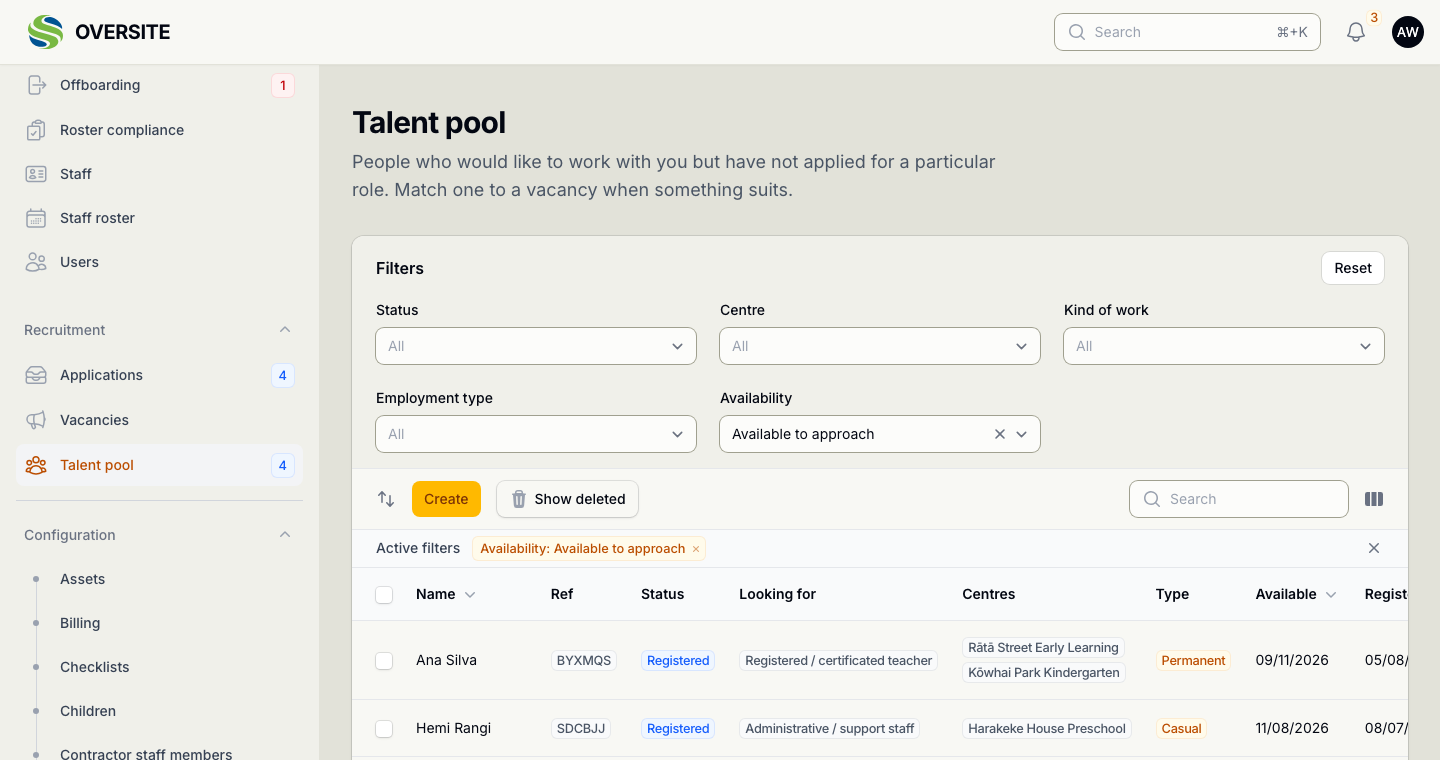
Good relievers turn up when you have nothing open. The talent pool keeps them, with the centres and hours that would suit them, so the next vacancy starts with a list rather than an advert.

Matching somebody creates a genuine application with the usual safety-check gate, and records that you approached them. A pool nobody can act on is a pool nobody maintains, so the point of it is that one click.

  • Registered interest, with no vacancy attached
  • Matched into a real role when one opens
  • Asked periodically whether they are still looking
  • Becomes an ordinary application, with the same checks
The Talent pool list showing people who have registered interest, with the centres and hours that would suit them and how recently they confirmed they were still looking.

Whether your hiring is working, in numbers

Volume is the easy number and the least useful one. A channel that sends forty applications and no hires is a channel worth stopping, and you cannot see that without both figures beside each other.

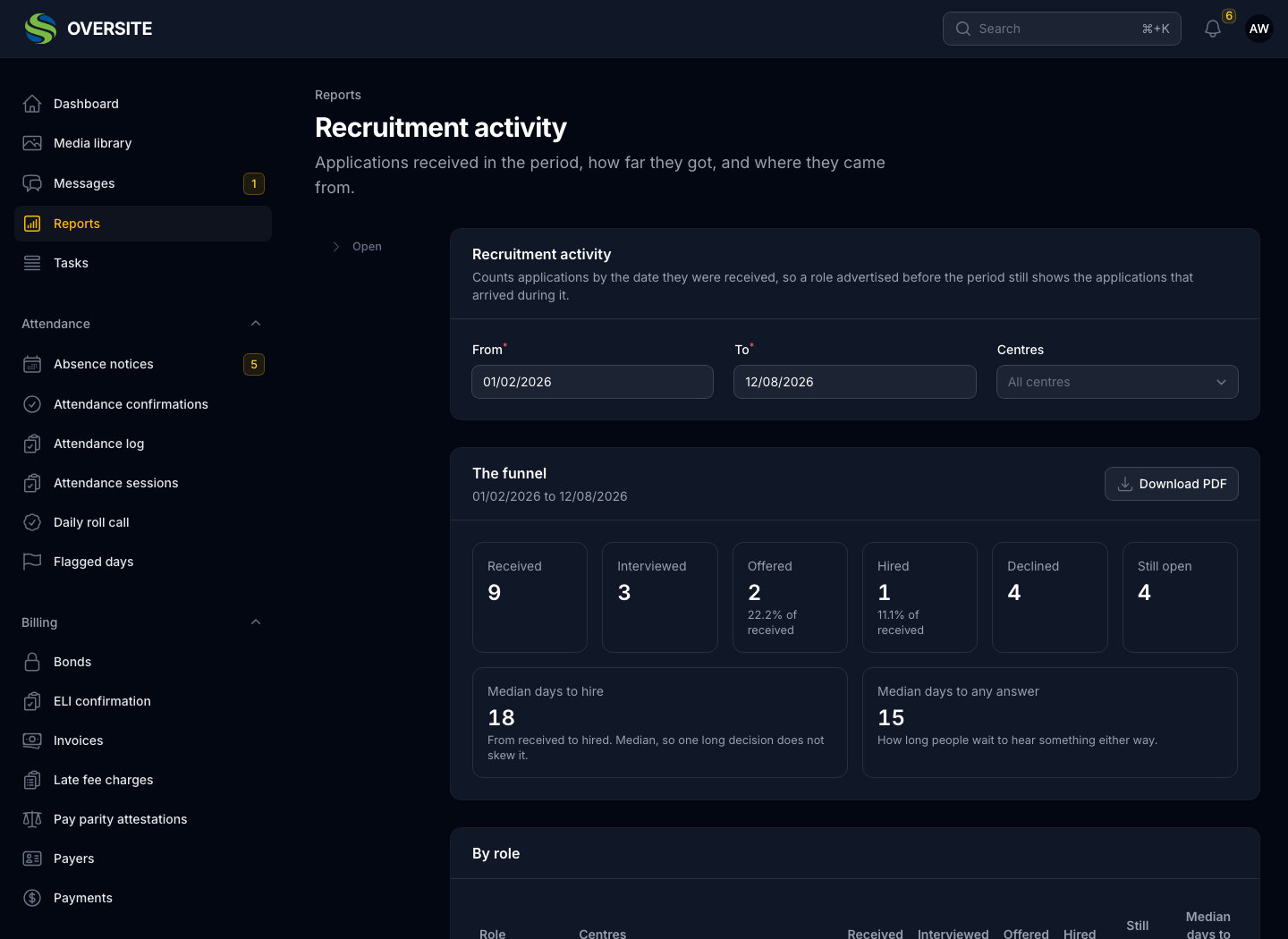
Median days to any answer is the one most organisations have never measured. It is how long a person waits to hear something either way, and it is the part of your process they describe to other people.

  • The funnel, from received through to hired
  • Median days to hire, and to any answer at all
  • Which sources produce hires, not just applications
  • Why people were not taken forward
The Recruitment activity report in dark mode showing the funnel from nine received through interviewed, offered and hired, with median days to hire and median days to any answer beside it.

Applicant details do not sit there forever

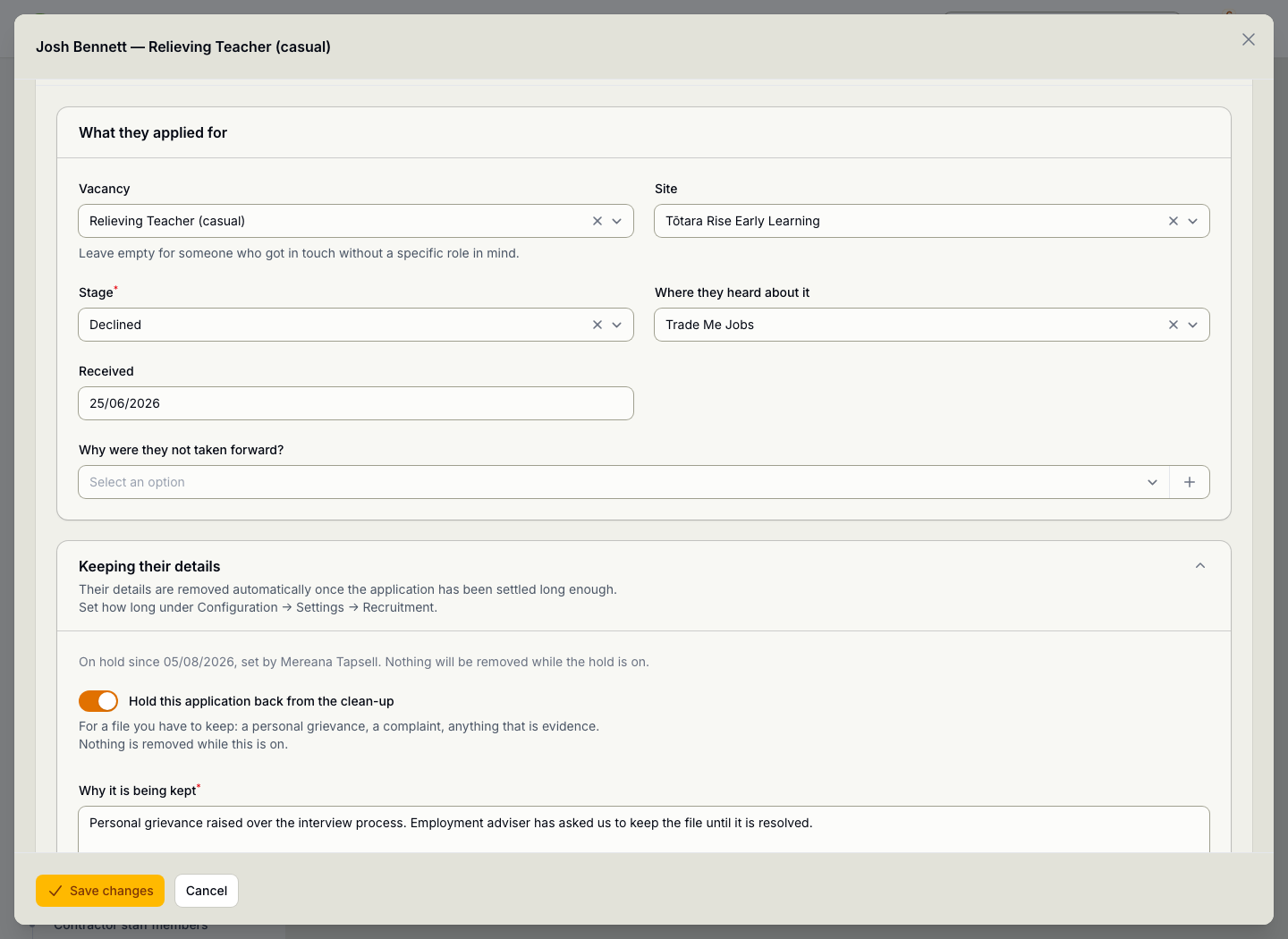
The Privacy Act says you must not keep personal information for longer than you need it. Once an application has been settled long enough, Oversite takes the person out of it overnight and leaves the shape of it behind, so the reporting above keeps working without anybody holding a filing cabinet of other people's details.

A file you have to keep can be held, with the reason written down, and the nightly job reports how many it left alone. Deleting on schedule is right up until the file is evidence in a dispute, which is the one case where the right rule gives the wrong answer.

  • Personal details removed on a clock you set
  • Name, CV, referee notes and interview comments
  • The application stays, so the reporting still works
  • Hold one file when it is evidence
An applicant record open on the section that says when their details are due to be removed, with the hold switched on and a written reason recording that a personal grievance has been raised.

See it with your own setup

Tell us how many sites you run and what you're using now, and we'll show you the parts that matter most to you. No obligation, and you'll hear back within one working day.

Book a demo