What it covers

The routines of the day, recorded as they happen

Most of what a centre records is not a report or a return. It's who slept when, who was changed, who is away and why, and who is off site this morning. Oversite keeps those where they're created, beside the child, on a tablet in the room.

Who's asleep, and since when

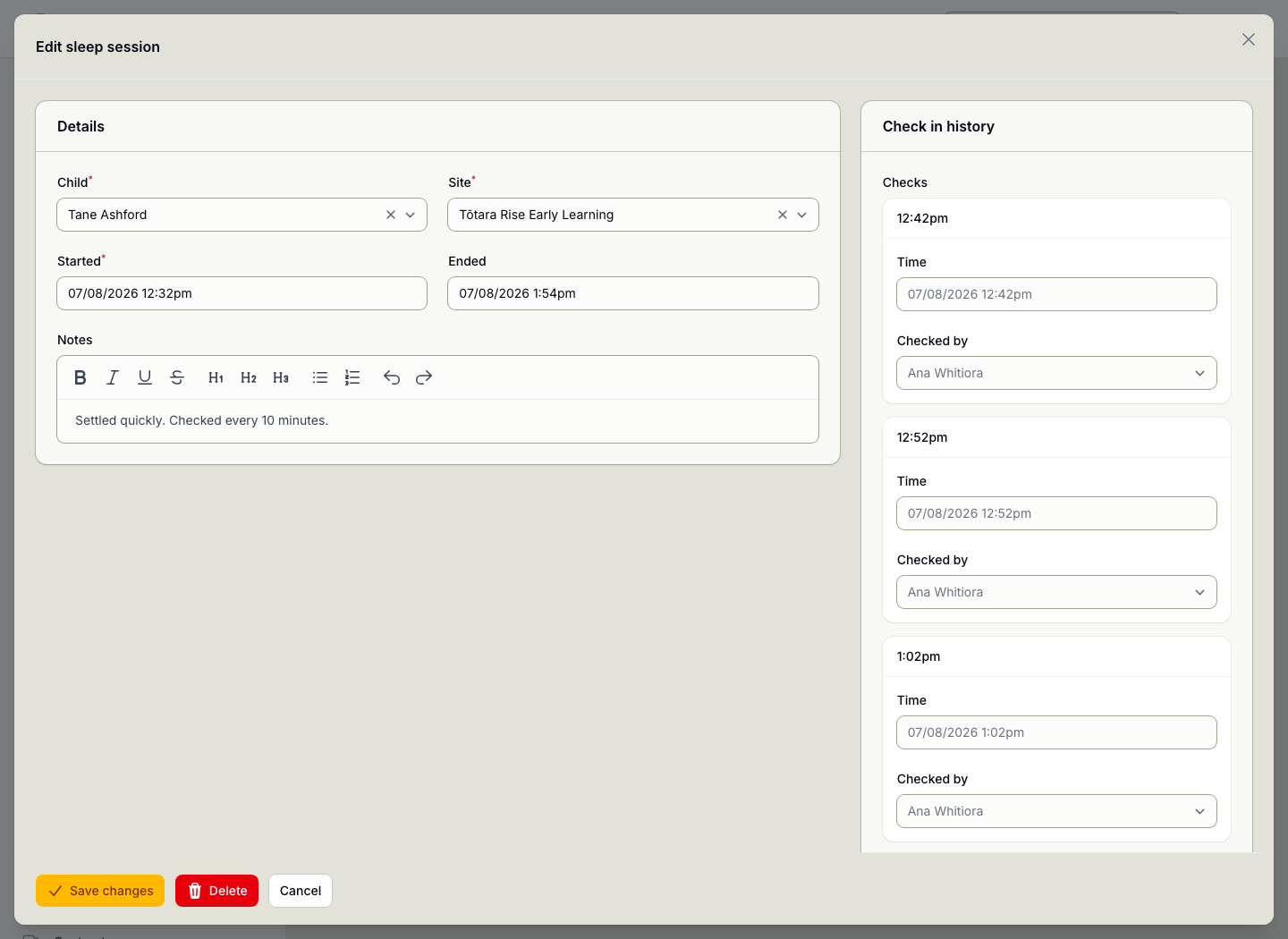
Sleep checks are a safety practice with a paper trail behind them. Starting a session records who put a child down and when, and an open session is visible at a glance, which is the question anyone walking into the room needs answered.

The record persists, so a question weeks later about how long a child slept has an answer.

  • Started and ended per child, with who recorded it
  • Sessions still open, so you can see who is down now
  • Notes against the session rather than on a whiteboard
  • Kept as a record, not wiped at the end of the day
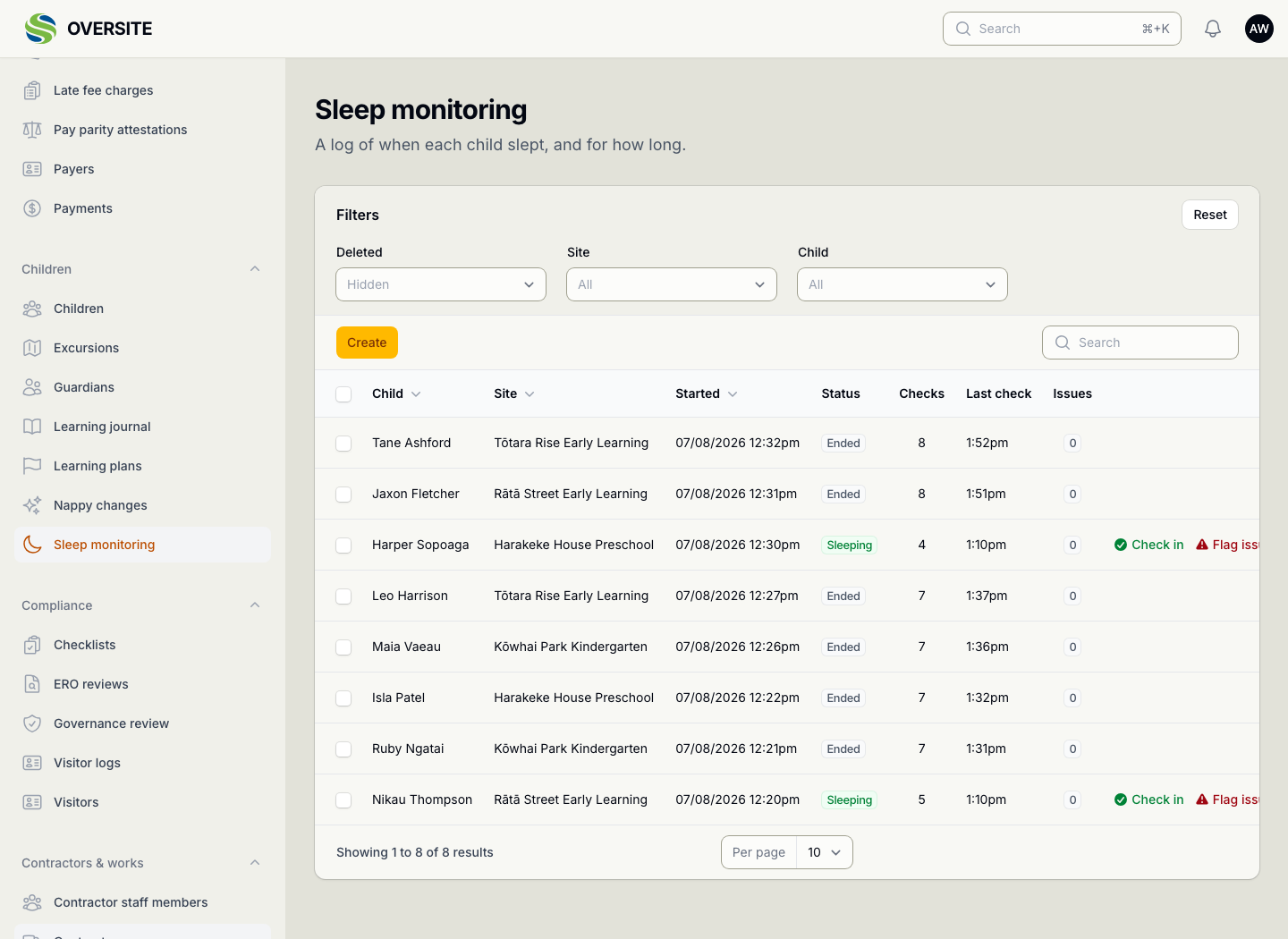
The Sleep monitoring screen listing sleep sessions with each child, the site, when they went down, when they woke, how many checks were recorded and who started the session. A sleep session open for editing, showing the child, site, start and end times and a note, beside a check-in history listing each ten-minute check with its time and the educator who made it.

Nappy changes, without the clipboard

A change takes seconds to record on a tablet in the room and needs no writing up afterwards. Families see it in their own portal rather than being told at pick-up.

When a rash or a change in pattern matters, the note travels with the record instead of being remembered by whoever was on shift.

  • Logged against the child, with time and educator
  • Notes where something needs passing on
  • Visible to the family in the guardian portal
  • No transcribing a wall chart at the end of the day
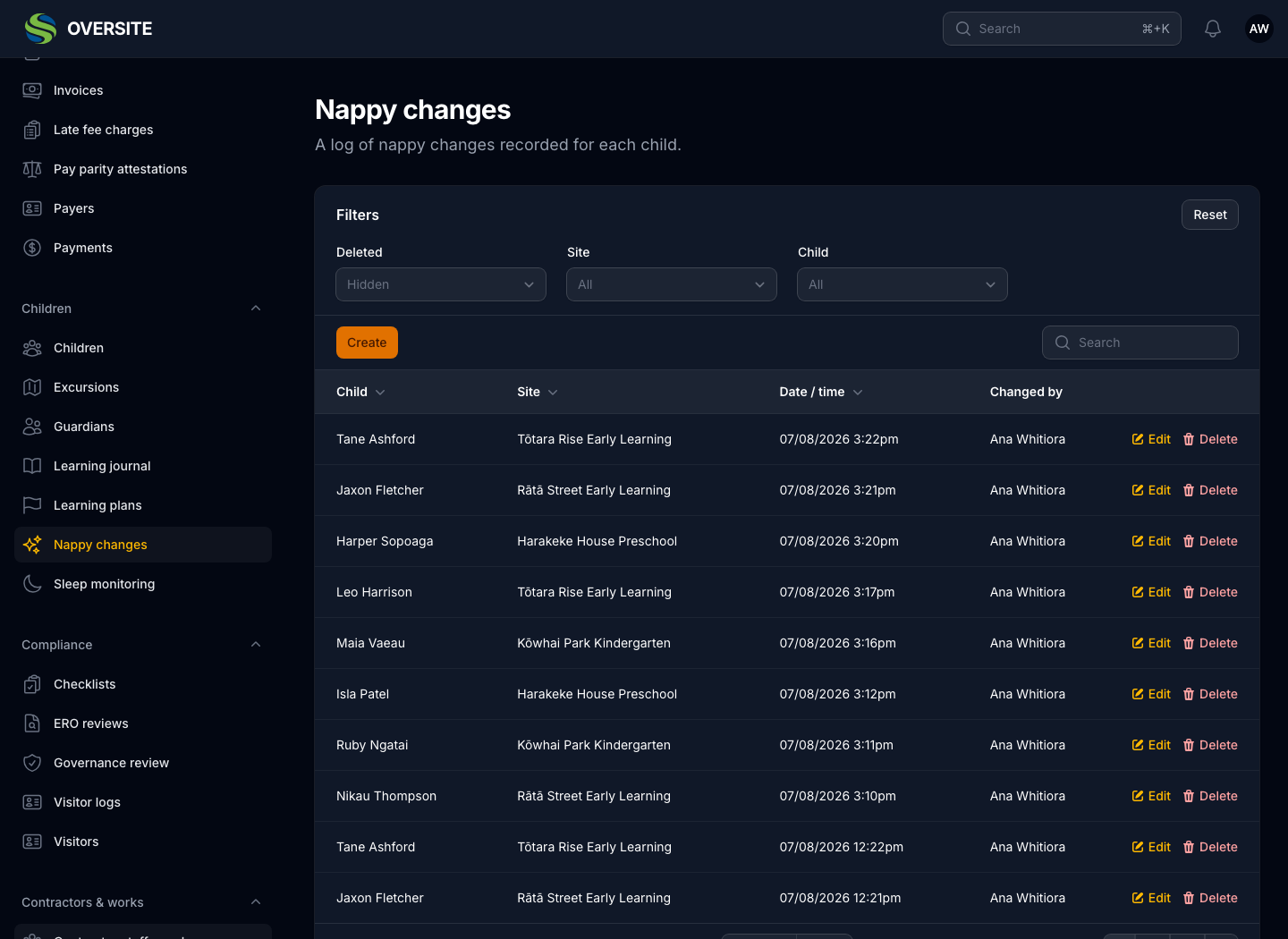
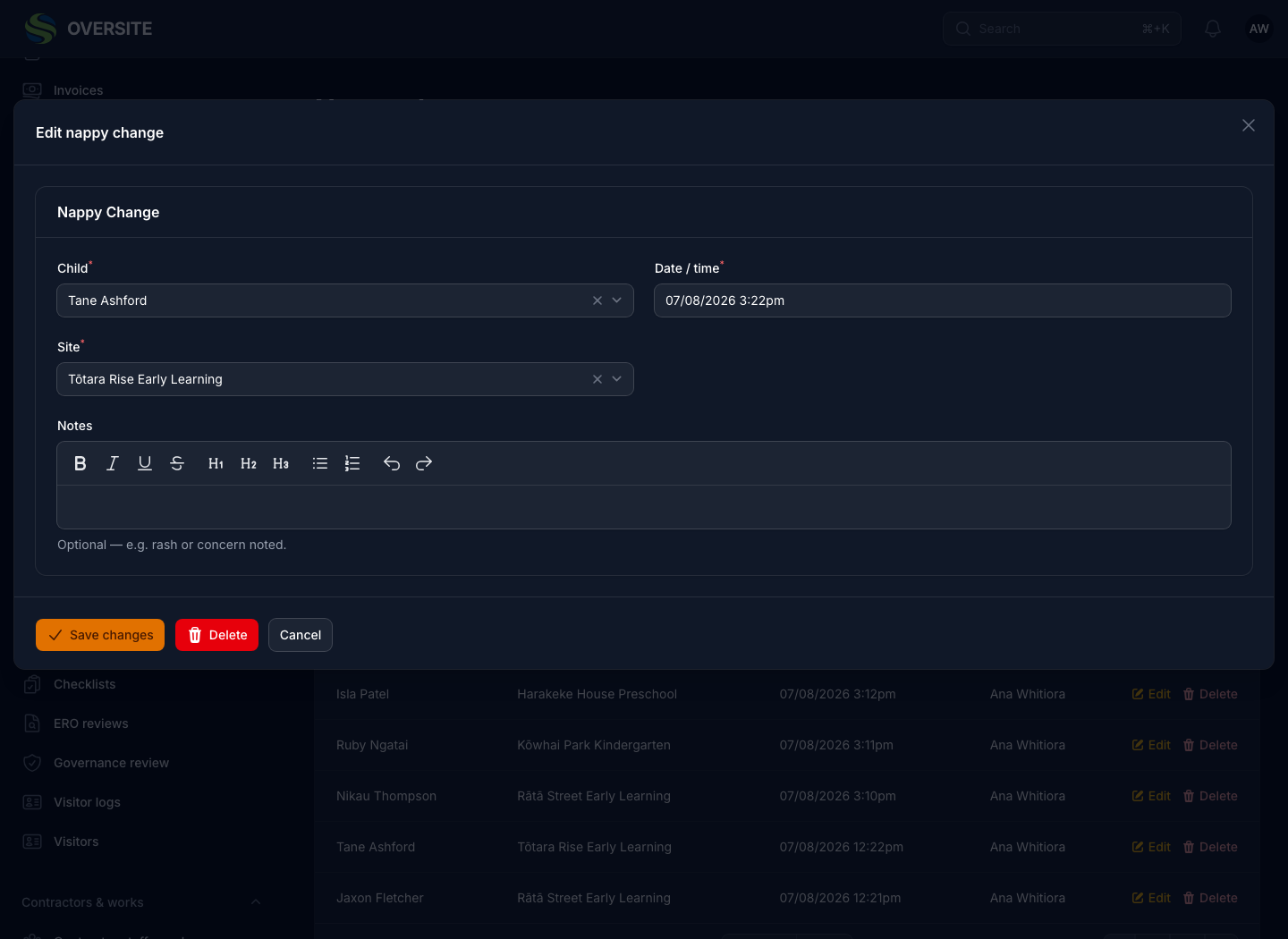
The Nappy changes screen in dark mode, listing changes through the day with the child, the site, the time and the educator who recorded it, with notes where something needed passing on. A nappy change open for editing in dark mode, with the child, the site, the time it happened, the type of change and a note.

Absences the family told you about

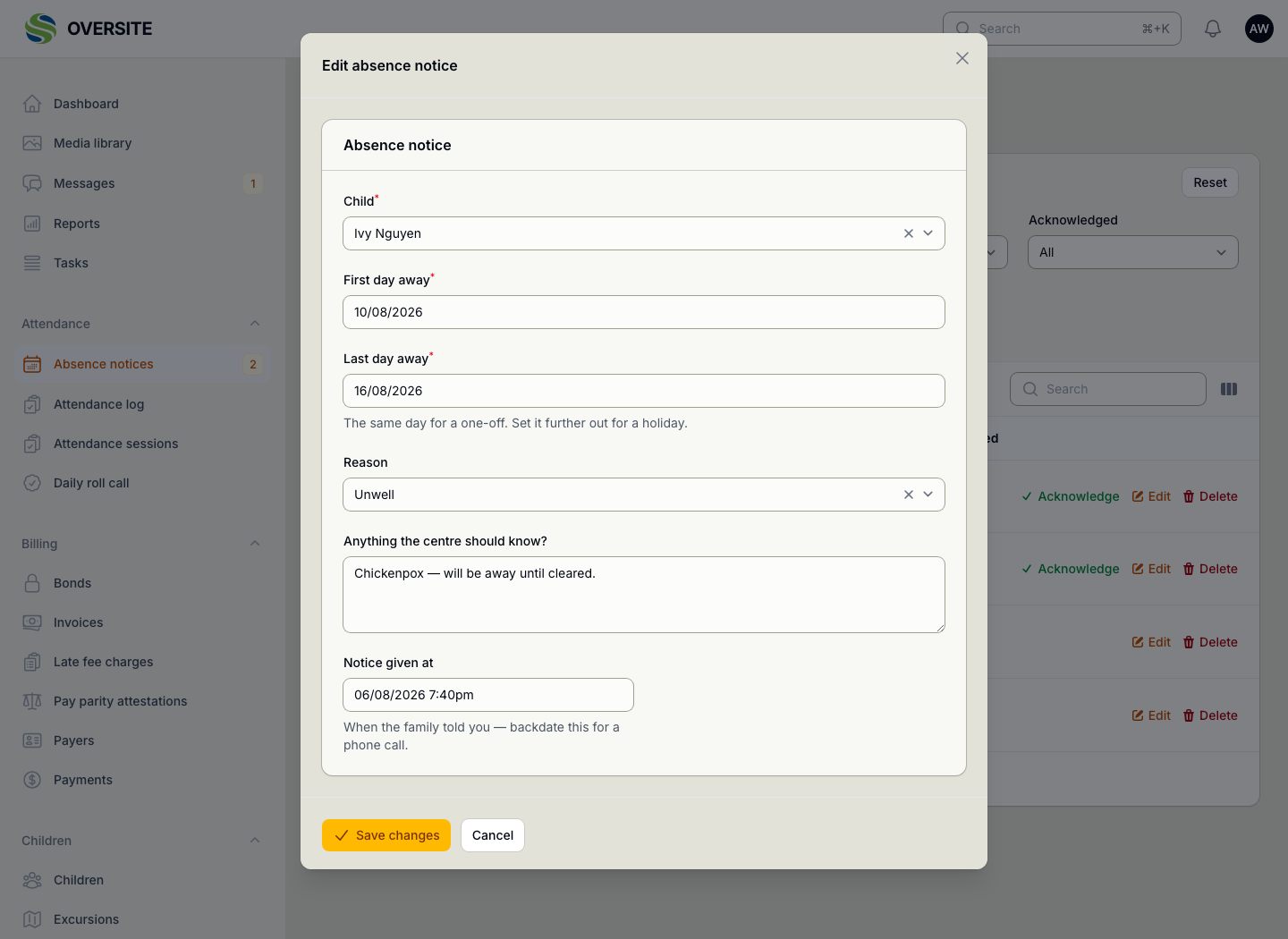
A family telling you their child is unwell should not require a phone call answered by somebody who then has to tell somebody else. Notices arrive from the guardian portal, carry the reason and dates, and are acknowledged so the family can see they landed.

The daily roll call reads them, so a notified child isn't flagged as unexplained, and the absence is already recorded when the funding return needs it.

  • Notified by the family, in their own portal
  • Reason, dates and a note in their words
  • Acknowledged, so the family knows it was seen
  • The roll call already knows, so nobody is chased
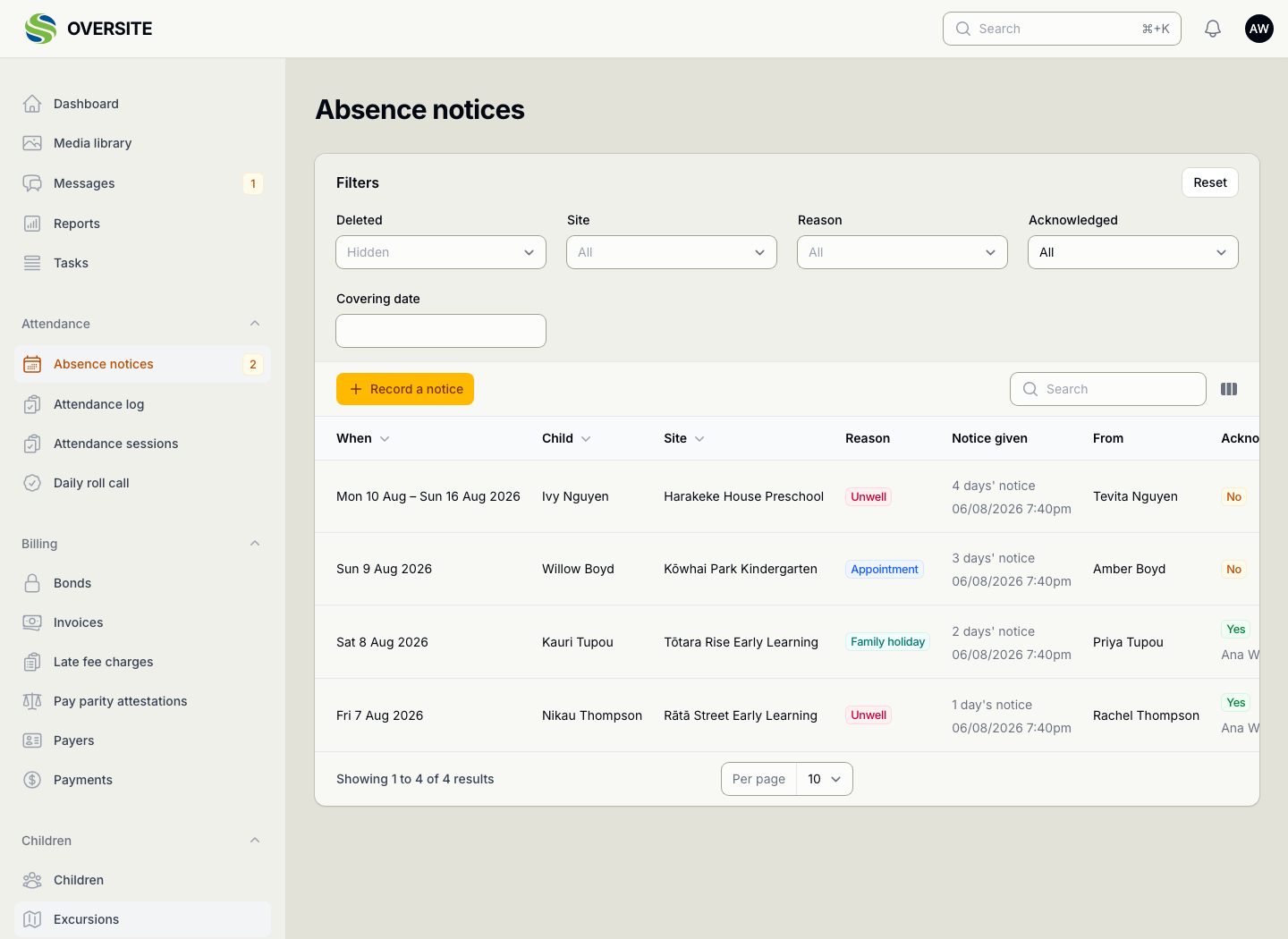
The Absence notices screen listing absences notified by families, each with the child, the reason, the dates, how much notice was given, the guardian who reported it and whether the centre has acknowledged it. An absence notice open for editing, showing the child, the site, the reason, the dates it covers, the note the family left and who acknowledged it.

Excursions, planned properly

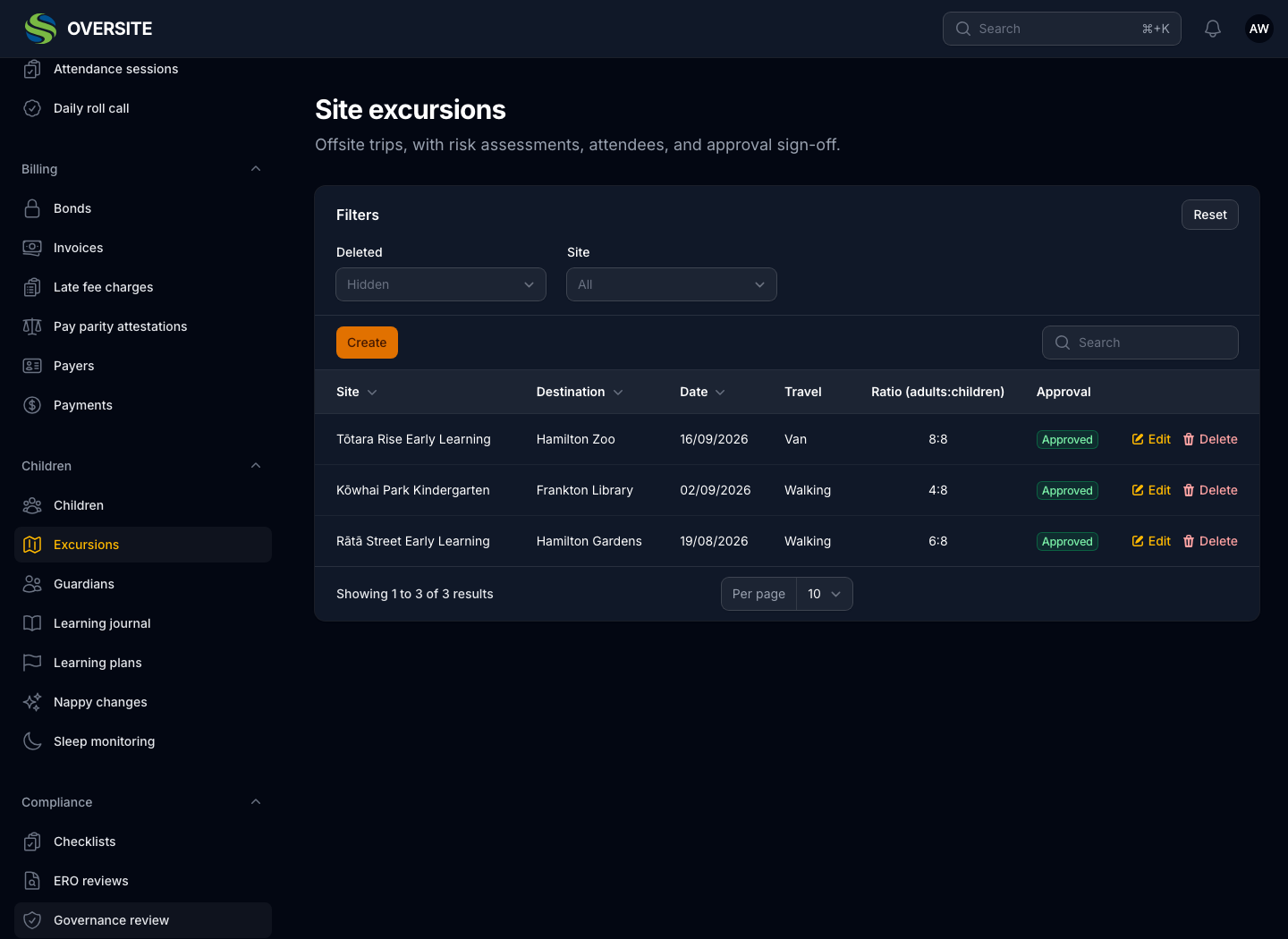
An excursion carries the planning the regulations expect: where, when, how you're getting there, how many adults, what could go wrong and what you'd do about it, all recorded before it is approved rather than reconstructed after.

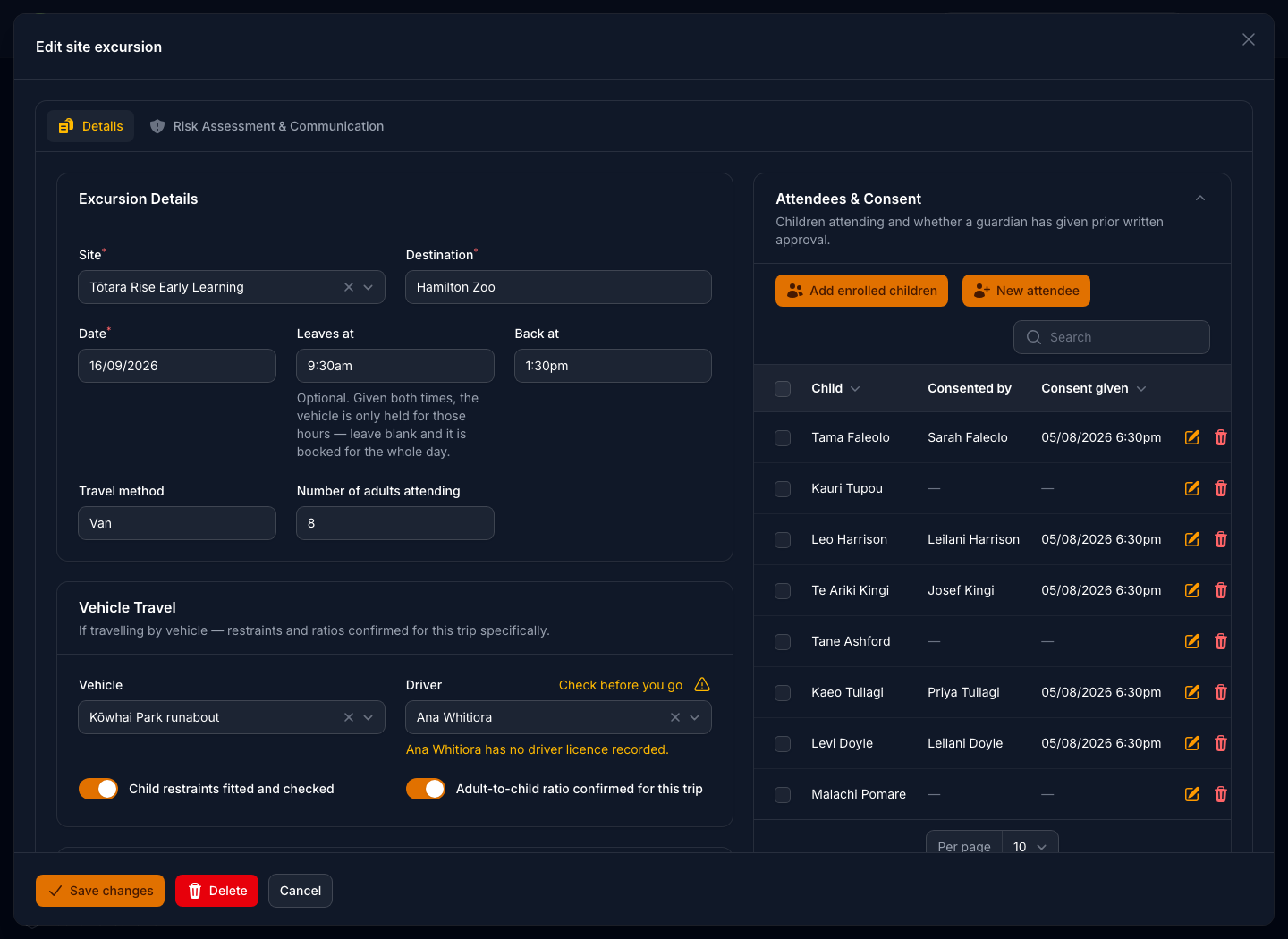
If a vehicle is involved, the driver's licence is checked and restraints confirmed at the point of planning. Consent comes back through the guardian portal against the excursion itself.

  • Risk assessment and communication plan recorded
  • Adult numbers and ratios confirmed before approval
  • Vehicle and driver checked, restraints confirmed
  • Guardian consent given or declined in the portal
The Excursions screen in dark mode listing planned trips with the destination, date, departure and return times, travel method and the number of adults attending. An excursion open for editing in dark mode, showing the destination, date and times, travel method and adult count, the vehicle and driver with child restraints and adult-to-child ratio confirmed, beside the list of children attending and which guardians have given consent.

See it with your own setup

Tell us how many sites you run and what you're using now, and we'll show you the parts that matter most to you. No obligation, and you'll hear back within one working day.

Book a demo